
TotalRecall Reloaded: a Side Entrance to Windows Recall

Why this matters
Microsoft’s Recall is a Windows 11 feature that captures contextual snapshots of your activity—screenshots, window metadata and ephemeral context—to let you search past work. It promises convenience for productivity, but when a third‑party utility called TotalRecall Reloaded surfaced, it highlighted that convenience features can increase attack surface if peripheral components aren’t locked down.
This article explains what Recall does, what the TotalRecall Reloaded tool reveals about how Recall stores and transfers information, who is at risk, and practical steps developers, IT teams and end users can take to mitigate exposure.
A quick primer on Recall
Recall is designed to index a rolling history of desktop activity so you can retrieve recent content and context without hunting through files. The system keeps metadata and small snapshots locally to enable fast search and context re‑hydration. Critically, Microsoft has described storage and access with privacy in mind: the heavy lifting stays on device, and encryption is used for sensitive material.
That design reduces cloud exposure, but it shifts the trust boundary onto the local operating environment. Any local feature that accumulates searchable artifacts increases the number of places data can leak if OS protections or adjacent components are weaker.
What TotalRecall Reloaded does (high level)
The tool does not magically break Recall’s cryptography. Instead, it demonstrates a “side entrance” pattern: weaknesses in how artifacts are persisted, indexed or handed off to other system components can be abused to extract useful history data without needing to defeat the underlying database encryption.
Concretely, the tool automates discovery and extraction of Recall artifacts that are accessible from user space or via OS services. For example, temporary files, index shards, backup copies, and interprocess transfer points are common attack vectors. An attacker who can read those files or intercept those transfers can reconstruct pieces of a user’s activity history.
Why call this a side entrance? Because the primary protection—encrypted storage and access controls—remains intact. The issue is adjacent: the delivery mechanisms and peripheral files around the vault are easier to reach.
Real‑world scenarios where this matters
- Stolen or lost laptops: If an adversary gets physical access and can boot into another OS or obtain the user profile, they may be able to harvest Recall artifacts left on disk.
- Insider threat and shared desktops: On machines used by multiple people, insufficient file permissions or misconfigured profiles can allow an unauthorized user to access Recall’s artifacts.
- Backup and sync tools: Third‑party backup agents or sync clients that copy user directories can capture snapshots and indexes unless explicitly excluded or protected.
- Forensic eDiscovery and legal requests: Organizations may not realize Recall data resides on endpoints; that expands the scope of what must be preserved or reviewed.
Practical mitigations for users and IT teams
- Patch promptly: Monitor and apply Windows updates. When OS features are new, vendors frequently patch low‑hanging issues discovered by researchers and third parties.
- Apply disk encryption: Full disk encryption (BitLocker on Windows) prevents offline access to files if the device is powered off or the attacker cannot obtain credentials.
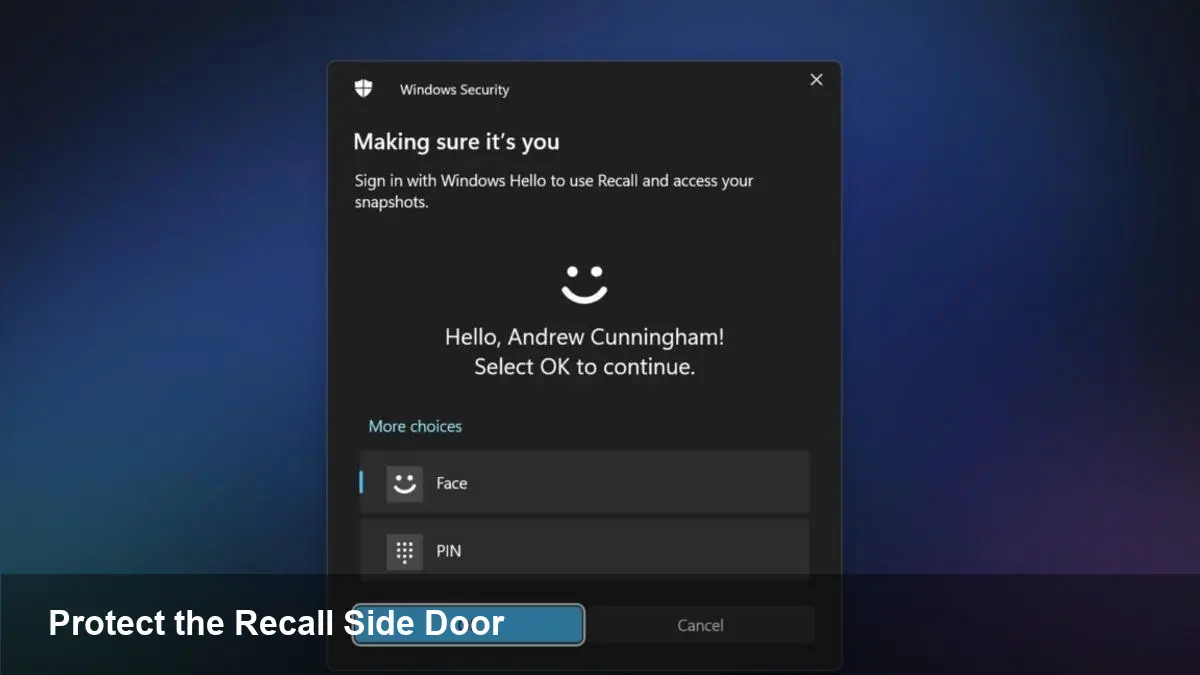
- Use strong account protections: Require PINs/Windows Hello and avoid persistent administrator accounts for daily use. Lock screens and automatic lock timeouts reduce physical access windows.
- Harden backups and exclude sensitive stores: Configure enterprise backup clients to respect OS privacy boundaries and exclude Recall artifact locations where appropriate.
- Restrict file system permissions: Verify that profile folders and service paths have least‑privilege ACLs; remove legacy permissions that grant broad read access.
- Disable or limit Recall if not needed: For users or devices with high sensitivity, turning off history‑building features is a straightforward tradeoff.
For developers building apps that interact with OS context features: treat local artifact stores as sensitive. Use secure APIs rather than reading/writing files directly, and document how your app handles temporary files and indexes.
What this means for enterprise policy and product design
1) Local AI features expand the attack surface: As operating systems add more on‑device AI and context caches, enterprise policies must account for new local stores of potentially sensitive material.
2) Defense-in-depth still wins: Encryption and secure vaults are necessary but not sufficient. Designers must consider the full data lifecycle, including temporary files, diagnostic dumps, and interprocess handoffs.
3) Visibility and governance: Endpoint visibility tools should be updated to recognize and classify Recall artifacts. Compliance workflows and eDiscovery tools must be able to include or exclude these stores intentionally.
Implications for the near future
- Expect platform hardening: Vendors typically respond by tightening file permissions, reducing unnecessary temporary persistence, and introducing APIs that avoid leaving recoverable artefacts on disk.
- Increased scrutiny of on‑device assistants: Regulators and enterprise security teams will look more closely at how contextual helpers capture and retain user activity, especially in regulated industries.
- Better developer guidance: Operating system makers will likely publish clearer rules for third‑party software integration with contextual features to avoid accidental leakage.
When to act and what to prioritize
If you manage sensitive data, prioritize device encryption and restrictive access controls first. Audit backup and sync configurations next—these are the most likely channels to copy Recall content off the endpoint. For product teams, add artifact‑lifecycle reviews (creation, persistence, deletion) into your threat modeling.
Even well‑designed vaults can be undermined by how data moves around them. TotalRecall Reloaded is a useful reminder: protect not just the container but every doorstep and hallway that leads to it.



