Samsung Galaxy A37: Real-World Value for Everyday Users

Where the Galaxy A37 fits
Samsung’s A-series has long been its workhorse for buyers who want Samsung design and software without flagship prices. The Galaxy A37 continues that tradition: it’s not chasing the bleeding edge, but it polishes the parts most users actually notice — battery, display, and a reliable software experience. For people who need a dependable daily driver, or businesses looking for affordable fleet phones, the A37 aims to hit a practical sweet spot.
Design and screen: solid, familiar, and functional
The A37 keeps a pragmatic approach to materials and ergonomics. Expect a plastic frame and back that prioritize durability and weight over flash. That means it can survive daily knocks and slips better than glass-backed flagships, and repairs tend to be cheaper.
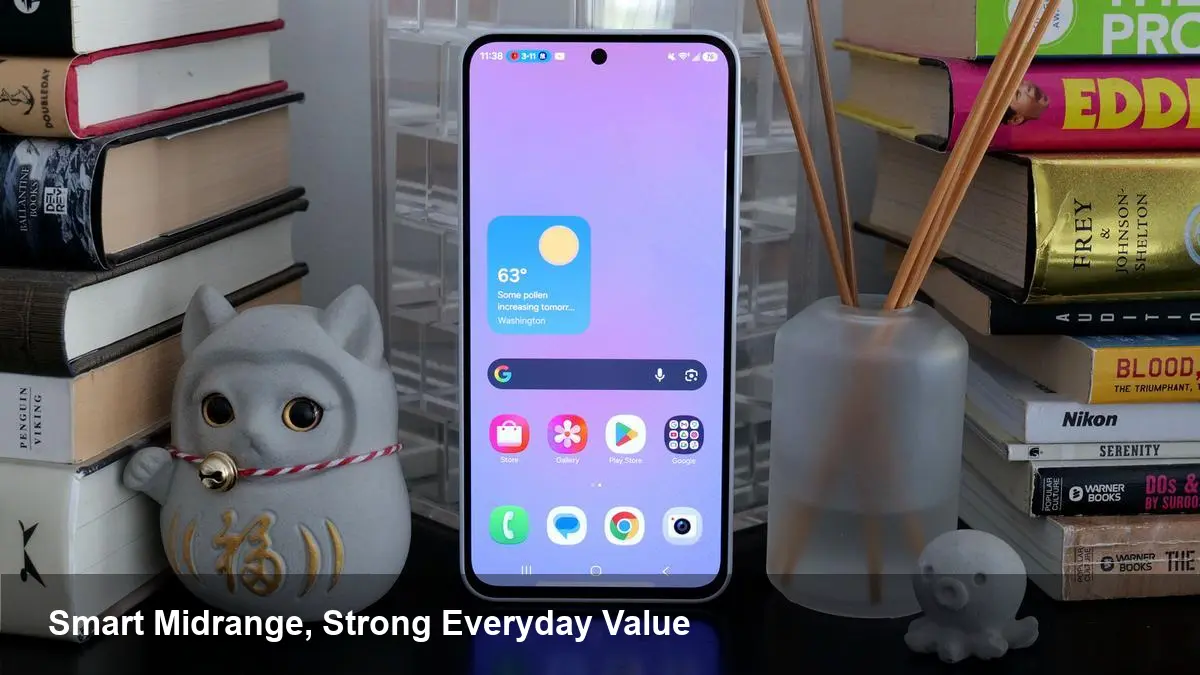
Where Samsung still stands out in the midrange is the display: vivid colors, good contrast, and a size that balances media consumption with one-handed use. The phone’s refresh responsiveness is tuned for smooth scrolling without draining the battery, making it a pleasant device for social feeds, video, and light gaming.
Performance and battery life that match real needs
On paper the A37’s chipset and RAM configuration aren’t meant to set records — they’re sized to handle typical multitasking, streaming, and casual games. That translates into a steady experience for everyday activities: web browsing, messaging, navigation, and remote work apps behave predictably.
Battery life is one of the A37’s selling points. With a capacity sized for full-day use under mixed workloads, it copes well with screen-on time and background sync the average user expects. Charging speeds are adequate for overnight top-ups or quick bursts during the day.
Cameras: dependable daylight shots, pragmatic limits after dark
If you’re buying the A37 for photography, calibrate expectations: the camera system captures clear, well-exposed photos in good light and handles HDR scenes competently. For social sharing and casual documentation it’s more than serviceable.
Low-light photography and high-detail zooms are where this class of device reveals its compromises. Night shots show more noise and softer details than flagship sensors; if photography is a priority, consider looking at higher-tier Galaxy models or a compact dedicated camera.
Software: One UI familiarity and update considerations
The A37 runs Samsung’s One UI, which is among the most feature-rich skins on Android. That means useful software extras — from device continuity with other Samsung products to productivity features like split-screen and secure folders — are available even on midrange hardware.
Battery and performance optimizations in One UI typically make midrange phones feel better than their spec sheets imply. However, customers should check Samsung’s support window for software updates on the specific A37 model in their region if long-term OS upgrades are a priority.
Practical scenarios where the A37 shines
- Field sales and logistics teams: The A37’s mix of durability, battery life, and a bright screen makes it a reliable tool for reps and delivery staff who use map apps, CRM web apps, and barcode scanners. Its lower repair costs reduce TCO compared with flagships.
- Students and remote workers: For video calls, note-taking, and light multitasking, the A37 covers the essentials while keeping the price manageable. The display is strong enough for long reading sessions and streaming lectures.
- Casual mobile photographers: Social-first creators who mostly shoot in daylight will appreciate the straightforward camera performance and color reproduction.
- App developers and QA testers: Testing on a midrange device like the A37 is important because it reflects a large segment of the user base. Performance profiling, memory usage, and UX checks on a device that isn’t high-end will reveal real-world pain points that emulator testing misses.
Example workflow: a solo developer’s day
A freelance Android developer building a budget-conscious app can keep an A37 in their device suite for daily testing. Use it to validate smoothness under constrained memory, check layout behavior on the A37’s display density, and run battery-impact experiments. Fixes found on this device often benefit more users than optimizations targeted solely at top-tier phones.
Pros and trade-offs
Pros:
- Balanced battery life for day-long use
- A bright, pleasant display for media and reading
- Durable, repair-friendly construction
- Competitive price-to-feature ratio
Trade-offs:
- Performance ceiling lower than flagship chips
- Camera limitations in low light and high-zoom situations
- Plastic-based design lacks premium feel for some buyers
Business and developer implications
For small companies issuing devices, the A37 is a cost-effective choice that lowers upfront expenses while providing a consistent fleet experience. MDM (mobile device management) tools and BYOD policies should be checked for compatibility, but Samsung’s enterprise features (Knox, secure folders) add value in security-conscious deployments.
Developers should include the A37 or similar midrange hardware in their testing matrix. Optimizing for these devices helps reduce crashes and improve perceived performance for a large customer segment, which can directly affect retention and reviews.
What this means moving forward
1) The midrange market is consolidating around polished software experiences rather than raw specs. Phones like the A37 show that users often value smooth daily use more than bleeding-edge components.
2) For businesses and developers, device parity across tiers will matter more. Ensuring apps behave well on midrange devices improves accessibility and market reach.
3) Samsung’s A-series will likely keep pushing features that used to be flagship-only — better displays, longer update windows, and enterprise-friendly features — which raises the floor for all Android devices.
Deciding whether the Galaxy A37 is the right phone comes down to priorities: if you want a dependable, affordable handset with a strong display and good battery life, it’s a compelling pick. If you’re after top-tier performance or low-light camera performance, a higher-tier model will serve you better. For developers and businesses, it’s a useful platform to include in any realistic test or deployment plan.