
Sony INZONE and the Rise of Pro-Grade Gaming Displays

Why Sony stepped into high-end PC displays
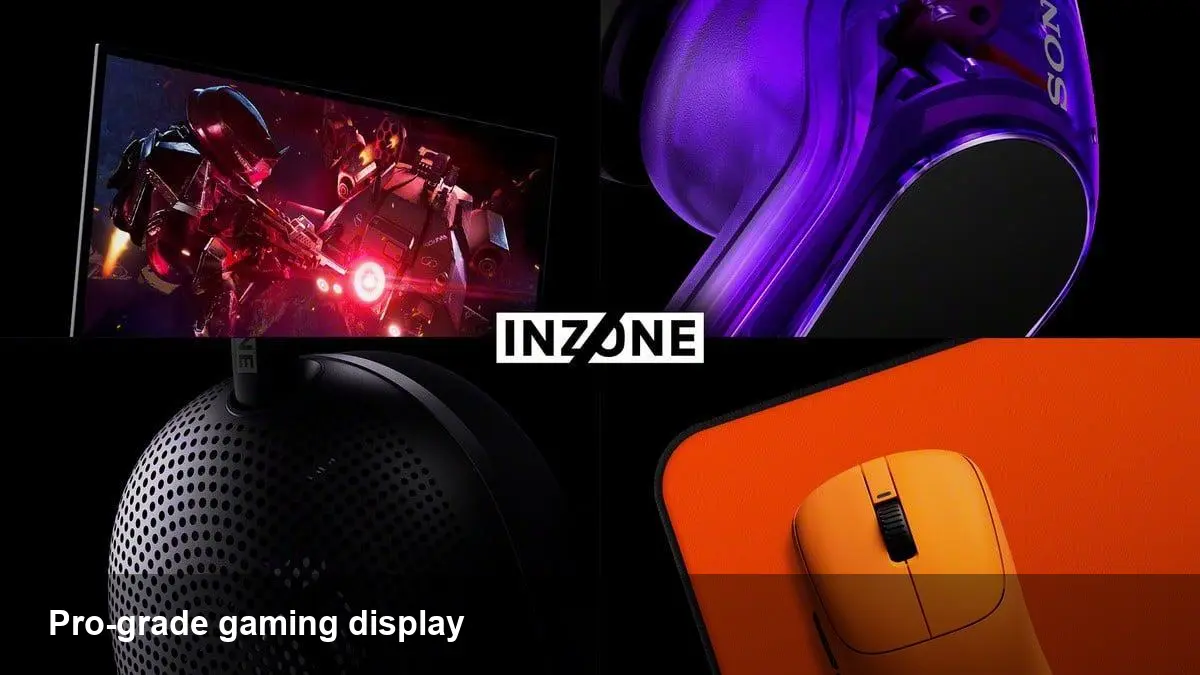
Sony’s INZONE brand represents a deliberate move from console-first peripherals into the premium PC gaming monitor market. Rather than rehashing familiar TV features for desktops, Sony Inzone monitors are positioned toward low-latency, high-refresh competitive play while keeping image quality good enough for creators who also need color fidelity.
For product teams, streamers and esports operators, that positioning matters: it signals Sony isn’t trying to chase price-sensitive mainstream buyers, but to capture users who will pay for measurable performance advantages.
What this monitor category actually delivers for users
High-end gaming monitors aren’t just about higher numbers on spec sheets. The incremental value matters in a few concrete ways:
- Latency and responsiveness: Smaller input lag and faster pixel response times change how games feel — crucial for first-person shooters and fast-paced multiplayer. This is where competitive “uber sweats” notice gains immediately.
- Frame pacing and refresh: Higher refresh rates paired with reliable variable refresh (VRR) smooth animation and reduce judder during inconsistent frame delivery from GPUs.
- HDR and local dimming: When implemented well, full-array local dimming and good HDR handling deliver better contrast and visibility in dark scenes — giving players an edge in spotting enemies.
- Feature ecosystem: Integrated monitor tools like crosshair overlays, HDR presets, and easy switching between console/PC modes streamline live streaming and LAN setups.
Those practical improvements are why pro players and tournament organizers invest in purpose-built displays.
Three real-world scenarios
Here are three concrete situations where a Sony gaming monitor could change workflows and outcomes.
1) Pro esports player practicing aim A professional FPS player uses the monitor’s high refresh and low lag for daily aim training. The smoother microtiming reduces false positives during flick shots and lets them detect subtle input issues. Because practice maps and live play align more closely with tournament gear, transfer of skill is immediate.
2) Streamer and content creator switching between platforms A streamer toggles between PC gaming and console streams. The monitor’s multi-input with console-friendly settings and color profiles lets them switch without reconfiguring capture software. Built-in picture modes simplify matching brightness and color across streams, reducing post-processing work.
3) Indie studio QA and performance tuning An indie developer uses the monitor to reproduce high-refresh conditions and test GPU-bound scenarios. Precise timing and HDR fidelity reveal rendering issues that a standard 60 Hz monitor would mask, helping ship tighter frame pacing and better visual parity across target platforms.
What developers and teams should care about
If you ship visual products or run live events, a few practical implications come up:
- Testing at target refresh matters. Don’t assume visual bugs are the same at 60 Hz and 144+ Hz; micro-stutters and frame drops behave differently.
- Input path consistency is critical. Monitors that implement different processing for HDR or scaling can introduce variable latency; lock to a low-latency mode during tests.
- Capture chain compatibility. If you’re streaming, ensure capture cards and GPUs can pass the monitor’s resolution and refresh without forced re-scaling or dropped frames.
In short: include high-refresh monitors in QA matrices and standardize test rigs for event-ready environments.
Business cases: who should buy and why
- Esports organizations and LAN centers: Invest for player training fidelity and viewer confidence — consistent equipment reduces excuses after losses.
- Streamers and hybrid creators: Get flexible inputs and color modes to minimize setup friction and post-edit corrections.
- Pro dev teams and QA houses: Use them to reproduce performance edge-cases and validate HDR pipelines.
If you’re a casual player, the benefits diminish quickly versus the price premium. The biggest hidden cost is the GPU power required to push high-frame, high-res gameplay — you might need a modern graphics card to leverage the monitor fully.
Trade-offs and limitations
No product is perfect; here’s what to watch for when evaluating a Sony gaming monitor:
- Price-to-performance: Premium features come at a premium price. Determine whether lower-cost high-refresh options already satisfy your practical needs.
- System requirements: 4K at high refresh or HDR with local dimming demands powerful GPUs and proper cables (HDMI 2.1 or DisplayPort equivalents). Budget systems won’t see the gains.
- Calibration and color consistency: Factory settings vary — creators should plan for calibration to match their color pipeline.
- Feature fragmentation: Built-in gaming overlays or console modes sometimes behave differently across inputs; verify that switching inputs doesn’t introduce processing delays.
Two technical considerations before purchasing
1) Verify the end-to-end latency: Measure or look up independent latency tests for the specific model. Input lag numbers can vary based on whether HDR, scaling, or processing engines are active. 2) Check VRR and platform support: If you own a console (or plan to), ensure the monitor’s VRR and HDMI features pair cleanly with your console’s firmware.
What this trend means next
1) More cross-pollination between TV and monitor tech: Expect Sony and competitors to keep bringing TV-quality HDR and advanced dimming into desktop-sized monitors, closing the gap between cinematic and competitive displays. 2) Software-level optimizations will matter more: As hardware latency drops, differences introduced by drivers, OS scheduling, or streaming stacks will become the dominant source of performance variance — meaning software optimization will be the next frontier for competitive advantage. 3) Market segmentation will sharpen: We’ll see clearer lines between value high-refresh monitors for mainstream players and boutique, tournament-grade displays tailored for pro circuits and training facilities.
Quick buying checklist
- Does your GPU support the monitor’s target resolution and refresh? If not, plan an upgrade.
- Can your capture and switching hardware pass the monitor’s signal without re-scaling? Test this before live events.
- Is low-latency mode easy to enable and consistent across inputs? Prefer models that expose a true game mode.
Sony INZONE brings a recognizable brand into a competitive niche: the real win for buyers comes from matching the monitor’s features to concrete workflows — training, streaming, or QA — rather than buying on headline specs alone. If your setup and budget can make use of high-refresh, low-latency hardware, a pro-grade Sony gaming monitor is worth testing in your environment.



