
Why Microsoft Raised Surface Prices — and What to Do

What changed and why it matters
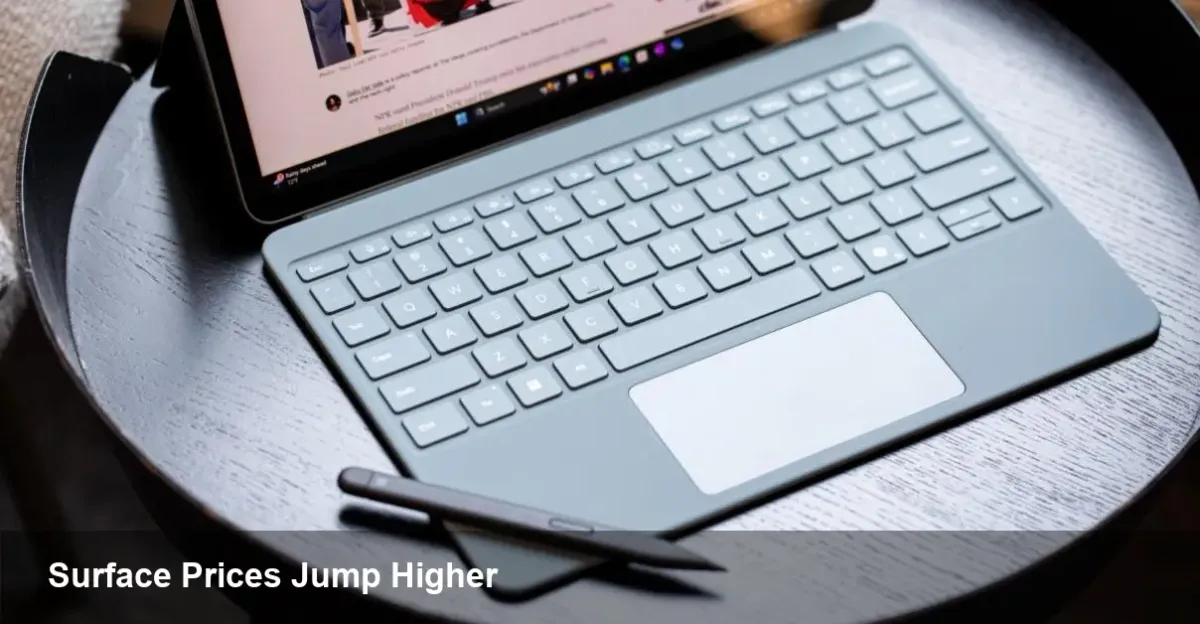
Microsoft recently raised prices across its Surface line. Two headline moves: the Surface Pro 11 and the Surface Laptop 7 now start at $1,499, up from a $999 entry price. That jump is large enough to affect individual buyers, developers choosing a daily driver, and IT procurement cycles at startups and enterprises.
This isn't just sticker shock. For many buyers the Surface line has represented a compact balance of design, Windows integration, and portability. When the baseline price moves substantially, the calculus that made those devices attractive changes too.
A quick refresher on Surface
Microsoft’s Surface family sits between consumer PCs and premium Windows workstations. Over the past decade Surface has expanded from the original Surface Pro tablet to a lineup that includes detachable tablets, thin-and-light laptops, and hybrid powerhouses. The brand is as much about Microsoft's vision for Windows hardware as it is about components and industrial design.
Historically, Microsoft priced Surface models to compete with premium rivals (MacBook, Dell XPS, Lenovo ThinkPad). The recent pricing update signals a further tilt toward premium positioning, which has knock-on effects for value-sensitive segments.
Immediate impacts for three buyer profiles
- Freelance developer or solo founder: If you were budgeting $1,000 for a portable dev machine, that purchase now overshoots your target. Many developers need a minimum of 16GB RAM and a competent CPU for local builds or container workloads. The price increase means either stretching the budget for a Surface or looking at alternatives (refurb, last-gen, MacBook alternatives, or more affordable Windows machines).
- IT manager at a startup: Bulk procurement is where price changes show up quickly. If your refresh plan assumed $999 per seat, a $500 jump per unit changes headcount vs hardware tradeoffs, delays refreshes, or moves teams to a mixed fleet strategy.
- Students and education buyers: Education budgets tend to be fixed. Schools and students may prefer Chromebooks, older Surfaces, or Windows laptops from other vendors if the new base pricing doesn’t match funding limits.
Practical buying options and workarounds
- Check the spec baseline: Microsoft often raises base prices when it changes base configurations (RAM, storage). Confirm what you’re getting for the new $1,499 baseline—sometimes the higher price reflects more RAM or storage, which may justify the cost for power users.
- Buy last-gen or refurbished: When a vendor increases prices, the previous generation often becomes more attractive. Refurbished or open-box Surfaces can be had at deep discounts and still provide most of the day-to-day value.
- Negotiate enterprise deals: Many organizations can still secure volume discounts or financing options. Consider staggered refreshes or device leasing to smooth short-term budget impact.
- Consider alternatives: The Windows PC market is mature. Dell XPS, Lenovo ThinkPad, HP EliteBook, and even Apple’s MacBook Air/Pro are viable alternatives depending on your software stack.
- Use trade-in and bundled services: Microsoft and resellers often run trade-in credits, discounted accessories, or bundled services (Microsoft 365) to sweeten the deal.
For developers: hardware needs vs price
Think in terms of workloads. For web development and light containers, a modern 8–16GB machine with a fast SSD is enough. But if you run heavy local VMs, Docker clusters, or a local ML environment, you’ll want stronger CPU and at least 16–32GB of RAM. The higher base price might already include the uplift to 16GB; check that against alternatives to see if the marginal cost maps to useful performance gains.
If you commute or travel a lot, prioritize weight and battery life over peak performance. If your workflow relies on cloud-based CI and test environments, you can shift more compute to the cloud and buy a lighter, cheaper client device.
Business implications and strategy
- Margin and positioning: Charging more can boost hardware margins and fund investments in industrial design, better parts, or bundled services like Copilot and Microsoft 365. It also positions Surface as a premium option aimed at professionals.
- OEM and channel effects: Higher Surface prices may benefit other OEMs who choose to compete on value rather than premium branding. It could also lead Microsoft to pursue deeper tie-ins with enterprise software to justify higher hardware costs.
- Refresh cycles: Organizations might extend device lifecycles to avoid replacing equipment at higher prices, which can temporarily depress corporate hardware spend.
Longer-term signals
1) Microsoft may be moving the Surface baseline upward to align hardware with an ecosystem that emphasizes services (e.g., cloud, productivity subscriptions). Expect future bundles or subscription options that combine hardware, software and support.
2) If other manufacturers don’t follow, Microsoft could cede the value-focused market segment to competitors and double down on premium enterprise buyers.
3) Higher entry prices could accelerate demand for refurbished devices and third-party leasing markets—an opportunity for resale platforms and IT asset managers.
Quick checklist before you buy
- Confirm what the new base model specs are at $1,499. Is the RAM/storage upgrade worth the extra cost?
- Compare total cost of ownership: warranties, support, and expected lifespan.
- Evaluate last-generation models and certified refurbished units.
- If buying for a team, ask your vendor about volume discounts, financing, or leasing.
- For developers: map your typical workload and decide if cloud offload makes a cheaper client possible.
Microsoft’s Surface pricing shift matters because devices are both personal productivity tools and corporate line items. Whether you buy a Surface or switch to another platform depends on how much the new price delivers in the specs and experience you actually need. For many buyers, a little patience, negotiation, or a last-gen model will close the gap; for others, this is the moment to rethink what hardware best supports their workflows.



