
Why Microsoft Raised Surface PC Prices — What to Do Now

What happened and why it matters
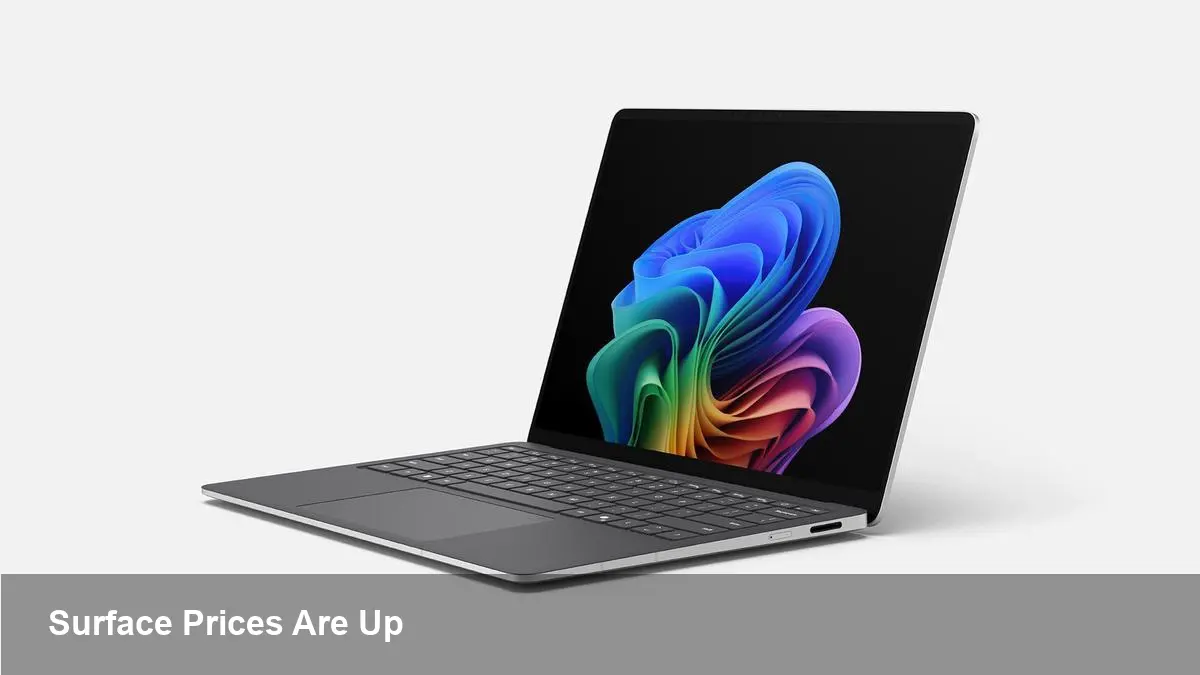
Microsoft recently increased retail prices across the Surface PC lineup, pushing many mid-range configurations above the $1,000 mark and setting flagship tiers at roughly $1,500 and up. The company attributed the change to higher memory and component costs — a familiar refrain across the hardware industry in recent years — but the move has immediate practical consequences for shoppers, developers, and IT buyers.
This shift matters because Surface devices are positioned as premium Windows hardware: popular with knowledge workers, designers, and developers who want a balance of portability and power. When a widely used device class suddenly costs hundreds more, organizations must re-evaluate budgets, procurement plans, and device lifecycles.
Which Surface models are affected
All Surface families saw price adjustments: tablets like the Surface Pro line, clamshell laptops in the Surface Laptop family, and larger creative machines such as Surface Studio. In short, Microsoft raised prices across entry, mid-range, and flagship SKUs rather than targeting a single product.
For context, Microsoft says the price moves are tied mainly to rising costs for memory and other components — items that can swing dramatically as supply chains tighten or chip inventories fluctuate.
Practical impact for different users
- Individual buyers: If you were planning to upgrade a personal laptop or tablet, expect to pay more for new devices. The extra cost will be most felt by buyers who were targeting mid-tier configurations (now commonly over $1,000).
- Freelancers and creatives: For people using Surface Studio or higher-end Surface configurations for photo, video, or design work, the price bump increases the break-even time before new hardware pays for itself. You might delay upgrades, buy fewer storage/GPU upgrades at purchase, or look for refurbished units.
- Developers and power users: Developers who rely on a performant local machine — especially those compiling large codebases, running containers, or working with virtualization — will notice higher entry costs for a capable Surface. This pushes some toward alternative machines (Windows laptops from other OEMs, or Apple’s MacBooks if they offer better price-performance for your workflow).
- IT teams and procurement: Organizations budgeting for device refresh cycles now face higher per-seat costs. On a 100-seat refresh, a few hundred dollars per device quickly becomes a six-figure difference in capital expenditure.
Real-world scenarios
Scenario 1 — Startup purchasing new developer laptops A bootstrapped startup planning to provision 10 Surface Pros for engineers will see each unit cost more. With tight runway, the founders might: (a) choose older Surface generations, (b) buy Windows laptops from Dell/Lenovo that offer similar components at lower MSRP, or (c) adopt a mix of lower-cost devices plus access to cloud build machines for heavy compile tasks.
Scenario 2 — Design studio replacing creative workstations A small agency upgrading two Surface Studio workstations might delay purchases and rely on existing hardware while negotiating trade-in credits or exploring certified refurbished units from Microsoft or resellers.
Scenario 3 — Remote-first company re-evaluating device policy An organization that reimburses employees for home office devices may increase allowances, tighten approval thresholds, or move to employee-choice models with approved vendor lists to control spend.
Cost-control tactics and alternatives
- Consider refurbished or certified pre-owned Surface devices. Microsoft and authorized resellers often sell refurbished units with warranties at meaningful discounts.
- Evaluate Windows laptops from OEMs like Dell, HP, and Lenovo. These vendors compete aggressively on price and can match performance at lower MSRPs or offer volume discounts.
- Look at device-as-a-service (DaaS) and leasing. Spreading the cost over 24–36 months can help maintain predictable budgets and upgrade cadence without large upfront capital outlays.
- Use cloud build agents and remote dev workstations. If heavy compilation or GPU workloads are the reason for local high-end hardware, cloud instances can offload that demand and allow lower-spec local machines.
- Buy earlier-generation Surface models. Previous-generation hardware is often discounted when a product line is refreshed.
- Negotiate enterprise discounts and bundling. Large organizations can often extract better pricing through volume agreements, bundled services, or enterprise licensing programs.
What this means strategically for Microsoft and competitors
Microsoft’s public rationale points to component cost pressure — but raising retail prices is also a strategic decision. For Microsoft, Surface is partly about showcasing Windows hardware and selling services (Office, Teams, cloud subscriptions). Higher Surface prices can compress the addressable buyer pool and push price-sensitive customers to competing Windows OEMs or to Apple.
From Apple’s perspective, relatively stable pricing on its Mac lineup (and a strong second-hand market) can make MacBooks more appealing if they now sit at comparable or better price-performance ratios for certain users.
Limitations and trade-offs
- Price increases may slow consumer upgrade cycles, especially in mid-range segments where a few hundred dollars matter.
- For enterprise buyers, total cost of ownership (TCO) includes support, device management, and longevity; Surface devices often score well here, which can offset initial price differences. But that calculus varies by organization.
- Not every user needs flagship performance. Some of the higher-end Surface SKUs are designed for specific workloads (graphics, multi-threaded compilation). Identify whether that performance is required or if a lower-cost alternative will suffice.
Three implications to watch next
- Continued supply volatility will keep hardware SKUs and pricing fluid. Expect occasional above-inflation price moves or constrained promotions until memory and component pricing stabilize.
- Microsoft may pivot more toward subscription models (DaaS, hardware bundles with Microsoft 365) to smooth revenue and lower the psychological sticker shock of higher upfront prices.
- Competitors will respond with promotions and discounts. If Apple or major PC OEMs see an opportunity, we could see more aggressive trade-in programs or bundled services aimed at stealing marginal buyers.
If you’re planning purchases in the near term, reassess priorities: need vs nice-to-have, local performance vs cloud offload, and whether refurb, lease, or a competing brand better fits your budget. The price increase changes the calculus, but it also forces a clearer look at ROI and device strategy whether you’re an individual buyer, developer, or IT manager.



