
When Fire Sticks stop accepting sideloads

What changed and why people noticed
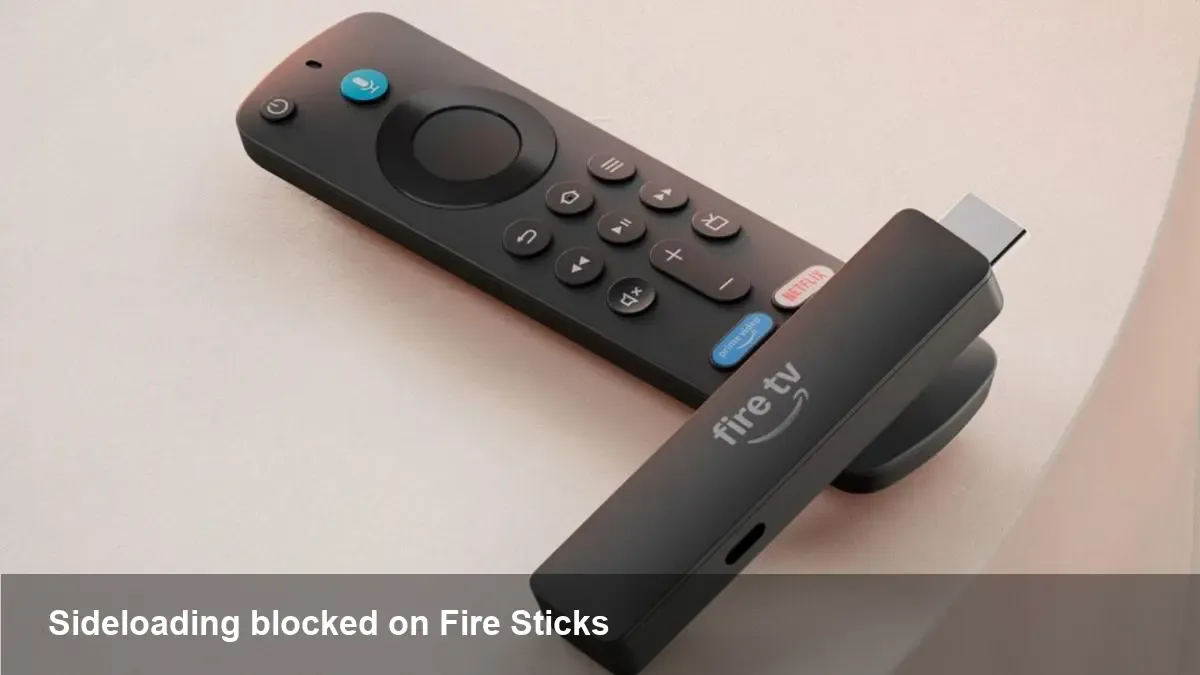
Amazon’s two newest Fire TV Stick models no longer allow installation of apps from outside the Amazon Appstore. That practice — commonly called sideloading — has been a defining feature of Fire TV devices for years, enabling users to run third‑party apps such as Kodi, Plex clients, niche streaming apps, utilities and developer builds. With the change, people who relied on sideloading are seeing those paths closed or made much harder.
Amazon hasn’t removed the ability to install apps entirely — the official Appstore continues to be supported — but the practical effect is that you can’t load APKs from USB, ADB or third‑party installers on these latest sticks the way you used to.
Why Amazon might be doing this
There are several likely motives behind the shift:
- Security and platform safety: Blocking unvetted apps reduces the attack surface for malware and piracy tools that can compromise both devices and content partners.
- Content and licensing concerns: Streaming partners and rights holders push platforms to limit apps that facilitate access to unlicensed streams.
- Business model and revenue: Steering users toward the Amazon Appstore and Prime ecosystem helps Amazon control in‑app purchases, subscriptions and the data that comes with them.
- Simplified support and QA: Fewer user‑installed apps can mean lower support costs and a more predictable device experience.
None of these are mutually exclusive — the decision is probably driven by a mix of technical, commercial and legal considerations.
Who loses and who’s affected
This isn’t just an abstract policy change. It has concrete consequences for three groups:
- Cord‑cutters and hobbyists: People who used sideloading to install media centers, VPNs tailored to torrents or content unblocking tools, and apps that aren’t in the Appstore will be directly impacted.
- Independent developers and testers: Sideloading has long been the easiest way to iterate on Fire TV builds without submitting to Amazon’s review process. That rapid test loop is now curtailed on the newest sticks.
- Small businesses and digital‑signage deployments: Companies that use low‑cost Fire Sticks as screen players for kiosks or signage and sideload custom apps will need to reconsider device choice or fleet management.
Example scenarios
- A family uses a Fire Stick to run an unofficial subtitle or IPTV app that isn’t on the Appstore. After upgrading, the app won’t install and their workaround of installing from a mobile installer doesn’t work.
- An indie developer wants to beta test a new Fire TV UI; previously they could push an APK over ADB. They now must use the Appstore beta channels or an older device for local testing.
- A small retailer bought dozens of Fire Sticks to drive price‑sensitive digital signage. Their deployment workflows that relied on sideloaded signage apps break on new units.
Practical alternatives and workarounds
Not all hope is lost. Depending on your use case, here are realistic options:
- Keep or buy older Fire Stick models that still allow sideloading. If sideloading is essential, a legacy device remains the simplest path.
- Use casting or screen‑mirroring from a phone or tablet. Many streaming needs can be met by casting an app or mirror from another device that still runs the desired software.
- Move to another set‑top platform: Android TV/Google TV devices (Chromecast with Google TV), NVIDIA Shield, or a Raspberry Pi running LibreELEC/Kodi are flexible alternatives that preserve sideloading or direct app installs.
- Use networked streaming servers: Plex, Jellyfin or Emby let you serve media to official clients available through the Amazon Appstore.
- For business fleets, adopt managed Android devices or dedicated media players that support enterprise provisioning and remote app deployment.
Technical workarounds (like trying to re‑enable developer options, ADB over network tricks, or unofficial firmware) exist but carry security risks and can void warranties; they’re generally not recommended for non‑technical users.
Advice for developers and businesses
For app makers and small companies, the path forward requires adjustments:
- Use Amazon’s developer tools and Appstore distribution: Submit beta builds via Amazon’s testing channels. Yes, the review loop is slower, but it provides a supported distribution route to customers who buy the latest sticks.
- Maintain a test fleet that includes at least one older device or an emulator capable of accepting sideloaded builds. That keeps your rapid iteration cycle alive while you work toward a store release.
- Consider platform neutrality: If your application is critical (signage, in‑store media, enterprise OTT), plan to support multiple device families or use Android Enterprise‑compliant hardware.
For businesses deploying at scale, device management matters more than ever. Choose hardware that offers remote management APIs, reliable provisioning, and a stable lifecycle rather than relying on consumer devices that can change behavior between model updates.
Three implications to watch
- Accelerating platform lock‑in: When large device makers close sideloading, ecosystems become more controlled. That can be good for consumer safety, but it reduces flexibility and increases vendor lock‑in for users and developers.
- Demand for open alternatives will grow: We can expect more interest in Android TV devices, open‑source media players, and community projects that preserve user control. That’s an opportunity for competitors.
- Regulatory heat could follow: As platforms tighten control over app distribution, regulators and developers may push back—especially where competition and consumer choice are affected.
What you should do next
If sideloading matters to you, don’t assume every new Fire Stick will behave the same way. For consumers: check device specs and preserve an older stick if you rely on sideloaded apps. For developers: use Amazon’s official channels but keep at least one permissive test device. For businesses: prefer hardware and management tools designed for enterprise provisioning rather than ad‑hoc consumer devices.
The streaming landscape is evolving from “bring whatever APK you want” to a more curated experience. That’s good or bad depending on whether you value convenience and safety or openness and control. Choose your hardware accordingly.



