
SpeakOn: A MagSafe Dictation Puck That Changes iPhone Transcription

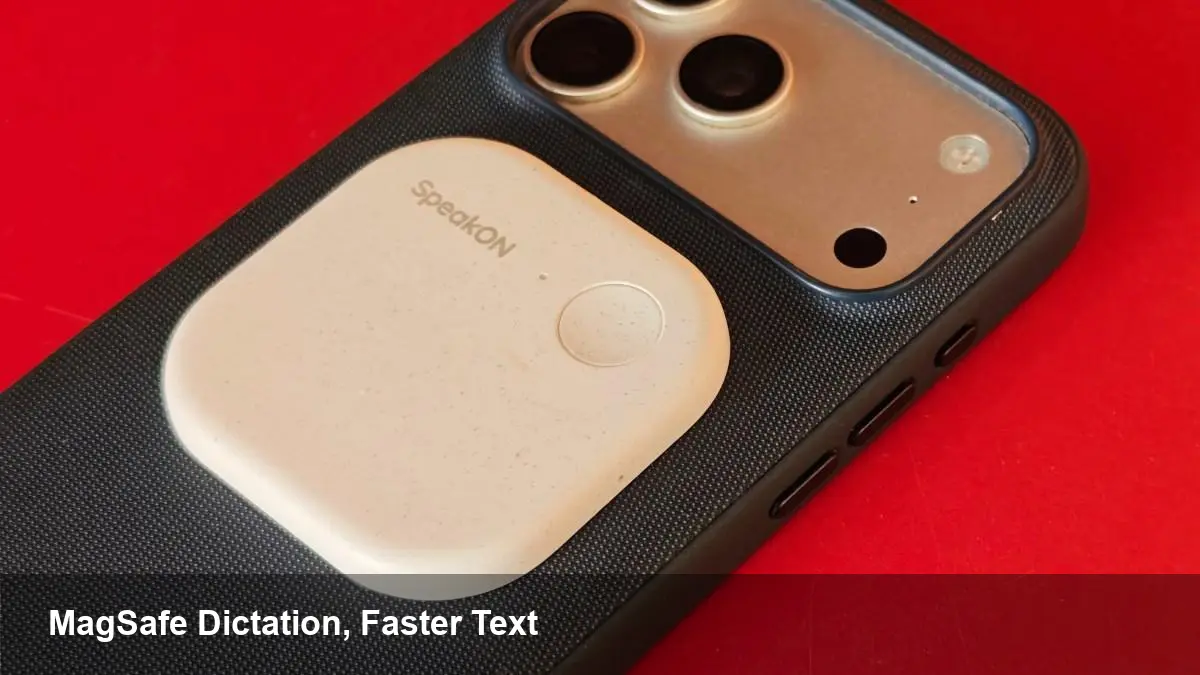
A small puck, a big promise
SpeakOn ships a palm-sized MagSafe accessory that turns your iPhone into a dedicated transcription tool. Priced at $129, the device snaps to the back of any MagSafe-capable iPhone and is aimed at people who want faster, more reliable voice-to-text across apps — whether that’s note-taking, messaging, social posts, or journaling.
The idea is simple: give your phone an external microphone and transcription pipeline that’s more comfortable and consistent than holding the phone or balancing an AirPod. For journalists, creators, and people who dictate a lot, that tactile convenience matters. But the real story is how the accessory fits into Apple’s mobile ecosystem and what constraints it exposes.
How it’s useful in real workflows
Here are concrete scenarios where a MagSafe dictation puck can change day-to-day productivity:
- Interview playback and notes: A reporter clips SpeakOn to their iPhone during an interview. The accessory prioritizes clean capture and quick transcript exports so the reporter can highlight, correct, and publish quotes faster.
- Meeting minutes and summaries: A product manager records key points in a meeting and gets an editable transcript to paste into a project doc or Slack channel.
- Fast social or messaging drafts: Creators dictating long captions or replies can avoid typing on cramped keyboards and use the puck while on camera or walking.
- Fieldwork and research: Professionals in healthcare, construction, or academia can collect verbal observations hands-free and convert them to searchable text later.
These are realistic and immediate wins. But the accessory’s effectiveness depends on how seamlessly it integrates with iPhone apps and where transcription actually happens — on-device or in the cloud.
What to expect technically (high level)
SpeakOn and devices like it involve three moving pieces: hardware capture, speech recognition, and app integration.
- Hardware: The accessory supplies a dedicated mic designed to sit away from the speaker and capture clearer voice input than the phone’s built-in mic in many environments.
- Speech recognition: Some accessories offload audio to cloud services for higher accuracy, while others lean on on-device engines for privacy and lower latency. Each approach carries trade-offs in accuracy, latency, and data exposure.
- App integration: The puck can accelerate transcription for standalone apps that explicitly accept audio input. But on iPhone, system-level restrictions affect how freely a peripheral can inject live text into all third-party apps.
Without special OS-level hooks, many accessories rely on companion apps to record and transcribe, then let you share or paste the results elsewhere. That works fine for note-taking or messaging where copying and pasting is acceptable, but it’s not a seamless replacement for native dictation in every app.
Strengths and the practical limits
Where it shines
- Convenience and ergonomics: Magnetic attachment and purpose-built pickup make dictation more comfortable.
- Consistency: Dedicated hardware can reduce background noise and improve capture compared with ad-hoc setups.
- Productivity: Faster drafting of long-form text, meeting summaries, and interview notes.
Where you’ll feel friction
- Cross-app integration: iOS doesn’t let third-party hardware wholly override system text entry in every context. Expect copy/paste workflows or app-specific integrations rather than universal, OS-level dictation replacement.
- Dependency on transcription backend: If the device uses a cloud service for accuracy, you’ll need network access and will be trading some privacy for improved recognition. If it’s on-device, accuracy may be lower for specialized vocabulary.
- Battery and pairing: An extra device to charge and maintain adds small operational overhead.
Privacy, security and compliance considerations
If you’re evaluating this for professional use, think about where your audio goes and how transcripts are stored:
- On-device recognition reduces the chance your recordings are sent to external servers, which matters for confidential interviews or regulated fields.
- Cloud transcription can be more accurate and faster for certain languages and accents, but it exposes audio and text to a service provider — read the vendor’s data handling policy closely.
- For enterprise buyers, look for controls like data retention settings, encryption in transit and at rest, and the ability to export transcripts to compliant systems.
What this means for developers and businesses
Accessories that enable frictionless voice input create opportunities and challenges:
- App extensions and SDKs: Third-party apps can benefit if the accessory vendor offers an SDK or API that provides live text streaming or background transcription. That lowers friction for developers who want to accept dictation without reinventing capture logic.
- New UX patterns: Expect new UI patterns — “live share to this app,” quick-correct inline editors, or transcript-based search — that make voice-first workflows more natural.
- Platform gaps: Apple’s current APIs can make it hard to replicate system-level dictation behavior. Developers must design around companion apps or integrate vendor SDKs to get the best experience.
- Business use-cases: Teams that rely on accurate note-taking (legal, healthcare, media) may find value in integrating transcription workflows end-to-end, especially if the accessory vendor supports secure export to EHRs, CMSes, or content management systems.
Pricing and value proposition
At $129, the puck sits in an interesting sweet spot: more expensive than a cheap Bluetooth mic or a set of earbuds, but cheaper than professional digital recorders with accompanying transcription subscriptions. The value depends on how smoothly it plugs into your existing workflows; if it saves you hours of typing or speeds up turnaround for interviews, the premium is easy to justify.
Where this category is headed
Three likely trends to watch:
- Better OS-level integration: If Apple sees persistent demand, future iOS releases could expose richer accessory APIs, allowing more seamless cross-app dictation.
- Hybrid transcription models: Expect devices to mix on-device preprocessing with optional cloud-based refinement to balance privacy and accuracy.
- Vertical-specific solutions: Vendors will tailor features and privacy guarantees for regulated industries, pairing hardware with enterprise-grade pipelines and compliance certifications.
For anyone who frequently converts speech into text, a MagSafe dictation puck is an intriguing productivity tool today — convenient and practical in many situations, but not yet a universal replacement for native system dictation. If your work depends on accuracy, privacy, or deep app integration, evaluate the transcription backend and export options before committing.
You can also explore transcription for additional insights.



