
Samsung's Galaxy S26 Audio Eraser: What S24 and S25 Owners Need

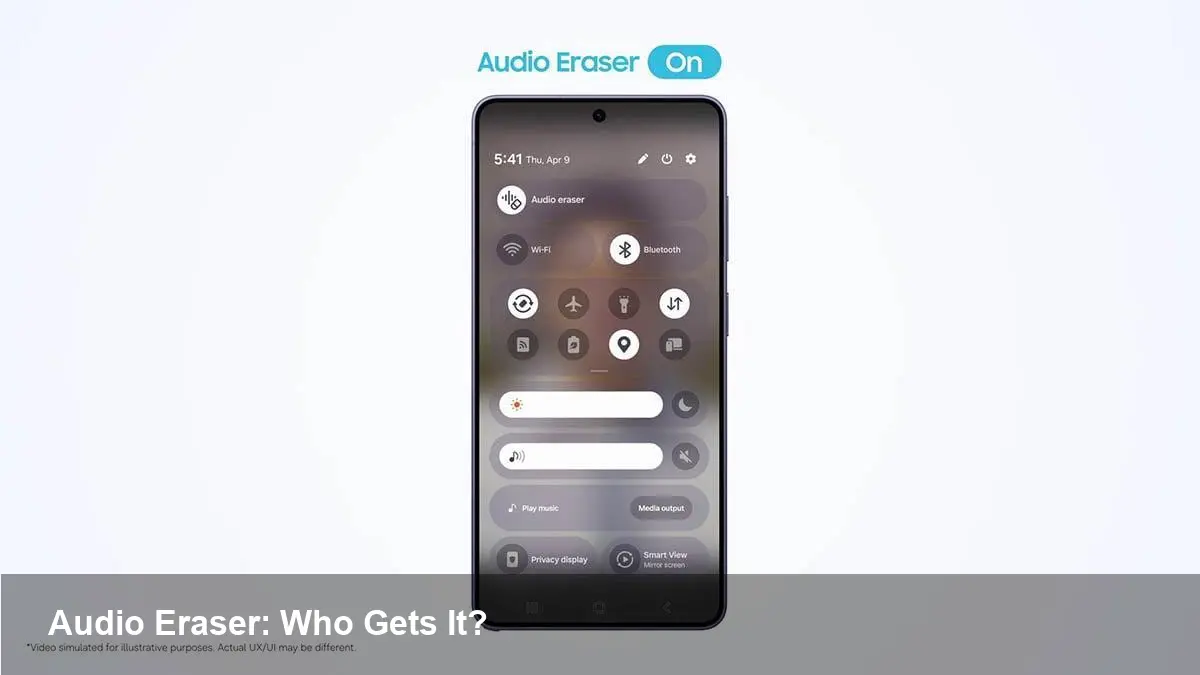
Why Samsung is talking up Audio Eraser
Samsung has been building a suite of on-device AI tools under the Galaxy AI banner, and one of the most visible features is Audio Eraser — a tool that uses machine learning to remove background noise and unwanted sounds from recordings. With the Galaxy S26 launch, Samsung is clearly using this capability as a marketing differentiator. That raises a practical question for owners of the two previous flagships: will Galaxy S25 and Galaxy S24 handsets see the same feature?
This article breaks down the technical and product-side reasons why Samsung might limit features to newer models, what users can do today, and what this trend means for developers and businesses.
What Audio Eraser does (and why it matters)
At a user level, Audio Eraser aims to clean up voice recordings and video audio tracks by identifying and suppressing non-speech sounds — e.g., traffic, music in the background, sudden clatters. For content creators, journalists, and people who frequently record on the go, that can save a lot of editing time.
Technically, the feature relies on models trained to separate signal sources (speech vs. noise) and on enough compute to run them quickly and locally. Running inference on device keeps latency low and privacy high compared with cloud-based processing, but it also puts a premium on the phone's neural processing hardware and thermal envelope.
Why Samsung might reserve it for S26
There are three practical reasons manufacturers gate new AI features to the latest hardware:
- Hardware acceleration: Newer chips often include faster NPUs (neural processing units) and improved memory bandwidth that let more sophisticated models run in real time without draining battery or heating the phone.
- Software compatibility: One UI updates and low-level driver changes can be tuned for a specific SoC or camera/audio stack in the latest model. Backporting is non-trivial.
- Product differentiation: Holding certain features for new models creates a clear upgrade incentive and helps segment pricing.
Given those constraints, S26 may ship an improved Audio Eraser variant that uses a larger model or tighter integration with the phone's audio pipeline that S24 or S25 simply can’t support efficiently.
What S24 and S25 owners can do now
If you own a Galaxy S25: you already have a version of Audio Eraser built into One UI’s audio tools. Whether you’ll get the S26 improvements depends on Samsung’s update decision — check official One UI update notes and Samsung’s announcements for confirmation.
If you own a Galaxy S24: your eligibility is less certain. The S24 family is still powerful, but depending on how Samsung reworked the models, the company might restrict the newest implementation.
Practical steps for owners:
- Watch the One UI changelog and Samsung Members announcements for explicit upgrade paths.
- Test the existing Audio Eraser on your device (if present) and compare results to S26 demos if possible.
- Use third-party apps as temporary alternatives. There are desktop and mobile apps that use local or cloud AI to clean audio (e.g., audio editors with noise reduction or cloud APIs), though they may involve uploads and latency.
Workarounds and professional workflows
For creators who need reliable cleanup today, two pragmatic options work well:
1) Capture better audio at source: Use external microphones or directional lav mics connected via USB-C or wireless. Cleaner captures require less post-processing and avoid artifacts.
2) Post-process with dedicated tools: Desktop DAWs and cloud services often offer superior source separation and batch processing. If you must rely on a phone, record raw and run it through a laptop tool when time allows.
Those approaches sidestep device-specific AI limitations and produce more predictable outcomes for podcasts, interviews, and video production.
Implications for developers and businesses
The proliferation of on-device AI features like Audio Eraser has several downstream effects:
- API opportunities: If Samsung exposes parts of Galaxy AI to third-party developers, app makers could embed local noise reduction in voice notes, call recording, or streaming apps, improving UX without cloud dependency.
- Fragmentation risk: Companies targeting Android devices will need to handle conditionally available capabilities — feature detection and fallbacks become essential.
- Hardware-driven product strategy: Businesses building hardware-dependent apps may be nudged to target newer flagships or support hybrid cloud-device processing to maintain broader compatibility.
For startups offering audio cleanup as a service, the rise of on-device tools will pressure pricing and require differentiation through quality, speed, or integration with professional workflows.
Trade-offs and limitations to keep in mind
AI audio removal is powerful but not perfect:
- Artifacts: Aggressive noise suppression can distort voices or remove desirable background ambience.
- Edge vs cloud: On-device models protect privacy and lower latency, but cloud models can be larger and achieve better separation — at the cost of uploads and potential data exposure.
- Battery and heat: Real-time AI processing can tax battery life and thermal limits on older devices.
Users should test results with their own recording environments before assuming the feature will always be superior to conventional editing.
Three implications for the near future
1) Feature-tiering will be more common: Phone-makers will increasingly reserve the best AI experiences for their newest silicon, making software parity across generations harder.
2) Developers must design for capability detection: Apps should gracefully degrade or route to cloud processing when a device lacks an optimized NPU or a vendor-specific API.
3) Hybrid workflows will win in professional settings: Professionals will combine good microphones, on-device cleanup for drafts, and cloud/desktop tools for final production to balance speed, privacy, and quality.
If Samsung decides to extend the latest Audio Eraser to S25 and S24 via software updates, it would be a user-friendly move that preserves goodwill. If not, expect a mix of hardware constraints and strategic positioning behind the decision — and an increasing need for end-users and developers to plan for AI capability differences across device generations.



