
Moto G Stylus: Clean software and a real active stylus

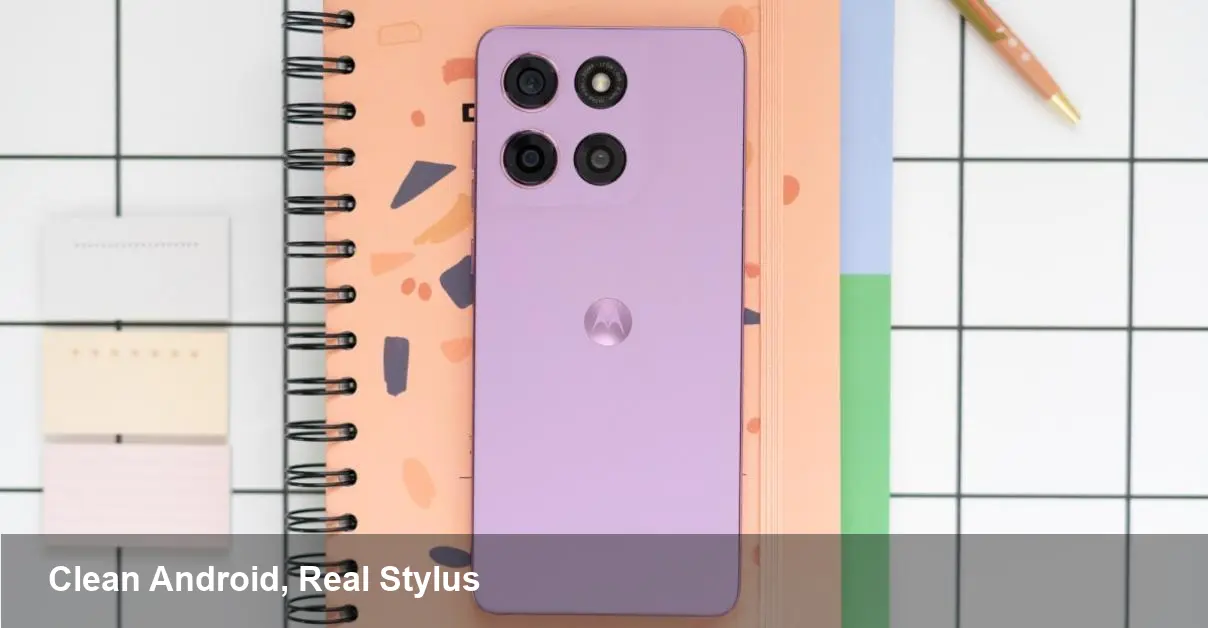
A fresh midrange play: what changed
Motorola’s latest Moto G Stylus rethinks two pain points that have dogged budget and midrange Android phones: carrier/manufacturer bloat and the gimmick stylus. This model trims preinstalled apps and delivers an active stylus experience that feels legitimately useful for note-taking, marking up documents, and sketching. The trade-off? The company is positioning it at an MSRP that’s a bit above what you’d expect from Moto’s budget lineage.
This piece walks through why the software cleanup matters, how the stylus actually improves day-to-day workflows, who benefits most, and what the choices mean for developers and businesses adopting stylus-equipped phones.
Why removing bloatware matters more than you think
Bloatware isn’t just annoying ads and duplicate apps — it affects performance, battery life, and long-term device value. On phones where the vendor overlays extra services, users often see:
- Slower updates: Carriers and OEMs must test more software, delaying security patches and Android version upgrades.
- Reduced storage out of the box: Preinstalled apps eat space on models that often ship with limited storage.
- Poorer battery and memory performance: Background processes tied to bloated services use CPU and RAM.
For a midrange device like the Moto G Stylus, reducing that overhead has practical knock-on benefits: snappier UI transitions, better battery endurance in daily use, and a cleaner user journey for people who just want a phone that works. For IT teams, fewer third-party apps mean fewer potential security blind spots when rolling devices out at scale.
The stylus: not just a novelty anymore
Motorola’s active stylus on this G-series model changes the interaction model. Unlike passive capacitive pens, an active stylus brings features like pressure sensitivity, palm rejection, and programmable buttons — all of which unlock real functionality:
- Fast notes: Jotting notes during meetings or on commute screenshots becomes immediate, searchable, and exportable.
- Document workflows: Markups on PDFs and photos are smoother; sign-and-return processes for small businesses get simpler.
- Creative use: Casual sketching and ideation for designers or students is viable without needing an iPad or Wacom slate.
Because the stylus is built into the experience rather than sold as an afterthought, it integrates with Moto’s UI shortcuts and third-party apps more reliably. That matters when you’re replacing a tablet-plus-phone habit with a single device.
Real-world scenarios
Here are concrete examples of how different users will feel the impact:
- Freelance consultant: Walks into a client meeting with a single device. Takes notes, signs contracts on the spot, and sends annotated photos for quick approvals. Less bloat keeps the process fast and secure.
- Student: Uses the stylus to annotate lecture slides and write math formulas fast. Reduced preinstalled apps preserves storage for textbooks and study materials.
- Field technician: Captures images of installations, annotates issues, and uploads to company systems. Clean software reduces the chance of background apps interfering with custom field tools.
- Designer doing rapid ideation: Uses the stylus for quick mockups. Pressure sensitivity makes sketches expressible enough for initial exploration.
For developers and businesses: what changes in workflow
A cleaner base ROM and a reliable stylus open new possibilities for developers and enterprise teams:
- Better app performance baseline: Building for a phone without vendor cruft makes performance profiling and testing more predictable.
- Easier MDM (Mobile Device Management) deployments: Less third-party software reduces configuration conflicts and potential compliance issues.
- New UX affordances: Apps can expose stylus-aware features — hand-written input, annotation layers, signature capture — and depend on consistent system behavior.
If you’re developing an Android app targeted at field service or education, the Moto G Stylus gives a lower-friction hardware platform to prototype stylus-enabled interactions without investing in niche devices.
Where it still falls short
No product is perfect. A few constraints to weigh before buying or deploying:
- Price sensitivity: The MSRP is higher than typical Moto G models, which may reduce its appeal against similarly priced phones that emphasize raw specs (camera, CPU) rather than pen input.
- Stylus limits: While great for quick notes and sketches, it won’t replace professional graphics tablets. Latency, tilt support, and advanced pressure curves may be more limited than premium alternatives.
- Competition: Other vendors are starting to push stylus capabilities into midrange devices or bundle competitive software, so differentiation could narrow quickly.
Buying tips and deployment advice
If you’re considering this model for personal use or rollouts, a few practical tips:
- Test the stylus workflows you need before bulk purchases: sign PDFs, export notes, or integrate with your ticketing system.
- Check storage and plan for expansion: Active note archives and annotated documents add up — confirm the configuration matches your expected usage.
- Ask about update policy: A cleaner software slate is good, but you still want clarity on Android version and security patch commitments for the device lifecycle.
For IT teams, run pilot programs with a small group to validate MDM profiles and document capture workflows before a wider deployment.
What this means for the market
Three trends become clearer with Motorola’s move:
- Stylus functionality is moving from niche premium to practical midrange feature sets. That widens the pool of users who can adopt pen-first workflows without buying into a full productivity tablet ecosystem.
- Consumers are rewarding cleaner software experiences. The balance between curated features and bloat is shifting toward leaner installs that respect user choice.
- Midrange pricing strategy will be tested. Vendors that charge a premium for focused features like an active stylus will need to justify the cost through longevity, updates, or unique software integration.
Who should consider it
If you value handwritten input, on-device annotation, and a neutral software experience, the Moto G Stylus is a compelling buy — particularly for students, field professionals, and creatives who want convenience over absolute pro-level drawing fidelity. If your priority is the highest benchmark scores or camera prowess at a given price point, there are other options to evaluate.
The device’s real win is turning a once-gimmicky feature into something that meaningfully alters workflows. Whether that’s enough to justify a higher MSRP depends on how much you’ll use the stylus and whether you value a cleaner software baseline in your daily device life.



