
Mac Studio 2026: Upgrade Outlook for Pros

Why the Mac Studio still matters
Since its debut as a new class of desktop, the Mac Studio has occupied a specific slot in Apple’s lineup: more power than a Mac mini, more compact than a Mac Pro. For studios, post‑production houses, and developers who need sustained CPU/GPU throughput on-premises, it’s become a common purchase. With reports pointing to a refreshed model arriving in 2026 and existing stock thinning, now is a good moment to reassess how teams should approach buying, provisioning, and building workflows around the Mac Studio.
What Apple is unlikely to change
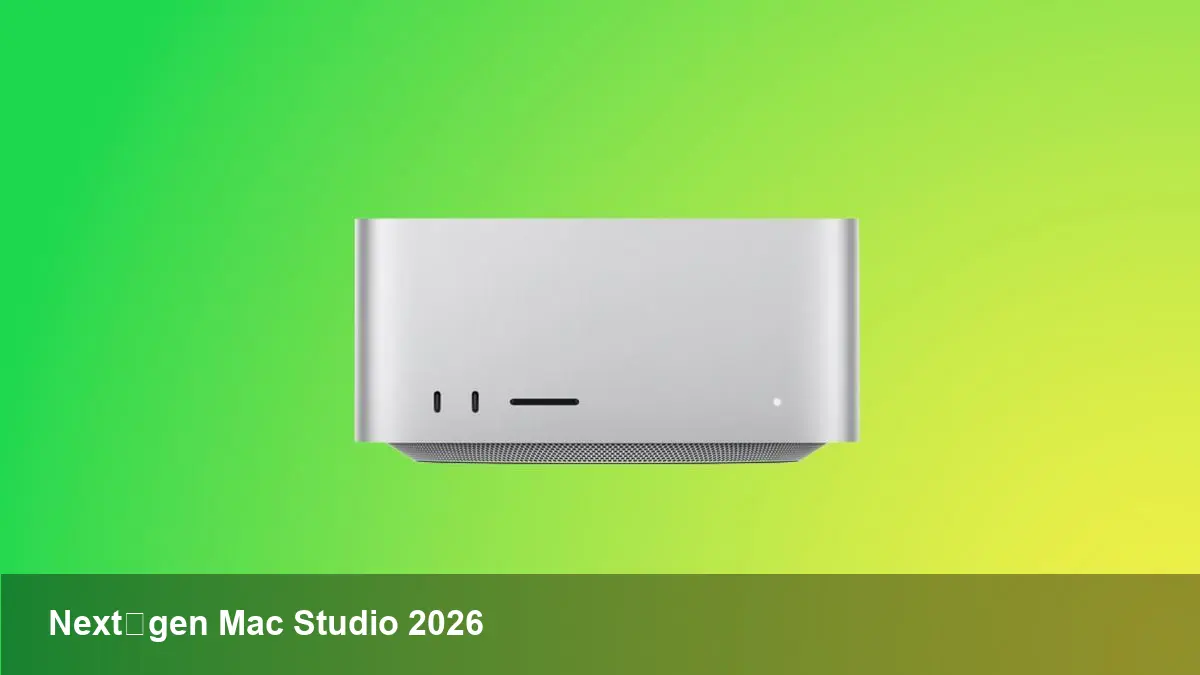
Multiple signals from supply channels and analyst coverage suggest Apple won't reinvent the Mac Studio's industrial design for the next refresh. Expect the same compact, squared chassis and the same orientation as a rack‑adjacent desktop rather than a tower. That continuity matters: accessories, rack mounts, and desk footprint calculations you’ve made for current Mac Studio units should carry forward.
Because the exterior will probably remain stable, the real improvements will live in the internals: faster silicon, better thermals through incremental tuning, and possibly new firmware features. Don’t plan for modular internals or user‑serviceable upgrades — Apple’s recent desktop machines emphasize integrated system design.
Likely technical upgrades (practical view)
Apple’s refresh cycle for professional Macs historically focuses on the next generation of Apple Silicon. For teams that rely on sustained multi‑core performance, this usually translates to:
- Higher CPU core counts and improved single‑thread performance for build systems and responsiveness.
- A GPU uplift and more unified memory bandwidth that accelerates real‑time previews, rendering, and GPU‑bound machine learning tasks.
- Larger on‑die neural engines or enhanced ML accelerators catering to local AI inference and developer experimentation.
From a user perspective, these changes mean shorter compile times, faster exports for video, and smoother behaviour when running containers or VMs for localized testing.
Four scenarios where an updated Mac Studio changes the game
- Video studios: An incrementally faster GPU/memory will shorten color‑grading and render passes, letting teams iterate more quickly and reducing per‑project wall clock time.
- Small AI teams and data scientists: Improved ML accelerators make it feasible to run inference or small fine‑tuning jobs locally, which is useful for privacy‑sensitive models or rapid prototyping before cloud bursts.
- Remote developer workstations: Engineers using the Mac Studio as a centralized workstation will see speedups in large codebase builds, faster Docker container spins, and better multi‑tasking when running simulators, IDEs, and test suites simultaneously.
- Creative freelancers: The same desktop footprint but boosted performance gives freelancers a better price/performance ratio — fewer cloud render hours and more portable purchasing decisions.
Buy now, or wait? A practical decision framework
With supplies of current Mac Studios reportedly diminishing, teams face two realistic choices:
- Buy existing inventory: If you need capacity immediately — e.g., a production deadline, or hiring spike — purchasing now can be justified. Current Mac Studio units remain powerful and will be supported for years.
- Delay for the 2026 refresh: If your needs are long‑term, and you can tolerate the wait, holding off could be prudent, especially for workloads that are GPU or ML bound.
Decision checklist:
- Timeline sensitivity: If you need machines in weeks, buy now. If the project starts in 6–12 months, consider waiting.
- Migration costs: Factor in software migration, licensing, and potential downtime. Buying gradually (a mixed fleet) smooths transition risks.
- Total cost of ownership (TCO): Price/performance improves with each silicon generation; however, depreciation and the cost of delayed productivity also matter.
Procurement tips for IT and startups
- Buy a mixed fleet: Keep some current units for immediate use and reserve budget for a refresh when the new models arrive. This avoids large, simultaneous migrations.
- Standardize configs where possible: Pick a small set of hardware profiles (e.g., base, pro, ultra) that cover most roles. It simplifies support and image management.
- Leverage MDM to prepare images and test compatibility: Updated macOS versions and drivers usually land alongside new hardware. Test provisioning and CI/CD agents with beta or recent macOS builds so rollout is smooth.
- Consider cloud hybridization: For burst capacity and unpredictable workloads, mix local Mac Studio machines with cloud GPU/VM options. This keeps capital costs predictable.
Tradeoffs and limitations to keep in mind
- Non‑modular design: You can’t expect user‑replaceable GPUs or off‑the‑shelf RAM upgrades. Choose configurations carefully at purchase time.
- Thermal headroom: Compact chassis means thermal limits. For sustained maximum loads you’ll still need to manage ambient temperatures or consider larger systems.
- Windows and Linux compatibility: If your workflows require non‑macOS systems on metal, then virtualization or remote hosts are still necessary — Mac Studio is macOS‑first.
Strategic implications for software teams and studios
- Local-first ML workflows will become more attractive. As inference and small fine‑tuning move to local hardware, teams can iterate privately before scaling to cloud training.
- The workstation market is bifurcating: compact high‑power desktops will coexist with cloud GPU instances. Teams should design pipelines that can fluidly shift between local and cloud resources.
- Procurement cycles matter more than ever. Knowing Apple’s refresh cadence helps IT leaders avoid buying just before a major update, but it should be balanced against real business needs.
If you’re shaping a hardware strategy for the next year, start by mapping workloads to performance characteristics (single‑thread vs. parallel GPU, sustained vs. burst) and use that to determine whether to buy now or plan for the 2026 Mac Studio. Either way, expect more power inside a familiar box — and plan your workflows to take advantage of that uplift.



