
How Valve’s Steam Controller Changed PC Game Input

Why Valve tried to reinvent the controller
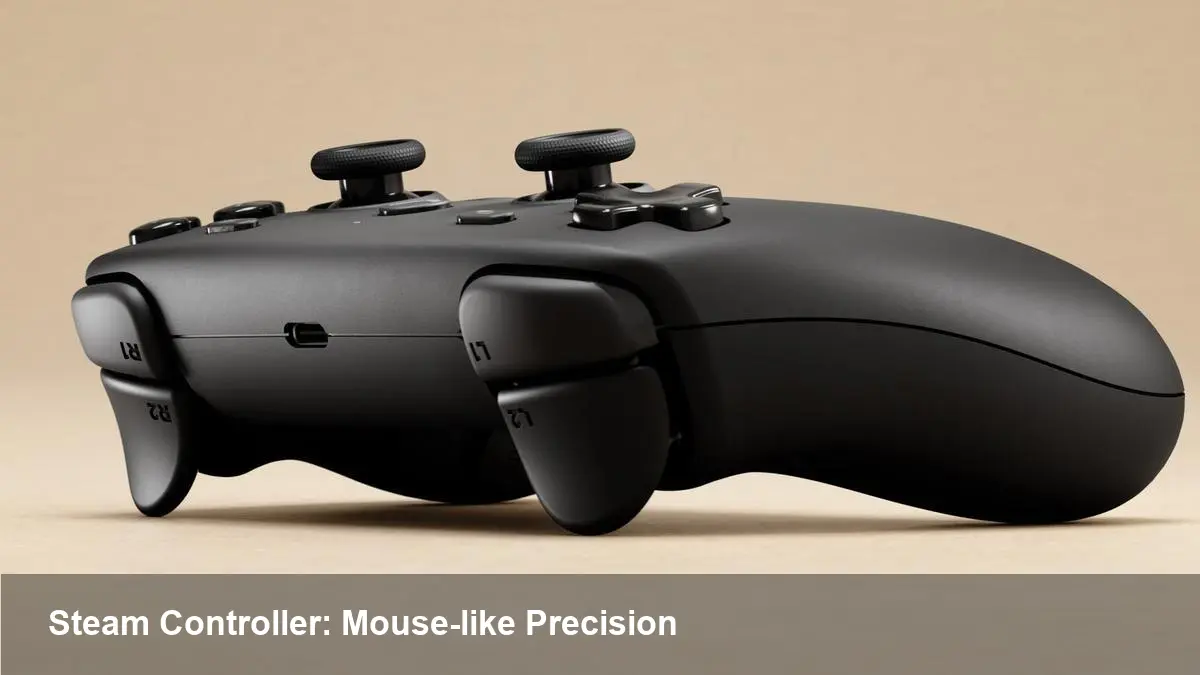
When Valve launched its living-room ambitions it didn't just make software: it rethought the gamepad. The Steam Controller was an attempt to bring mouse-like precision and the flexibility of PC input to a couch-friendly device. Engineers such as Pierre-Loup Griffais and Jeff Mucha led the effort to combine two haptic trackpads, an analog stick, motion sensors and deep configurability into a single product.
That ambition produced a polarizing device: loved by people who wanted precise cursor control from the couch, and criticized by others for a steep learning curve and hardware quirks such as stick drift. Regardless of where you fall, the Steam Controller pushed thinking about how controllers map to PC games.
What makes the controller different
- Dual haptic trackpads: The most visible deviation from traditional pads. Instead of dual thumbsticks for primary aiming, Valve used capacitive, force-feedback trackpads designed to emulate mouse movement with tactile clicks and haptic detents.
- Steam Input and community configurations: A platform-level mapping layer that lets players convert any controller action into keyboard, mouse, or gamepad input. Shared configurations let communities upload tuned profiles for specific games.
- Motion sensors and gyro: Headroom for precise micro-adjustments and alternative aiming methods.
- Openness: Valve exposed mapping controls and encouraged game developers to integrate with Steam Input, rather than shipping one locked layout.
These choices trade muscle-memory familiarity for configurability and precision. For some titles—first-person shooters, strategy games, or point-and-click adventures—the difference can be dramatic. For others—games built around twin sticks like some platformers—the benefits are less clear.
Real-world scenarios where the design shines
- FPS on the couch: Use a trackpad as a direct mouse input for snap aim, and the gyro for fine corrections. A well-tuned community config gives you a mouse-like responsiveness that many thumbsticks can't match.
- Strategy and point-and-click games: Precise cursor control from the couch is the Steam Controller’s natural habitat. RTS titles and older PC games that expect a mouse suddenly become playable without sacrificing speed.
- Single-button accessibility remaps: Because Steam Input can emulate complex keyboard macros, the controller becomes a useful accessibility tool in titles that lack native controller support.
Example: A player wants to replay an older RTS that has no controller mode. They download a community configuration that maps trackpad input to a mouse pointer, binds common commands to face buttons, and uses a radial menu for unit groups—turning a previously awkward experience into a comfortable couch session.
The rough edges: stick drift and other trade-offs
No hardware is perfect. One common complaint reported by early adopters and staff in Valve’s own testing was analog stick drift—where the stick reports movement without user input. With mixed-use controllers this can be particularly frustrating because it competes with the controller’s precision goals.
Other trade-offs to keep in mind:
- Learning curve: Trackpads with haptics require time to master; many users default to stick controls because they’re immediately familiar.
- Haptics vs tactile buttons: The trackpad’s click and rumble feedback are convincing, but not a literal physical button. That can feel less responsive for certain actions.
- Compatibility nuances: While Steam Input is powerful, non-Steam launchers or some anti-cheat systems can complicate mappings.
- Repair and durability: As with many controllers, moving parts and high-use components (sticks and triggers) show wear. Users reported and Valve acknowledged issues like stick drift and had to iterate on firmware and hardware tolerances.
Practical mitigations: apply deadzones to analog sticks, use community profiles that include stick-drift adjustments, recalibrate the controller through Steam’s settings, or replace worn parts if you’re comfortable opening the device.
For developers: how to make great experiences
If you are shipping a PC game and want to support hybrid input devices well, here are practical recommendations:
- Integrate Steam Input (or expose raw input paths) so players can remap and use community configs.
- Provide multiple default control presets: at minimum, a classic gamepad layout, a mouse-emulation layout, and a trackpad-optimized layout.
- Allow sensitivity curves and aim assist toggles to be adjustable. Trackpad and gyro users frequently need different curve shapes and smaller smoothing values than thumbstick players.
- Test with real users. The target crowd for trackpad + gyro combos will have expectations about latency and feel that can’t be guessed from code alone.
Supporting these devices expands your addressable audience: old PC titles get new life and living-room gamers remain engaged with your work.
Business and ecosystem value
Valve’s strategy with the Steam Controller wasn’t just to sell hardware; it was to make the Steam platform more flexible. Steam Input created a new kind of social product—community configurations—that improved discoverability for niche playstyles. For developers and studios, this means less friction when bringing PC-first interfaces to more relaxed play environments.
There’s also a secondary business angle: platform-level remapping reduces the pressure on developers to build custom controller support for every legacy title, at least for single-player experiences, which can save development time and extend the sales window for catalog titles.
Where this pushes things next
1) Hybrid controllers will keep evolving. Valve demonstrated that users want more than a button matrix—expect future hardware to combine haptics, motion, high-resolution touch, and modular repairability. 2) Community-driven input will become a standard expectation. Platforms that make it easy to share, rate, and discover controller configs create stickiness and revive older games. 3) Repair and durability will matter more. As controllers add sensors and mechanical complexity, consumers and platform owners will benefit from better serviceability and clearer firmware paths to fix drift and other issues.
If you’re evaluating a Steam Controller today or designing for one, treat it as a precision tool: invest time in configuration, lean on community profiles, and consider how your game’s input model adapts to mouse-like and motion-assisted control. The payoff can be a much better living-room experience for players and more reach for developers.



