
How DJI Mic 3 Bundle Changes On‑the‑Move Audio for Osmo Creators

Why clearer audio matters more than ever
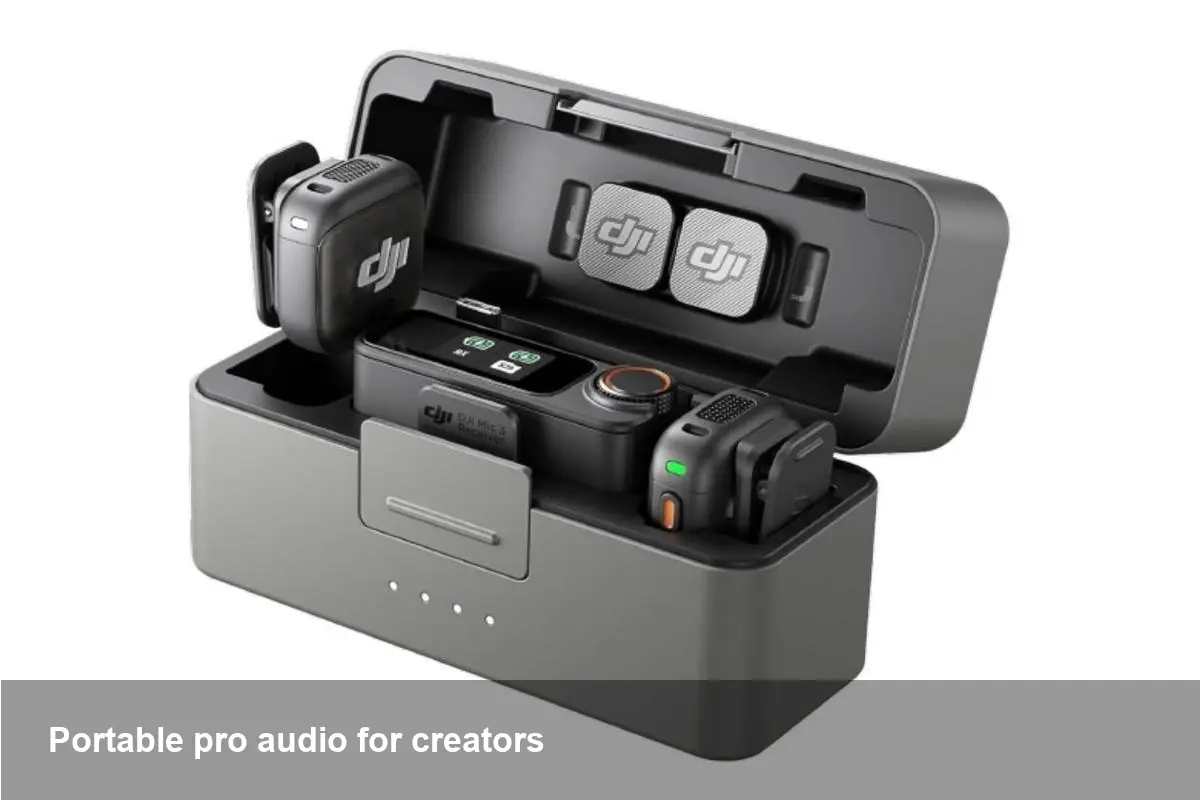
If you run a small production, host a vlog, or build product demos for social, visuals get you clicks — but sound keeps viewers. Wireless lav systems used to be expensive and fiddly; devices like the DJI Mic 3 have pushed that tech into a compact, affordable form factor that fits the mobile creator workflow. The bundled charging case and direct compatibility with DJI’s Osmo ecosystem make it an appealing option for anyone who shoots outside a studio.
Quick background on DJI and the Mic 3
DJI started as a leader in drone cameras and has steadily expanded into handheld gimbals and accessory ecosystems under the Osmo brand. The Mic 3 is DJI’s latest consumer/prosumer wireless microphone bundle: a small transmitter(s) that doubles as a lavalier-style mic and a receiver that pairs to cameras, phones or Osmo devices. The manufacturer also bundles a charging case that doubles as storage and extended battery capacity — helpful when you’re shooting all day.
Real-world scenarios where the Mic 3 bundle makes a difference
- Vlogging and run-and-gun interviews: Clip a transmitter on a shirt and get usable audio without a boom, then drop the unit into the charging case between takes.
- Event coverage and run-throughs: Swap batteries and recharge multiple times from the case; you won’t need to pause coverage to hunt for outlets.
- Product demos and tutorials: Clean voice capture reduces editing work (less noise reduction, fewer gain adjustments), so you can publish faster.
- Hybrid livestreams and remote interviews: The receiver’s ability to plug into mobile gimbals and action cameras streamlines production when you switch between camera types.
How to fold the Mic 3 into a creator workflow
- Pair and test before an event: Wireless links are reliable but always test indoors and on location for interference. Record a short test to confirm levels and sync.
- Use the receiver on your main camera or Osmo gimbal: Many creators place the receiver on a hotshoe or attach it to the gimbal’s cold-shoe. If you’re using a smartphone, use the manufacturer's adapter and secure the cable.
- Monitor and dial gain: When possible, monitor audio with headphones to avoid surprise peaking. If the receiver supports on-device gain, set it so the loudest speech sits comfortably below clipping.
- Leverage on‑board recording: If transmitters support local recording, treat them as a backup track — excellent insurance if RF dropouts occur.
- Post: If you have multiple camera angles, sync the clean wireless audio as the master track; use the camera mics only for ambience.
Pros for developers and small production teams
- Lower barrier to better audio: With compact hardware and a charging case, small teams can pack professional-sounding audio without lugging mixers or bulky transmitters.
- Faster turnaround: Cleaner capture means less time in DAWs fixing hiss and leveling mismatched tracks.
- Predictable integration: When accessories are designed to fit Osmo and mobile gimbals, mounting and power management are less finicky — good for prebuilt workflows and quick deployments.
Practical tips and common pitfalls
- Watch for RF environments: Concerts, crowded urban centers, and venues with many Wi‑Fi networks can still cause interference. Always have a wired lapel or backup recorder for critical shoots.
- Keep firmware up to date: DJI periodically releases firmware updates that improve connectivity and battery management. Update both transmitters and receiver before production cycles.
- Use windscreens: Even small lav mics pick up wind; foam or furry windscreens reduce low-frequency rumble during outdoor shoots.
- Label and manage channels: If you’re using two transmitters on a shoot, label which transmitter goes to which talent and record a spoken ID at the top of the take for faster editing.
Limitations to consider
No compact wireless system is perfect. You’ll trade off extreme range and redundancy compared with a multi-channel professional RF rig. Battery life is better with the charging case, but long-form shoots (multi-hour ceremonies) may still require additional power solutions. Also, integration with third-party camera apps may vary; verify compatibility with your exact Osmo or smartphone model before committing to a multi-device shoot.
Business value: ROI and time saved
For solo entrepreneurs and small studios, audio investments are often judged by speed and impact. A compact wireless bundle reduces setup time, cuts the need for retakes due to poor audio, and often results in higher audience retention. In short: better audio turns into fewer editing hours and a stronger brand impression — a tangible ROI for creators balancing time and budget.
Two future-facing implications
- Audio-first mobile production will keep rising. As creators demand cinematic sound from on-the-go shoots, we’ll see more accessories that combine compact hardware with software features like automatic level matching and smarter on‑device noise profiling.
- Tight hardware ecosystems influence workflow choices. DJI’s continued integration between microphones, gimbals, and cameras nudges creators to build around these ecosystems. That’s convenient — but it also favors teams prepared to standardize on one vendor for predictable compatibility.
Who should consider the Mic 3 bundle?
If you’re a solo creator, a small production team, or a mobile journalist who needs reliable, clean voice capture without a heavy kit, a compact wireless bundle with a charging case is compelling. It’s especially useful when you frequently switch shooting platforms (phone, gimbal, action camera) and value minimal setup and quick turnaround.
If your projects require extreme range, multiple isolated channels with pro-level redundancy, or mixing multiple mic types live, you may still want a full RF setup or a dedicated field mixer. But for most social video, documentary interviews, and corporate content, the convenience of a bundled, Osmo-friendly wireless mic system can change your day-to-day workflow for the better.
Whether you’re streamlining a one-person studio or upgrading a small team’s field kit, small hardware wins like these add up. Better sound doesn’t have to mean more complexity — it can mean smarter tools that save you time and make your work sound more professional.



