
Amazon moves Fire TV Stick to Vega OS — what it means

What changed and why it matters
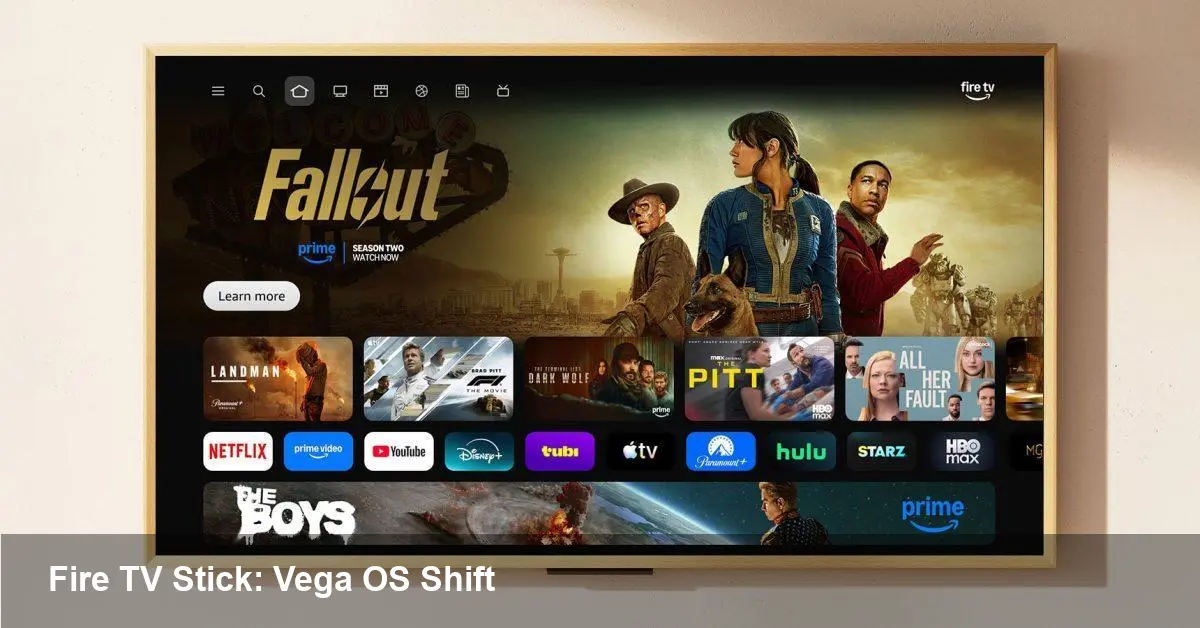
Amazon recently revealed that its newest Fire TV Stick runs Vega OS — its next-generation operating system — and that future Fire TV Stick models will abandon Android entirely. That’s a decisive platform move with real consequences for end users, app developers, content owners, and businesses using Fire TV hardware.
This isn’t just a refresh of the UI. It signals Amazon’s intention to own more of the software stack on its TV hardware, reducing reliance on the Android platform and the broader Google ecosystem. For anyone building, deploying, or buying apps for Amazon’s set-top devices, the switch is worth understanding in practical terms.
Quick background: Fire TV, Fire OS, and now Vega OS
Amazon’s Fire TV product line has historically been tied to Android — or at least Android’s ecosystem — via Fire OS, Amazon’s forked Android build. Fire OS let Amazon run Android apps and Amazon’s app store on TV devices while customizing the home screen and injecting Amazon services.
Vega OS is the next step. Amazon has started shipping Vega OS on more recent Fire hardware, and the new Fire TV Stick is the second device to run it. Vega is a more modular, Amazon-controlled platform designed to provide tighter performance, security, and feature integration across devices.
Amazon’s goal is to streamline updates, improve boot and app performance, and create deeper hooks for features such as voice, smart home control, and shared media experiences.
What users will notice (and what they probably won’t)
- Performance: Vega OS is tuned for TV hardware, so users should see snappier menus, faster app switching, and shorter boot times on new sticks.
- Interface differences: The home experience will preserve familiar Fire UI elements, but expect incremental changes in layout, search, and content recommendations as Amazon reworks the platform’s backend.
- App availability: Most mainstream streaming apps (Netflix, Prime Video, Disney+, Hulu, etc.) distribute binaries through Amazon’s app store and should remain available. However, niche or sideloaded Android apps may behave differently depending on whether Amazon continues to provide compatibility layers.
- Privacy & updates: With Amazon controlling more of the stack, security patching and OTA updates may become faster and more consistent — but they’ll be governed by Amazon’s policies rather than Android’s vendor ecosystem.
What developers need to know
If you build apps or services for Fire TV, this is the important part:
- App compatibility and testing
- If Vega OS retains an Android compatibility layer (as Fire OS did), many existing apps will continue to run with little modification. But this is not guaranteed for every API or system behavior. Test apps on Vega-powered devices specifically rather than assuming parity.
- Sideloading behavior could change. Historically, Fire TV let advanced users install APKs outside the Amazon Appstore. Amazon may restrict or alter that path, which affects distribution strategies for experimental apps and internal deployments.
- Platform APIs and features
- Expect new or revised APIs for deep TV features (voice, input methods, ambient display). If your app integrates with Alexa or uses specialized playback APIs, validate those integrations on Vega devices.
- Amazon will likely expand private APIs that deliver better integration with its services. For consumer apps, using public Appstore-supported APIs ensures broader compatibility; for partners, pursue Amazon’s developer programs for early access.
- Distribution and certification
- The Amazon Appstore remains the canonical path to reach Fire users. If your app is targeted at TVs, prioritize Amazon’s certification process and TV-specific UX guidelines.
- Consider progressive web apps (PWAs) or HTML5 front ends if you want a cross-device strategy that’s less tied to native runtime changes.
Business use cases and real-world scenarios
- Streaming startups: If you’re launching a new streaming app, plan for certified Amazon Appstore distribution and test aggressively on Vega devices. Use adaptive bitrate playback and TV-specific navigation to avoid issues from OS-level differences.
- Gaming & casual apps: Low-level input and graphics behaviors can change. Casual game ports should be validated for controller mapping and input latency on Vega. For performance-sensitive titles, target hardware-specific optimization.
- Digital signage and enterprise deployments: Companies using Fire TV hardware as kiosks or displays should verify provisioning, remote device management, and sideloading options under Vega. Amazon may offer updated management tools, but older workflows could require adjustments.
Risks and limitations to plan for
- Platform fragmentation: As Amazon diverges from Android, a new compatibility surface emerges. Developers must maintain testing matrices for legacy Fire OS, Vega OS, and other TV platforms (AppletvOS, Roku, Google TV).
- Appstore gatekeeping: With more control over the stack, Amazon can enforce stricter app policies. That affects time-to-market for app updates and may complicate sideloaded or enterprise-only apps.
- Dependency on Amazon’s roadmap: New features and bug fixes depend on Amazon’s release schedule. Teams that rely on prompt OS-level fixes should build contingencies.
Strategic implications and the near future
- Amazon is reducing dependency on Google: Removing Android from future Fire TV Sticks lowers Amazon’s exposure to Android’s ecosystem constraints. Expect Amazon to lean harder into its services (Prime Video, Ads, Alexa) while optimizing for cost and performance.
- A push toward OS-level differentiation: Vega OS allows Amazon to introduce TV features that are difficult to implement cleanly on a forked Android base, like tighter multi-user content recommendations or lower-latency voice interactions.
- Industry ripple effects: Other TV-platform players may respond — we could see more bespoke OS efforts from OEMs or deeper partnerships with cloud service providers to deliver unique features.
How to prepare (practical checklist)
- Test your app or service on an actual Vega device now; don’t rely on emulators alone.
- Audit any native code that assumes Android-specific behavior and maintain fallbacks.
- Update your CI pipeline to include Vega-targeted test cases for UI, playback, and input.
- Revisit distribution: confirm Amazon Appstore requirements and plan for any changes to sideloading or enterprise provisioning.
The move to Vega OS is a pivotal moment for Amazon’s TV platform. It promises performance and tighter integration but raises questions around compatibility and control. For developers and businesses, the practical step is simple: test early, adapt distribution strategies, and keep an eye on Amazon’s developer documentation as Vega matures.



