
How Gemini Uses Google Photos to Create Personal AI Images

What changed (in plain language)
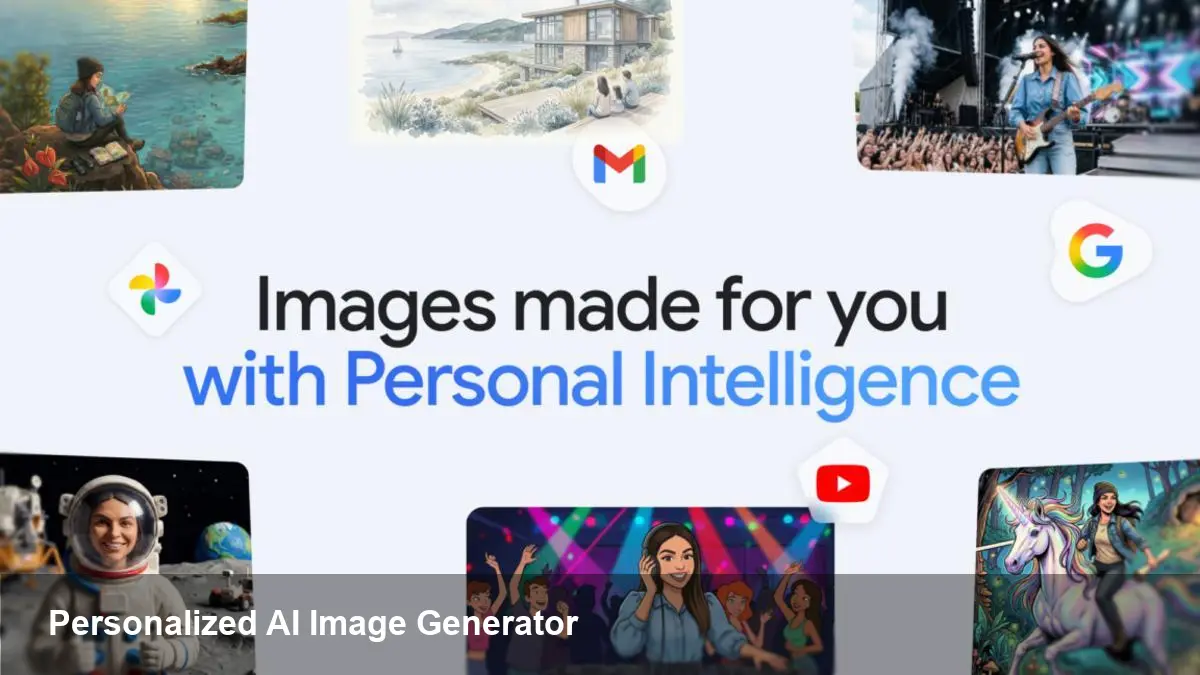
Google recently extended its Gemini AI capabilities to draw directly from a user’s Google Photos library when generating images. Instead of relying only on text prompts or generic image datasets, Gemini can incorporate visual elements from your own pictures to produce personalized AI images — think consistent characters, recognizable places, or product mockups that reflect real items you own.
Under the hood, Google’s image-generation pipeline (internally referenced in some circles as "Nano Banana") maps features from selected photos into representations the model can reason about. That lets Gemini generate new images that preserve a person's likeness, familiar props, or a specific home interior style while still following creative prompts.
Why this matters for creators and teams
Personalization changes the value proposition of image generators in three ways:
- Faster brand-consistent assets: Marketers can produce campaign visuals that match existing brand photography without manually photoshopping each image.
- Consistent characters: Authors, indie game studios, or comic artists can get new scenes of the same character in different poses or outfits while preserving facial features and proportions.
- Real-world product mockups: E‑commerce teams can generate variant images of actual products from a few sample photos, saving time on photoshoots.
Rather than replacing professional photography, this workflow speeds iteration. A designer can prototype multiple visual directions and hand the chosen ones to a photographer for final, high-resolution shoots.
Practical examples and scenarios
- Social media creators: Build a series of posts featuring a signature look. Upload a handful of portrait shots once, then ask Gemini to create seasonal variants—festive backgrounds, different lighting, or stylized filters that remain consistent across posts.
- Small retail brands: Feed product photos to Gemini and request lifestyle images showing the product in various contexts (beach, office, cafe) that match your store’s visual identity.
- Indie game development: Use a few concept images of a character to generate in-game art or promotional banners at different aspect ratios and scenic backdrops.
- Internal comms and pitch decks: Quickly produce images of team members or office spaces to illustrate company materials without scheduling new photo sessions.
How the workflow usually works (user steps)
- Give Gemini permission to access specific albums or selected photos in Google Photos. This is an explicit, user-controlled consent flow.
- Provide a text prompt describing what you want (style, mood, composition). Optionally tag which photos should serve as the visual reference.
- Gemini synthesizes new images using the visual cues from your photos and returns variations to preview. You can iterate by refining the prompt or swapping references.
- Export or download the generated images for use in social posts, websites, or design tools.
Google’s product surface handles a lot of this for end users; developers building apps will rely on OAuth flows and Photos APIs to request the same permissions programmatically.
Developer and product implications
If you build apps that incorporate user imagery, this feature opens new product opportunities — but also new responsibilities.
- Integration points: Use the Google Photos API to fetch user-consented images and the relevant Gemini (or image generation) endpoint to request personalized outputs. Expect updates to Google’s AI and Photos SDKs to streamline consent and reference-passing.
- Compute and cost: Personalized generation can be more compute-intensive because the system needs to encode and condition on the user imagery. Plan for higher API costs and latency in your architecture.
- Security and storage: Avoid persisting raw user photos unless you have a clear retention policy. Store only derived metadata or short-lived tokens when possible.
- Moderation: Personalized prompts can produce sensitive content (deepfakes, minors, copyrighted designs). Implement content moderation, enforce user verification, and add safe-use disclaimers where appropriate.
Privacy and safety — what to watch for
Giving any service access to your personal photos raises privacy issues. A few practical points:
- Consent granularity: Confirm whether users can give access to specific albums or individual photos rather than full libraries.
- Processing location: Check whether image processing is performed on Google’s servers, on-device, or in a hybrid model. This affects both privacy and legal compliance.
- Third‑party sharing: If your app routes images through external services or contractors (for enhancement, moderation, or billing), disclose this in privacy policies.
- Abuse vectors: Personalized image generation makes creating convincing impersonations easier. Consider safeguards like watermarking generated images, requiring multi-factor verification for generating images of other people, and detecting requests that target public figures or minors.
Limitations and realistic expectations
- Quality depends on input: Low-resolution or poorly-lit photos limit how well the generator can preserve a likeness or product detail.
- Not a perfect copy: The model aims to maintain identifiable cues but can introduce errors — odd proportions, inconsistent clothing details, or background artifacts.
- Copyright and IP: Don’t assume you can freely reproduce copyrighted artwork just because it appears in a user photo. The legal landscape around generated images is still evolving.
Where this could lead next
- More on-device personalization: To address privacy concerns, future iterations may perform conditioning on-device, sending only compact embeddings to cloud models instead of raw images.
- Industry controls and provenance: Expect stronger tools for tracing an image’s origin and stamping generated content so platforms and publishers can verify authenticity.
- New creative tooling: Design tools will likely add native support for "reference-based generation"—allowing teams to maintain visual style guides and apply them across dozens of assets automatically.
This integration marks a step toward image generators that fit into real workflows instead of being novelty tools. For creators and product teams, the practical gains are immediate: faster iteration, better brand cohesion, and new ways to prototype. But bringing personalized AI images into production requires deliberate choices about privacy, moderation, and user trust. If you’re building with this capability, start small, instrument for misuse, and make consent transparent to users.



