
What One UI 8.5 Beta Brings to Galaxy Phones

Why this update matters
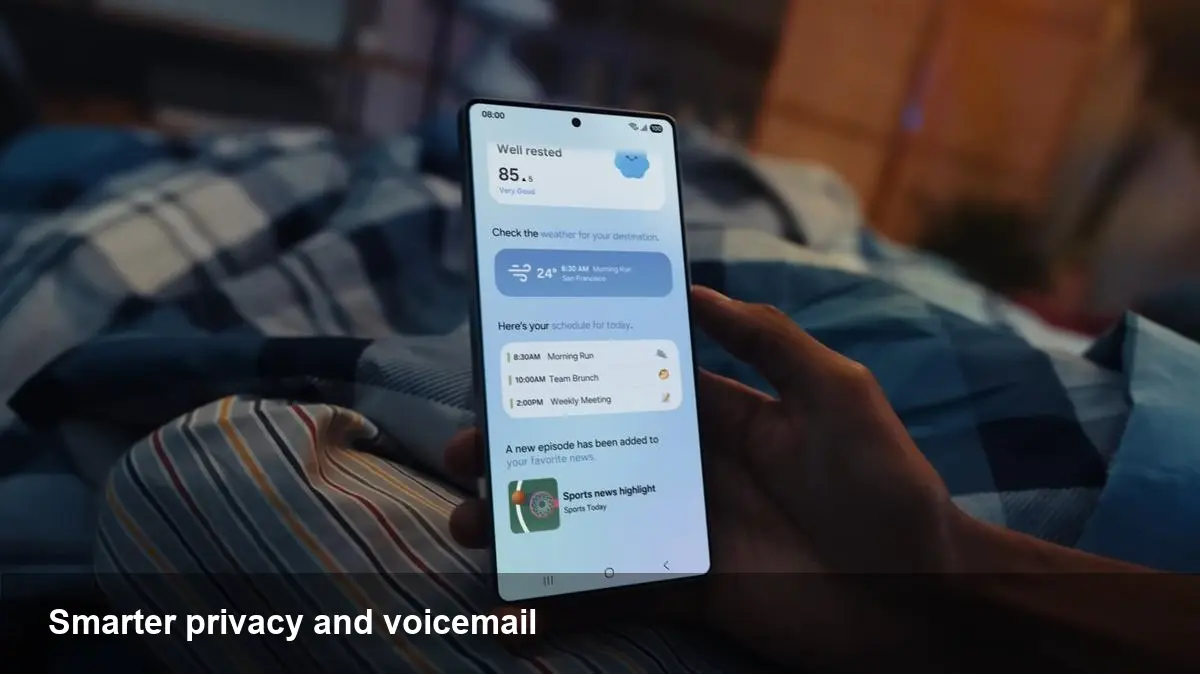
Samsung’s One UI 8.5 beta is rolling out incremental, everyday improvements rather than a dramatic redesign. For Galaxy owners and builders in the Android ecosystem, that matters: small refinements that save time or protect data often have a bigger impact on daily workflows than flashy features. The 8.5 beta highlights that approach by adding caller and media conveniences (most notably Direct Voicemail) plus tighter privacy and organization tools such as a Private Album.
Below I walk through the practical benefits, how people and teams can use the new capabilities, and what developers and businesses should watch next.
Direct Voicemail: read, scan, and act faster
At its core Direct Voicemail removes a classic friction point—listening to messages to understand what they say. The feature delivers voicemail content in a more accessible form: short transcripts and easy actions you can take from the Phone app.
Real-world scenarios
- Busy commuters: Instead of pausing during a drive to listen to a voice note, commuters can glance at a transcript and decide whether a call back is urgent. Paired with safe-driving modes, this cuts distraction.
- Sales teams: Field reps can triage leads by reading quick summaries and calling back high-priority prospects first.
- Accessibility: Users who are hard of hearing or in noisy environments get immediate access to message contents.
Practical limits and privacy Transcription accuracy can vary with accents, background noise, and speaker clarity. Samsung’s approach in this beta appears focused on on-device processing where possible, which reduces network latency and improves privacy compared with cloud-only transcription—but expect edge cases where manual playback is still useful. For businesses, Direct Voicemail reduces time-to-response but you should still verify sensitive info by listening to the original recording.
Private Album: useful privacy without extra apps
The Private Album feature creates a secure place for photos and videos that you don’t want in your main gallery stream. It’s a straightforward consumer privacy tool: think of it as an encrypted folder with biometric lock and simple import/export controls.
How people use it
- Photographers and content creators can stash client previews before official delivery.
- Families can keep personal documents (passports, medical scans) behind a second unlock layer.
- Sales and legal teams can use it to store sensitive screenshots or contracts that shouldn’t appear in shared slideshows.
Developer and enterprise implications Private Album enhances on-device privacy, but it raises integration questions for third-party backup and MDM solutions. If your app interacts with the Gallery or performs automatic backups, expect to check permissions and avoid exporting protected content. For enterprise IT, Private Album is a potential win for BYOD policies—users gain better control of private media without requiring a separate secure container.
Smarter search and settings organization
One UI 8.5 continues to polish how users find things. Expect subtle improvements in app search, settings discovery, and context-aware suggestions. These aren’t headline-grabbing, but they reduce cognitive load for power users and less technical people alike.
Example workflows
- New hires troubleshooting company devices will find onboarding steps faster when settings are easier to locate.
- Frequent toggles (Wi‑Fi, Bluetooth, sound profiles) become quicker to access during meetings or travel.
From a developer perspective, better system-level discovery matters: apps that rely on deep linking or custom settings menus should validate navigation paths and ensure their support articles use the updated terminology and structure.
Small refinements that improve productivity
The update includes a variety of small touches: improved widget behavior, minor camera tweaks, and tighter integration between call UI and messaging. These are the kinds of things that shave seconds off repeated tasks, which adds up for high-usage users.
Concrete examples
- Lock-screen widgets that surface timely controls mean fewer taps to start a playlist or check calendar events.
- If camera tweaks include more logical persistence of settings (e.g., remembering last-used focal length), content creators save setup time between shoots.
These optimizations are especially useful for teams that treat phones as work tools: faster time-to-action improves responsiveness and reduces friction in customer-facing workflows.
What this means for businesses and developers
- Prioritize on-device privacy: Features like Private Album indicate user demand for local-first privacy controls. Apps handling sensitive media should respect system privacy layers and avoid assumptions about where files will be stored.
- Revisit integration points: Direct Voicemail and improved search suggest Samsung is refining the core phone and system UX. If your app integrates with telephony, messaging, or gallery APIs, test against the One UI 8.5 beta to catch edge cases.
- Design for short interactions: The trend toward faster skimmable content (transcribed voicemails, condensed notifications) rewards apps that provide concise, actionable bites of information. Think clear CTAs and single-tap responses.
Three implications for the near future
- On-device intelligence will become a baseline expectation. As manufacturers ship more local processing (for voice, images, and privacy), users will expect snappier features that don’t rely on cloud latency.
- Privacy-first UX will expand across OS layers. Private Album is one example; similar controls for messages, files, and app data will follow, reshaping how enterprises manage BYOD devices.
- Incremental UX wins matter for adoption. Large OS releases drive headlines, but frequent iterative improvements are often what keeps users loyal and increases device retention.
How to prepare and test
If you manage apps or corporate fleets, install the One UI 8.5 beta on a test device and perform these checks:
- Verify voicemail handling in your telephony integrations.
- Ensure camera and gallery interactions don’t access or expose protected content from Private Album.
- Revalidate deep links and settings shortcuts used in your onboarding or support flows.
For individual users: try the new features with real-world tasks—store a sensitive document in Private Album, read a voicemail transcript, and notice where the workflow saves time or needs manual verification.
One UI 8.5 may not radically change how you use a Galaxy phone, but the sum of its refinements—faster voicemail triage, a secure photo stash, and usability polish—translates into fewer interruptions and better control over private data. That’s the kind of progress that quietly improves daily digital life.



