
Android 16 Is Here: New AI Kills Notification Spam

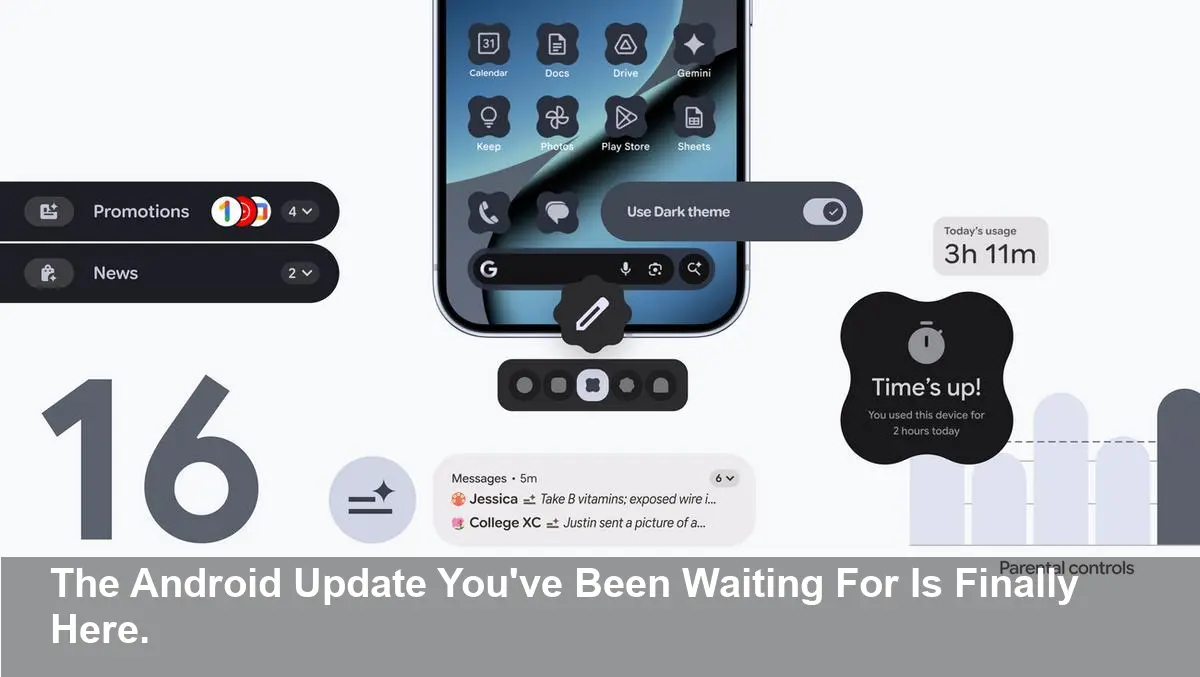
Google is changing the way it delivers updates with the launch of Android 16, moving away from a single yearly update to more frequent feature drops. This new release is packed with AI-powered tools, deeper personalization, and robust parental controls designed to make your device smarter, more personal, and easier to manage.
- AI-Powered Notifications: Get automatic summaries of long messages and group chats, while a new organizer silences and groups low-priority alerts.
- Enhanced Personalization: Customize your home screen with unique icon shapes and enjoy a more consistent look with automatically themed icons and an expanded dark mode.
- Simplified Parental Controls: A new centralized hub in Settings allows for easy on-device management of screen time, app limits, and downtime schedules.
- New Update Cadence: Android is shifting from a single, massive annual update to more frequent feature releases, delivering new tools as soon as they are ready.
Taming Notification Overload with AI
Android 16 tackles one of the biggest user complaints: notification overload. Two new intelligent features are designed to help you cut through the digital clutter and focus on what truly matters.
AI-Powered Notification Summaries
For those overwhelming group chats or long messages, a new AI feature condenses them into quick, glanceable summaries. This allows you to grasp the context of a conversation without having to read through every single message.
Notification Organizer
The second tool is the Notification Organizer, which automatically groups and silences lower-priority notifications like promotions, news alerts, and social media updates. This helps keep your primary notification shade clean, reducing distractions throughout the day. Google has confirmed this feature will be rolling out in stages over the coming weeks.
Express Yourself with a More Personal Interface
Your phone is a reflection of your personality, and Android 16 introduces more ways to make it uniquely yours.
Custom Icons and Themes
You can now go beyond standard app icons with custom shapes to better match your style. Furthermore, the Themed icons feature now automatically applies a consistent color scheme and look across all your apps, creating a more cohesive and minimalist home screen.
Expanded Dark Theme
To save battery and reduce eye strain, the expanded dark theme option can now automatically darken most light-themed apps, even if they don’t have their own native dark mode.
Manage Parental Controls Directly On-Device
To help parents and guardians foster healthy digital habits, Android 16 introduces a single, easy-to-access Parental Controls hub directly within the Settings app. Protected by a PIN, these on-device controls allow you to:
- Set daily screen time limits.
- Schedule downtime to lock the device at night.
- Control app usage by limiting time or blocking apps entirely.
- Grant extra time when a limit is reached.
This new hub also provides a direct path to set up Google Family Link, which offers more advanced capabilities like location alerts, app purchase approvals, and more from a parent’s device.



