Windows 11 dials back upsells — practical impact

Microsoft pulls back on upsells in Windows 11
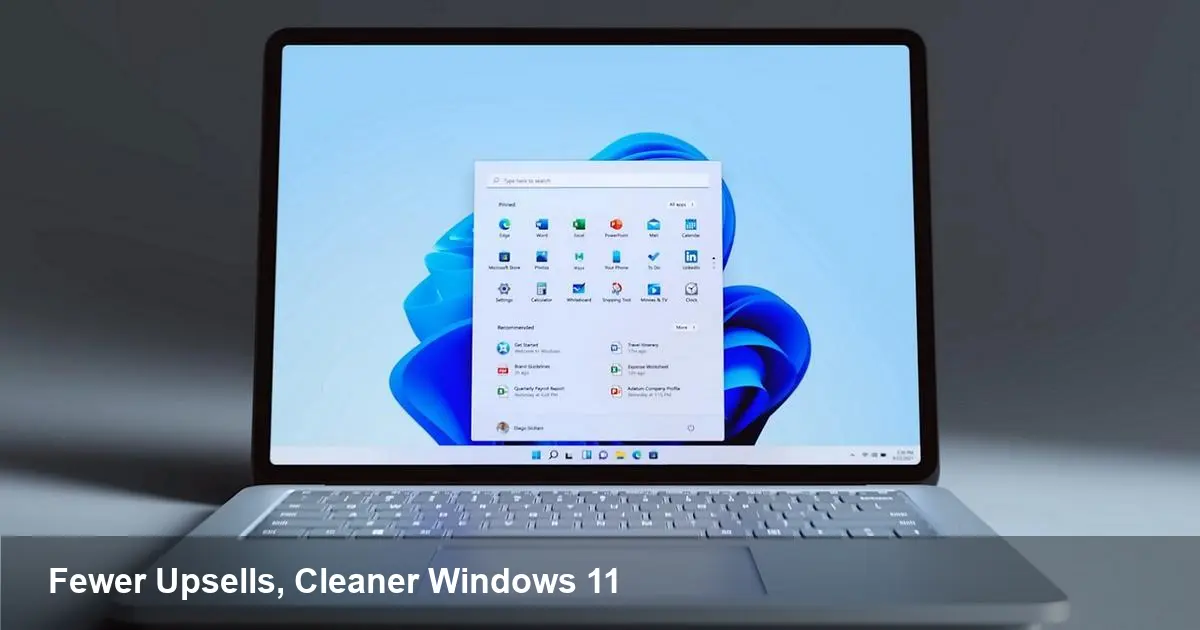
Microsoft recently confirmed it will reduce the number of in‑OS promotions and recommendations shown in Windows 11. After years of experimentation with prompts to try services such as OneDrive, Microsoft 365, or Edge, and with suggested apps appearing in the Start menu and other UI surfaces, the company says it will scale those upsells back.
That sounds small, but the change affects three distinct groups: everyday users, IT/comms teams in businesses, and software developers who relied on in‑OS discovery. Below I walk through what’s changing, concrete scenarios you’ll notice, and what to do next whether you manage hundreds of machines or build apps for Windows.
Quick background: what Microsoft was doing and why people complained
Since Windows 10, Microsoft has experimented with ways to monetize and promote its services inside the operating system. Typical upsell surfaces include the Start menu (suggested apps), Settings (tips to use cloud backups), the lock screen and Spotlight (suggested content), post‑install prompts, and occasional banners across system UI encouraging Edge or Microsoft 365.
For many users and enterprises these felt intrusive: recommendations break flow, can be confusing on shared devices, and create extra support touchpoints. At scale, the perception that Windows was becoming an advertising channel damaged goodwill with customers and partner OEMs — and that appears to be why Microsoft decided to reduce the volume of these prompts.
What you’ll actually see less of (and what likely remains)
Microsoft hasn’t removed every form of promotion, but you can expect a noticeable reduction in the more intrusive elements:
- Fewer suggested apps and “recommended” app tiles in the Start menu and first‑run experiences.
- Fewer cross‑service prompts nudging users toward OneDrive or Microsoft 365 subscriptions in Settings and File Explorer.
- Reduced promotional tips and banners in OOBE (out‑of‑box experience) and the lock screen.
What likely remains: the Microsoft Store, in‑app promotions, and contextual prompts tied to explicit feature activation (for example, an adaptive prompt to enable OneDrive when saving to Desktop). Microsoft will still run A/B tests and may surface selective recommendations where they serve discoverability rather than revenue.
Real scenarios: how this changes daily life and IT workflows
- Consumer: When a new PC is unboxed, the initial setup should feel cleaner — fewer app suggestions and less pressure to sign into Microsoft accounts or buy subscriptions during setup. For parents setting up a machine for a child that is a win: less accidental subscription signups or app installs.
- IT admin / enterprise: Fewer surprise prompts make locked‑down images feel more consistent across user profiles. OOBE becomes simpler for shared kiosks, testing labs, and classrooms. Admins still have tools (Group Policy, Intune configuration profiles) to remove remaining suggestions, but the baseline will be quieter.
- OEM and retail: A cleaner initial experience helps OEMs show hardware without OS adverts getting in the way of first impressions — important for retail demo units and channel partners.
- Developer and ISV: Apps that had been getting referral installs from Start menu suggestions will see that channel shrink. Developers should plan for more deliberate discovery strategies outside built‑in recommendations.
Practical steps for different audiences
- End users: Check Settings > Personalization and Settings > Notifications to disable remaining tips and suggestions. If you want a totally ad‑free experience, review the Microsoft Account prompts during setup and decline offers you don’t need.
- IT teams: Revisit your provisioning scripts and policies. Ensure Group Policy and Intune profiles disable any remaining recommended apps and first‑run tips in your images. Test OOBE on the latest Windows builds and update your build pipeline to remove one‑time setup prompts that could still surface.
- Developers: Double down on app marketing outside of OS upsells. Improve Store listing copy, screenshots and ratings, invest in direct marketing, and use deep links and protocol handlers so power users can discover your app via search or third‑party blogs rather than relying on the Start menu to surface you.
Business implications and tradeoffs
Removing visible upsells reduces short‑term promotional conversions for Microsoft and a subset of partners. But the tradeoff is increased user trust and a cleaner brand experience — crucial for retaining customers long term. OEMs benefit immediately because hardware sells on the device experience, not on being a billboard for services.
For Microsoft’s product teams this shift signals a broader priority: focusing on user satisfaction and reduced friction over micro‑monetization inside the OS. It’s a recognition that the operating system is primarily a platform and that trust fosters platform usage and long‑term monetization (through subscriptions and cloud services) more reliably than persistent in‑OS prompts.
Limits, unanswered questions and what to watch
This isn’t the end of promotions in Windows — it’s a de‑escalation. Expect Microsoft to: continue A/B testing, keep promotional surfaces where they can be justified as helpful tips, and push discovery through the Microsoft Store and Edge where the company still has strong interest. Watch updates to OOBE, Settings, and the Store in the Windows Insider channels for incremental changes.
Also watch how competitors respond. If Apple and Google continue to avoid in‑OS upsells, Microsoft’s move could be an industry signal that platform makers must choose between short‑term ad revenue and long‑term trust.
Three forward-looking takeaways
- Trust earns retention: Prioritizing a less intrusive OS experience can increase user loyalty and reduce churn for subscription services.
- Developer discovery must diversify: With fewer built‑in discovery hooks, developers should invest in store optimization and direct user acquisition channels.
- Enterprise wins from quieter defaults: Reduced noise in provisioning and OOBE lowers helpdesk tickets and improves device rollout consistency.
If you manage devices, update your build and policy checks this quarter. If you build for Windows, assume the OS won’t market your app for you and plan outreach accordingly. For the rest of us, a quieter Windows is simply easier to live with day‑to‑day.