Wear OS 6.1: Docs confusion and what developers should do

Why a docs mismatch matters
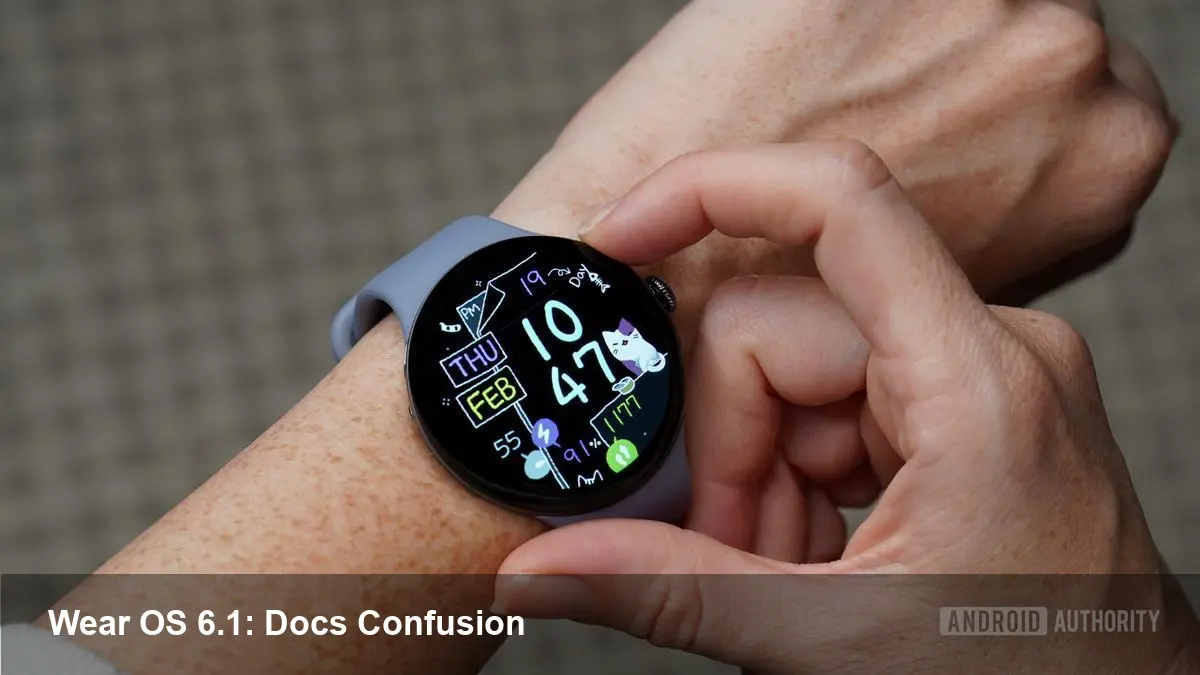
Google's Wear OS sits at the intersection of mobile Android and the tiny, power-constrained world of smartwatches. A recent mismatch between the company’s developer documentation and the platform’s public rollout — notably an entry describing "new" capabilities such as automatic time zone detection months after the Wear OS 6.1 launch in late 2025 — has left developers and product teams asking a practical question: does an updated doc mean a freshly available platform capability, or just paperwork catching up to reality?
This matters because wearable apps are tightly coupled to platform behavior. Small changes in system services (time, location, sensors, power management) can cause missed alarms, incorrect timestamps in fitness logs, broken calendar reminders, or flaky UI tests. Unlike a phone app, a smartwatch app often runs infrequently or under strict battery constraints, so invisible shifts in system behavior are magnified.
Short background: Wear OS and where 6.1 fits
Google’s Wear OS has evolved from early experiments in wearable UIs into a more mature platform. By late 2025 Google released Wear OS 6.1, continuing the 6.x line that refined user controls, battery management, and platform APIs for developers. Device OEMs and carriers don’t always update in lockstep, so developers already face fragmentation: an API present on a Pixel Watch may be delayed on other vendors’ hardware.
The recent documentation update — listing features like automatic time zone detection as new — looks minor, but it highlights how ambiguous documentation can create downstream work for teams that must support a matrix of device models and OS builds.
Practical developer implications
- Runtime feature detection is now a must. Don’t assume an API exists based solely on docs or version number. Query platform capabilities at runtime and fall back gracefully.
- Expect behavioral differences across devices. Even with Wear OS 6.1 in the wild, some manufacturers roll their own system services or patch behaviors. Test on a representative fleet: stock devices, popular OEM watches, and emulator images.
- Time-sensitive logic needs explicit safeguards. If your watch app creates calendar entries, logs workouts, or timestamps sensor readings, rely on robust time-handling APIs and sanity checks rather than implicit system changes.
Concrete example: time zone changes Imagine a travel mode in a running app. If the watch claims to have automatic time zone detection but an OEM build hasn’t applied the update, the app could record sessions with the wrong local time or trigger training reminders at odd hours. To avoid this:
- Use Java’s ZoneId and java.time APIs where available instead of relying on device locale changes alone.
- Add a verification step when the app resumes after a long gap — check the system clock offset against a network time source if possible.
- Offer a simple user-facing option to confirm or override detected time zones for scheduled alarms.
What businesses and product managers should watch
- PR vs reality: Treat documentation updates like release notes, not guarantees. Coordinate with OEM partners to confirm which features are present on target devices.
- Support matrix planning: If your wearable product is part of a consumer or enterprise offering, explicitly map which platform versions and device models you will support. Factor in certification and QA time for each major OEM image.
- Customer experience: Time-related issues are highly visible. Mis-scheduled notifications or workout logs quickly erode trust. Prioritize end-to-end tests for calendar, alarm, and activity flows across time zone changes.
Developer workflow tips (quick checklist)
- Add runtime capability checks using PackageManager.hasSystemFeature or try/catch around new APIs.
- Keep an emulator lab with images for the latest Wear OS builds and for common OEM images if available.
- Log and monitor timezone-related metrics: count of user overrides, frequency of conflicting timestamps, and crash reports tied to time APIs.
- Document expectations internally: what the app will do if the platform’s time zone detection is absent or inconsistent.
Limitations and trade-offs
Platform upgrades can’t instantly fix all fragmentation. OEMs often apply their own patches and timelines, and some devices never receive major updates. Worse, conservative documentation that lags behind reality can be as damaging as premature claims; developers waste time implementing absent features or adding compatibility layers that aren’t needed.
There's also a privacy trade-off. Automatic time zone detection often relies on location signals. For apps designed to minimize location usage, relying on the system to silently flip time zones may be attractive — but make sure user consent and privacy expectations are respected.
Future implications
1) Documentation accuracy will influence platform adoption. As Wear OS becomes a target for more specialized apps—health, enterprise, payments—clear, accurate changelogs will be essential so teams can plan integrations and compliance work.
2) Runtime feature detection and modular SDKs will become standard practice. The era of assuming a monolithic OS baseline is fading; apps should be built to detect and adapt to differences at runtime and to use compatibility libraries when available.
3) Better dev tooling for wearable fragmentation is likely. Expect improved emulator images, vendor collaboration programs, and more granular feature flags from Google to help teams distinguish "available on the platform" from "documented but not yet deployed."
Practical next steps for teams
If you maintain or build Wear OS apps, run an audit this week:
- Confirm which devices and OS builds your analytics show most users on.
- Add runtime checks for time zone APIs and push a small update that logs time-handling status so you can measure real-world behavior.
- Raise issues with Google through the official issue tracker when docs and delivered platform behavior diverge — collective feedback accelerates fixes.
Small discrepancies in documentation can cascade into real user problems on watches. Treat platform docs as a directional signal, not a contract, and build defensive code and testing strategies accordingly.