
Linux Mint 22.3 Beta: Cinnamon 6.6 and Key Upgrades

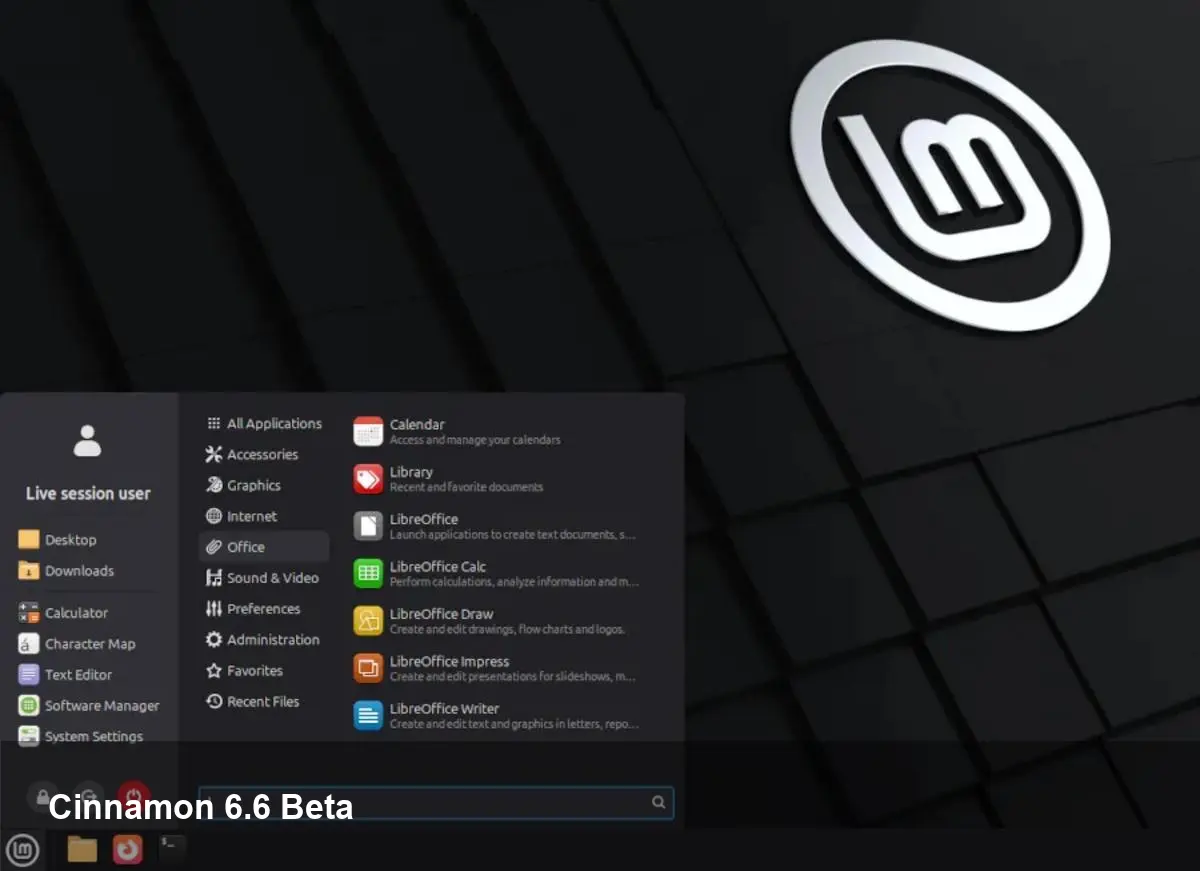
- Linux Mint 22.3 "Zena" beta is now available for testing, built on Ubuntu 24.04 LTS.
- Cinnamon 6.6 introduces a redesigned application menu, improved input support, and file-manager refinements.
- XApps Timeshift can now pause/resume snapshots; Warpinator adds IPv6 support; Linux 6.14 kernel retained.
What’s new in Linux Mint 22.3 Beta
Linux Mint 22.3 "Zena" is an incremental update layered on the Ubuntu 24.04 LTS foundation. The beta release focuses on desktop polish and tooling improvements rather than a wholesale platform shift.
Cinnamon 6.6: polish and productivity
Cinnamon 6.6 is the headline change in this beta. It brings a redesigned application menu with a new layout that aims to speed access to apps and settings.
The update improves keyboard layout and input method support, which benefits multilingual users and those relying on alternative input engines. The file manager (Nemo) gains better search accuracy and can pause and resume file operations — a convenience for large transfers.
Developers also added a template manager to Nemo, helping users create and manage file templates more easily. Additional notification enhancements and various UI refinements round out the desktop update.
Backup, networking, and troubleshooting updates
XApps' Timeshift backup tool now supports pausing and resuming snapshots. This makes managing system snapshots less disruptive, particularly on slower storage or when snapshots are large.
Warpinator, the simple local file-sharing tool that has been a staple of Linux Mint, now supports IPv6. That expands compatibility on modern networks and simplifies transfers across multiple subnets.
The project also notes new troubleshooting tooling to help users and maintainers diagnose issues more efficiently during the beta testing cycle.
Kernel and base system
Linux Mint 22.3 Beta continues to use a Linux 6.14-based kernel. Retaining the same kernel series provides stability while the team focuses on desktop and application-layer improvements.
The distribution remains based on the Ubuntu 24.04 LTS userland, ensuring long-term support and compatibility with the broader Ubuntu ecosystem.
How to try the beta
Downloads and full release notes are available from the official Linux Mint blog. Testers should back up important data before installing the beta and report bugs to the Linux Mint team to help harden the final release.
Why it matters
This release is typical of Mint’s incremental approach: keep the solid Ubuntu LTS base while iterating on the desktop experience. For users who prefer a stable foundation with continual usability improvements, Linux Mint 22.3 aims to be a practical update rather than a disruptive one.



