How One UI 8.5 is turning Galaxy S26 phones into pocket Linux workstations

Why this matters now
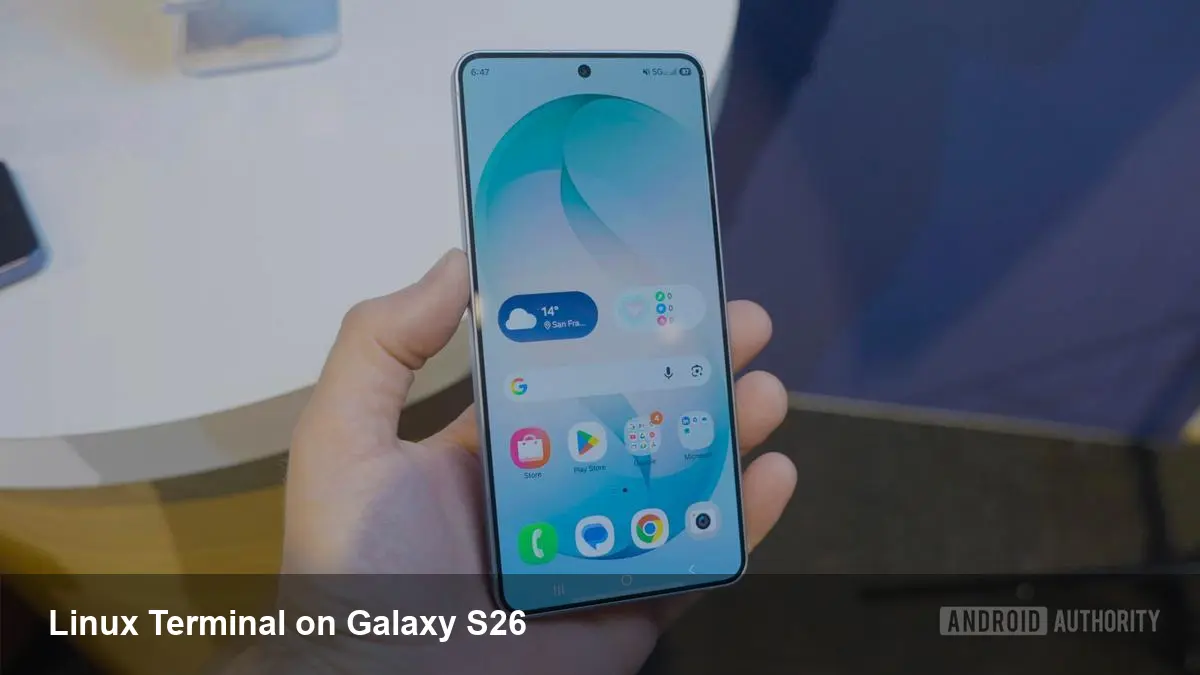
Samsung’s One UI 8.5 update brings a notable change for power users and developers: upgraded Linux Terminal support on Exynos-powered Galaxy S26 phones. That’s not just a toy terminal app — it signals Samsung’s push to make flagship devices more capable as development and admin platforms. For anyone who treats their phone like a secondary workstation, this is a practical shift worth understanding.
Quick background: Samsung, One UI and Linux on mobile
Samsung’s One UI is its Android skin and feature suite that sits on top of Android releases. Over recent generations the company has added features aimed at productivity (DeX, advanced windowing, keyboard and trackpad support). Parallel to that, there’s been renewed interest in running traditional Linux userlands on Android devices — whether through apps such as Termux, containerized environments, or vendor-led initiatives that tap deeper into the kernel.
On the Galaxy S26 line, Samsung is shipping Exynos-powered models in some regions. The Exynos variants have kernel and driver compatibility that make it easier for Samsung to offer fuller Linux functionality without depending on third-party hacks. One UI 8.5 leverages that platform-level compatibility to improve the Linux Terminal experience on these devices.
What the upgraded Linux Terminal means in practice
Here are tangible ways the updated Linux Terminal can change how you use a Galaxy S26:
- Portable dev environment: Instead of carrying a laptop for quick edits, builds, or scripting, you can run many common CLI tools directly on the handset. Small code compiles, Git workflows, and language runtimes (Python, Node, Rust tooling) become accessible for quick iteration.
- Better remote admin and ops: A full terminal makes SSH-based workflows smoother. Combined with modern mobile networks and Wi‑Fi, you can troubleshoot servers, restart services, tail logs, and run maintenance scripts from your phone.
- On-device testing for edge apps: If you’re building apps that target ARM platforms (IoT, edge compute), compiling and testing on an Exynos S26 provides a closer-to-production environment than emulators.
- Quick automation and tooling: Use the phone as a lightweight automation node. Short-running cron-like tasks, local test harnesses or simple CI steps can run directly on the device when portability matters.
Developer workflow examples
- A backend developer on a field site receives a bug report. Using the S26’s Linux Terminal they fetch the latest commits, run a focused test, and apply a hotfix pushed to a staging server — all without a laptop.
- A mobile app engineer needs to reproduce an ARM-specific bug. They build a debug binary with local toolchains, run it under strace/valgrind (where supported), and capture logs to send back to teammates.
- A site reliability engineer (SRE) receives an alert at night. With SSH sessions, multiplexed tmux panes, and familiar shell tools on the phone, they can triage and mitigate incidents before escalating or commuting back home.
Why Exynos matters here
Not all Galaxy S26 variants are identical under the hood. The Exynos-powered models are getting this upgraded Linux Terminal support because the hardware and kernel configuration allow Samsung to expose and optimize low-level features more easily. That can mean better compatibility with native binaries, more predictable thermal/performance characteristics for long-running tasks, and fewer missing drivers that typically trip up Linux environments on consumer phones.
If you care about running native Linux workloads on a phone, pick the Exynos variant in regions where it’s available — it’s the one Samsung is explicitly targeting with these improvements.
Limitations and trade-offs
This isn’t a replacement for a full workstation:
- Performance ceilings: Mobile SoCs, even flagship Exynos chips, aren’t going to match a desktop CPU for long, heavy compiles. Expect slower builds and thermal throttling for sustained work.
- Storage and tooling constraints: While the terminal supports many CLI tools, storage space and the lack of certain kernel modules may prevent running heavyweight services or full Docker in the way you would on a laptop or server.
- Security considerations: Exposing a Linux userland on a phone increases the attack surface. Secure your device with strong device authentication, and treat any remote access software (SSH keys, open ports) with the same caution you would on a server.
Business and team implications
- Rapid response: Small teams and startups can triage issues faster without requiring a laptop. For customer-facing teams, that reduces downtime and speeds up incident response.
- Prototyping edge features: Startups building ARM-native solutions or mobile edge services can iterate quicker by testing on actual mobile silicon instead of emulators.
- Onboarding and tooling decisions: Tool chains that previously assumed a laptop may need to be adapted (smaller local caches, mobile-friendly config, key management) to work in a phone-first workflow.
What this suggests about Samsung’s strategy
- Targeting professionals: Samsung is signaling a push toward devices that do more than consume content — they can be lightweight production tools.
- Device-level differentiation: By enabling Linux Terminal features on Exynos models, Samsung leverages hardware differences as a product advantage versus other variants.
- Competing on ecosystem depth: Deeper integration of developer-friendly features nudges Samsung into the same conversation as companies selling dedicated developer hardware or offering advanced mobile productivity features.
Next steps for interested users
- Check if your region’s Galaxy S26 is Exynos-powered and eligible for One UI 8.5.
- Back up data before enabling new system-level tools and verify vendor documentation for Linux Terminal setup and permissions.
- Prepare SSH keys and install familiar shells and utilities you use on desktops so the transition to mobile is seamless.
Whether you’re an engineer who wants to trim a bag from your commute or a small ops team that needs faster response times, One UI 8.5’s Linux Terminal enhancements make a compelling case for reconsidering what a smartphone can do. The toolset won’t replace a laptop for heavy lifting, but for quick development, diagnosis, and prototyping on real ARM silicon, the Galaxy S26 has suddenly become far more useful.