How Android Notification Rules Could Rework Alerts

Why notification control still matters
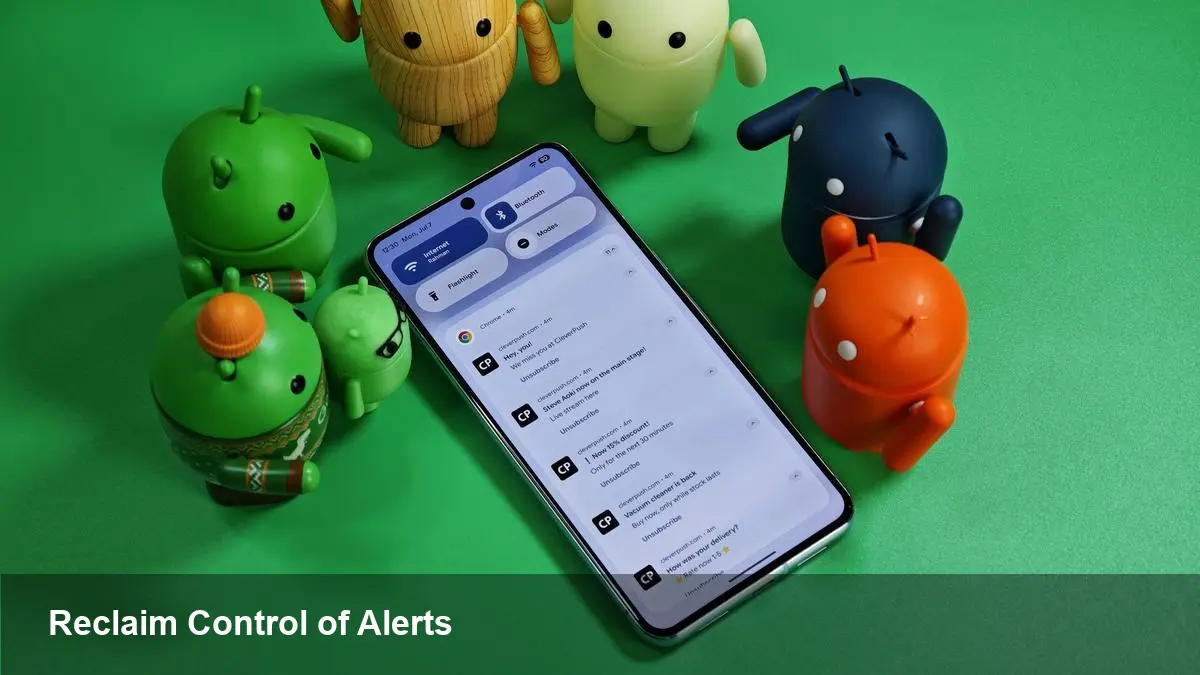
Smartphones have solved countless problems, but they also introduced a constant stream of interruptions. Notifications are useful—reminders, messages, calendar alerts—but their volume and poor targeting have created real productivity and wellbeing costs. Android's next step in notification management—generally discussed as "Notification Rules"—aims to give people more precise, automated control over alerts so devices stop demanding attention at the wrong times.
Brief background: Android notification evolution
Android's approach to notifications has changed significantly over the past several versions. Google introduced notification channels in Android 8 (Oreo) to let apps group alerts and let users adjust importance per channel. Later releases added conversation priority, bundled notifications, snooze, and richer Do Not Disturb (DND) controls. Despite those improvements, users still wrestle with noisy apps, family group chats that ping at night, and promotional alerts that bypass attention settings.
Notification Rules would build on these primitives by turning manual settings into conditional, reusable policies: if X happens, then treat notifications from Y as Z.
What Notification Rules likely lets you do (practical examples)
Think of Notification Rules as lightweight automation for alerts. Here are concrete scenarios that illustrate the practical value:
- Work-life split: Automatically mute notifications from Slack, email apps, and project trackers after 7 PM on weekdays, but allow messages from your manager to break through. The rule could be time-based plus a people exception.
- Meeting mode: When your calendar shows a meeting tagged as "focus," route all app notifications to silent, but allow calls or messages from specified contacts to ring. You can create a meeting-aware rule that interacts with your calendar state.
- Sleep preservation: At night, block social-media and shopping notifications while still allowing alarm and health app notifications. A nightly rule could be scheduled or triggered by a “bedtime” system state.
- Priority highlight: Promote notifications from family members by making them high priority and showing them as heads-up, while demoting promotional alerts to silent where they only appear in the shade.
- Low-battery conservator: When battery drops below a threshold, demote non-essential notifications so the device spends less time lighting the screen.
These examples show how Notification Rules can reduce manual fiddling and bring context-aware behavior that matches real life.
For developers: what to prepare for
If Android formalizes rules into the platform, developers should consider several implications:
- Respect user intent: Apps must honor system-level demotion or suppression rather than trying to override it. Notification channels and proper importance levels will matter more than ever.
- Use semantic notification types: Explicitly mark messages, conversations, and system notices. Clear semantics make it easier for users and rules to treat different notification types appropriately.
- Test in varied contexts: Developers should test how notifications behave with scheduled rules, DND, and third-party automation tools (like Tasker). Unexpected silencing of critical alerts can harm user trust.
- Consider providing opt-in exceptions: For certain high-value flows (two-factor auth, account security), offer a user-configurable exception rather than attempting to circumvent platform rules.
A potential API surface for rules could also let apps expose metadata that helps users create precise rules (e.g., tag this notification as “transactional” or “family”).
Enterprise and business value
Organizations that issue devices to employees or depend on timely communications will see both benefits and trade-offs:
- Fewer interruptions can boost productivity: Teams that suffer from notification distraction (support desks, sales teams) could use rules to ensure only mission-critical alerts break focus.
- Policy-driven rules for managed devices: Mobile device management (MDM) or EMM tools could deploy company-sanctioned rules—silencing social apps during work hours on corporate devices, for example.
- Customer engagement shifts: Marketers will need to adapt. If users routinely block promotional notifications, companies must invest more in value-driven engagement or in-app messaging.
- Support and compliance: Businesses using notifications for compliance (alerts, incident responses) must validate that their messages reach intended recipients and may need to coordinate with IT to set exceptions.
Trade-offs and realistic limits
Notification Rules are powerful but not a cure-all. Expect these caveats:
- Complexity versus clarity: Too many rules can confuse users. A good UI needs to present rules clearly and let people preview their effects.
- App behavior incentives: Apps that rely on high-frequency notifications for retention will push back. Platform safeguards must prevent apps from monetizing rule circumvention.
- Cross-device consistency: People use multiple Android devices, Chromebooks, and Wear OS watches. Rules that live only on a single device may lead to inconsistent behavior across the user's ecosystem.
- Privacy and permissions: Rules that examine message content to apply exceptions will need strict privacy controls and explicit user consent.
Three implications for the next few years
1) Notifications as a managed resource: Expect notifications to be treated like bandwidth—something you allocate based on context, not a firehose. That mindset will change how apps design engagement strategies.
2) More platform-level automation: Notification Rules could be the first of many user-level automations Google exposes to reduce friction (calendar-aware profiles, location-based behavior, and battery-aware UX tweaks).
3) New opportunities for third-party tools: Automation and productivity apps (Tasker, Automate, enterprise MDMs) will integrate with rules or offer complementary features, creating an ecosystem around attention management.
How to think about using rules today
Even before a full platform feature ships, users can prepare: audit which apps send the most noise, set up channels and channel importance where supported, and use existing DND schedules. For developers and businesses, start documenting which notifications are business-critical and which are promotional—clear classification will make rule-based systems more effective.
Notification Rules won't eliminate interruptions entirely, but they can make the urgency of alerts match the urgency of the content. That alignment—notifications that appear because they matter, not just because they exist—is where productivity and wellbeing both win.