One UI 8.5 Unlocks Power Quick Panel Customization

Why this matters
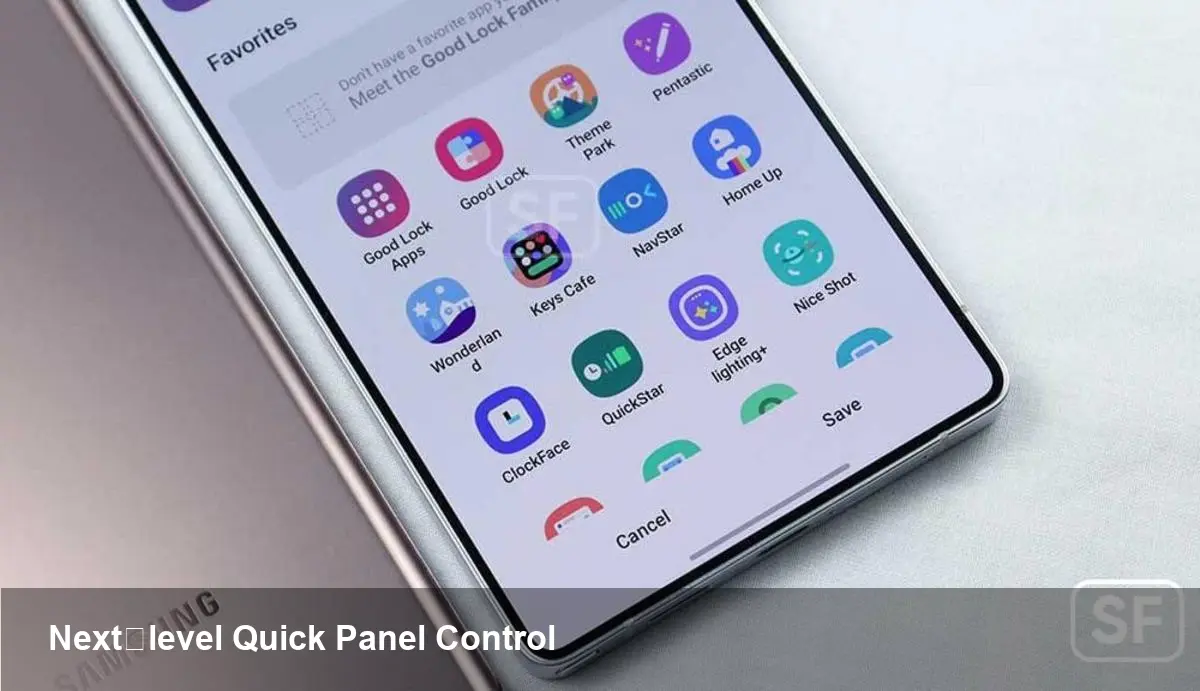
Samsung’s One UI has long been a battleground for personalization. With the latest One UI 8.5-linked update to Good Lock’s QuickStar module, Samsung is moving beyond surface-level theming into functional, system-level Quick Panel customization. For power users, developers and enterprise device managers this isn’t just cosmetic: it changes how quick settings behave, how information is surfaced, and how people interact with frequently used controls.
QuickStar: short primer
Good Lock is Samsung’s modular customization suite available through the Galaxy Store. Each module tweaks a particular area of the OS — QuickStar focuses on the Quick Panel (the shade you pull down for Wi‑Fi, Bluetooth, brightness and media controls). Good Lock itself is free and widely used by enthusiasts because it exposes options Samsung doesn’t ship in the default settings app.
The new QuickStar revision, built for One UI 8.5 and already arriving on devices like the Galaxy S26 series, expands those controls considerably. If you rely on quick toggles dozens of times a day, the changes are immediately practical.
What’s different — practical features
Below are the practical changes that matter in day-to-day use rather than UI trivia.
- Tile layout and density: You can change the number of tiles per row, spacing and how many rows are visible on the collapsed panel. That reduces finger travel for the toggles you use most — important for one‑handed phone use.
- Position locking and presets: Reorder and pin tiles into named layouts (for example: Work, Commute, Home). Switch presets on the fly or trigger them with routines or third‑party automation apps.
- Visual styling and contrast: Adjust background blur, transparency, tinting, and tile shapes. This is more than decoration — higher contrast tiles improve visibility outdoors and for users with low vision.
- Animation and feedback control: Speed up or slow down tile reveal and feedback animations. Faster animations can make devices feel snappier; turning off heavy animations can help older hardware conserve resources.
- Media and quick controls placement: Move media controls and the brightness slider to different locations within the panel, or collapse them entirely. That makes media playback controls less intrusive when you’re focused on toggles.
- Custom quick-action mapping: Bind long‑press, double‑tap or swipe gestures on tiles to custom shortcuts or apps. This turns a simple Wi‑Fi toggle into a two‑step productivity shortcut, for example.
Real-world scenarios
- Developer workflow: A mobile app developer testing network behavior can create a QuickStar preset that brings Network, Developer Options and Screen Recording tiles to the top row. One swipe gives the exact tools required for a debug session.
- Distributed corporate devices: An IT department managing field tablets can use QuickStar presets to lock a single-row tile layout exposing only enterprise VPN, device location and battery saver, minimizing accidental changes.
- Accessibility-first user: A user with limited dexterity can enlarge tiles, increase contrast and reduce animation to create a quick settings view that’s faster and more reliable to use.
- Power user shortcuts: Map a long‑press on the flashlight tile to launch a notes app for quick voice memos when walking between meetings.
Developer and third-party implications
So far Good Lock is a device-level experiment driven by Samsung rather than a platform for third‑party developers. But the new features hint at two directions:
1) Better integration hooks: More granular quick-action mappings and presets could be exposed via documented APIs in future One UI updates, allowing apps to register context‑aware quick actions reliably.
2) Predictive personalization: With Samsung’s interest in routines and contextual behavior, expect Quick Panel presets tied to location, calendar events or connected devices. Developers should prepare for deeper intent‑based hooks so apps can offer relevant quick actions.
If you build Android apps that benefit from ultra-fast shortcuts (IoT controllers, field-agent tools, diagnostic utilities), keep an eye on Samsung’s developer updates for any formal APIs mirroring QuickStar features.
Downsides and constraints
- Device and OS requirements: The update targets devices running One UI 8.5 — currently devices like the Galaxy S26 series. If your fleet or personal device doesn’t have that OS, you won’t get the new module.
- Regional restrictions: Good Lock and its modules have historically been region‑locked in the Galaxy Store. Availability can vary by country and carrier.
- Stability and system updates: Because Good Lock hooks into system UI elements, modules can occasionally break after major system updates. Back up your presets before applying a One UI upgrade.
- Not a replacement for MDM: For enterprise-grade device lockdown and compliance, Mobile Device Management tools remain necessary. QuickStar presets can complement MDM but shouldn’t be relied on for security policy enforcement.
How to start (practical checklist)
- Confirm your device is on One UI 8.5 (Galaxy S26 and newer flagships are first to receive it).
- Install Good Lock from the Galaxy Store and add the QuickStar module.
- Create and test a preset for a single task (e.g., media control layout). Save it and toggle quickly between default and custom presets to evaluate workflow impact.
- If you manage multiple devices, document presets and train users — small layout changes can reduce support calls by cutting down accidental toggles.
What this signals for the near future
- Expect more system-level personalization: Samsung is likely to keep expanding Good Lock’s reach or bake successful features into One UI proper.
- Enterprise value in customization: Device fleets will increasingly be able to adopt task-specific quick settings that improve productivity and reduce user error — a subtle but real operational win for field operations.
- Platform opportunities for developers: If Samsung exposes APIs to register quick actions safely, app developers can build a new class of micro‑interactions optimized for the Quick Panel.
If you’re already on an S26 or another One UI 8.5 device, taking QuickStar for a spin is low-risk and high-reward: it’s free, reversible and can make daily interactions noticeably faster. For teams and developers, it’s worth prototyping a couple of presets to measure time savings and fewer support tickets — sometimes the best UX wins happen in places people check dozens of times a day.