
Intel's Core Ultra 200S Plus: practical upgrade guide

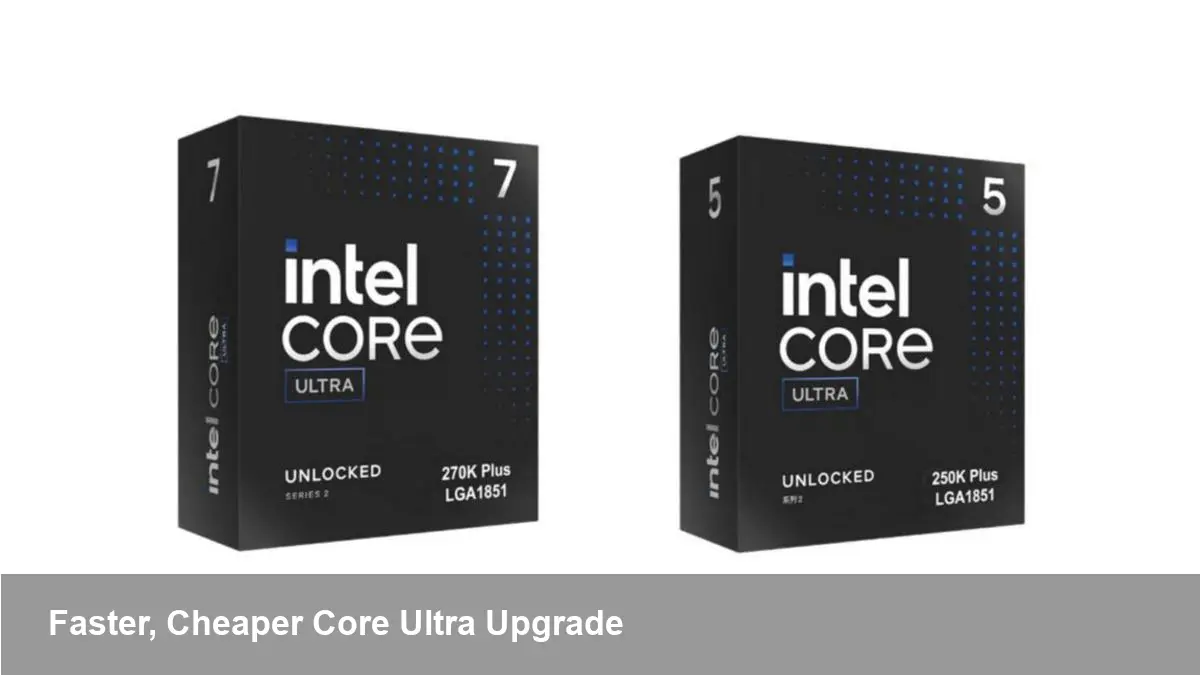
A modest refresh with practical impact
Intel has quietly refreshed its desktop lineup with new Core Ultra 200S Plus chips. These are not a radical architectural leap; rather, they’re incremental upgrades across Intel’s Core Ultra 200S family that deliver slightly better performance at slightly lower prices. For builders, IT buyers, and developers deciding whether to replace or expand desktop fleets, the changes matter because they influence cost-of-ownership, upgrade timing, and real-world productivity.
This article breaks down what the Plus SKUs mean in practical terms, who should care, and how to decide whether to buy now or wait.
What changed (without the marketing spin)
- Slight performance bump: Intel’s Plus variants push clock speeds and/or platform tuning just enough to improve single-threaded responsiveness and short-burst workloads. That’s the kind of gain that shows up as snappier apps, faster compiles, and slightly improved game frame rates, not as an order-of-magnitude leap.
- Lower entry pricing: The Plus lineup is positioned to be a touch cheaper than the models they replace, making the improved models available at better price points for mainstream desktop buyers.
- Product positioning: These SKUs are aimed at mainstream desktops and small-form-factor systems where price and thermal headroom matter. They’re intended to be drop-in options for buyers who want improved bang-for-buck without platform upheaval.
Because this is a refresh and not a generational shift, the platform and compatibility story is largely unchanged — with the usual caveat to check your motherboard vendor for BIOS updates before swapping CPUs.
Who benefits most
- Developers and engineers who compile often: Even modest single-thread performance improvements translate into shorter build times for many codebases. When compiles are part of the daily feedback loop, shaving minutes per build multiplies into real productivity gains across a team.
- Content creators on a budget: Video editors and motion designers working on timelines that depend on CPU-bound effects can see a smoother timeline and faster export times, particularly if they’re not entirely GPU-bound in their workflow.
- Small businesses and IT procurement: The slightly lower price makes it easier to refresh office desktops or buy better-configured machines without exceeding tight budgets.
- SFF (small form factor) system builders: Because these SKUs are tuned for mainstream thermal envelopes, they’re attractive for compact cases where cooling and power ceilings limit more aggressive desktop chips.
If you’re a hardcore enthusiast chasing max framerates or raw multi-threaded throughput, a modest Plus SKU isn’t a dramatic upgrade — but it’s a rational choice for balanced systems.
Real-world scenarios
- The indie studio improving CI times: A small game studio with a build server farm can justify moving to Plus chips across several machines. The chips’ incremental speed improvement shortens continuous integration timings and reduces developer wait time during iterative development.
- An MSP upgrading client workstations: A managed service provider refreshing a fleet of office PCs can take advantage of the price reduction to choose better base configurations (more RAM, faster SSDs) while staying within a fixed budget.
- A freelancer upgrading a compact workstation: Someone who edits video on a tiny desktop can pick a Plus SKU for a quieter system that doesn’t need an oversized cooler, while still improving export times modestly.
What developers should check before upgrading
- Motherboard BIOS support: Even modest SKU updates sometimes require a BIOS update. Check the board vendor’s CPU compatibility list before installing a new chip.
- Thermal solution fit: If your case has tight clearance, make sure the platform’s TDP envelope and your cooler match the new SKU’s requirements to avoid thermal throttling.
- Workload profile: Measure whether your tasks are CPU-bound or GPU-bound. If the heavy lifting in your workflows is on the GPU (e.g., GPU-accelerated rendering or AI inference), the Plus CPU may give only marginal benefit.
Business impact and upgrade calculus
- Refresh cadence: For businesses on a 3–5 year refresh cycle, a modest price decrease paired with a slight performance boost can justify an early refresh if it enables greater productivity or reduced support costs.
- Total cost of ownership: Don’t focus only on CPU sticker price. Factoring in improved energy efficiency, potential licensing differences (for CPU-tied software), and reduced user downtime can tip the balance toward upgrading.
- OEM bundles and discounts: OEM partners often reprice systems around SKU changes. Look for bundle discounts or promotional configurations that improve value beyond raw per-chip cost reductions.
Downsides and trade-offs
- Incremental gains: If you already have a recent Core Ultra 200S CPU, the uplift may be small enough that waiting for the next architectural generation makes more sense.
- Platform inertia: Some organizations prefer to time hardware refreshes around motherboard and memory cycles; swapping CPUs without a platform refresh can complicate asset management.
- Competitive alternatives: AMD and other vendors sometimes respond to price shifts with aggressive promotions. Evaluate cross-vendor price/performance before committing.
Forward-looking implications
- Pricing pressure as a strategy: Intel’s move illustrates that per-SKU price adjustments remain an effective lever to stimulate the mainstream desktop market without needing a full architectural rollout.
- Longer tail for platform relevance: Incremental SKUs extend the useful life of existing desktop platforms, which can slow large-scale upgrades but benefit customers who prioritize stability.
- Niche optimization continues: We’ll likely see more finely tuned SKUs aimed at specific segments — small form factors, business desktops, or entry-level workstations — rather than one-size-fits-all flagships.
How to decide: a quick checklist
- Is your current CPU older than three generations? Consider upgrading.
- Are your workloads CPU-bound and latency-sensitive (e.g., compiles, heavy single-thread tasks)? A Plus SKU can help.
- Are you upgrading many systems at once and looking to lower per-unit cost? The price shift could be meaningful.
- Do you need maximum multi-threaded throughput now? If so, compare higher-tier alternatives and wait for the next gen if necessary.
If your answer is yes to one or more of the first three questions, the Core Ultra 200S Plus chips are worth evaluating for purchase or inclusion in a refresh plan. For everyone else, they’re a sensible incremental improvement — not a game-changer.
Whether you’re building a compact workstation, refreshing an office fleet, or trimming CI times, these Plus SKUs give you an efficient, cost-aware option to improve day-to-day productivity.



