Verifying Windows 11’s Secure Boot 2023 Certificate Update

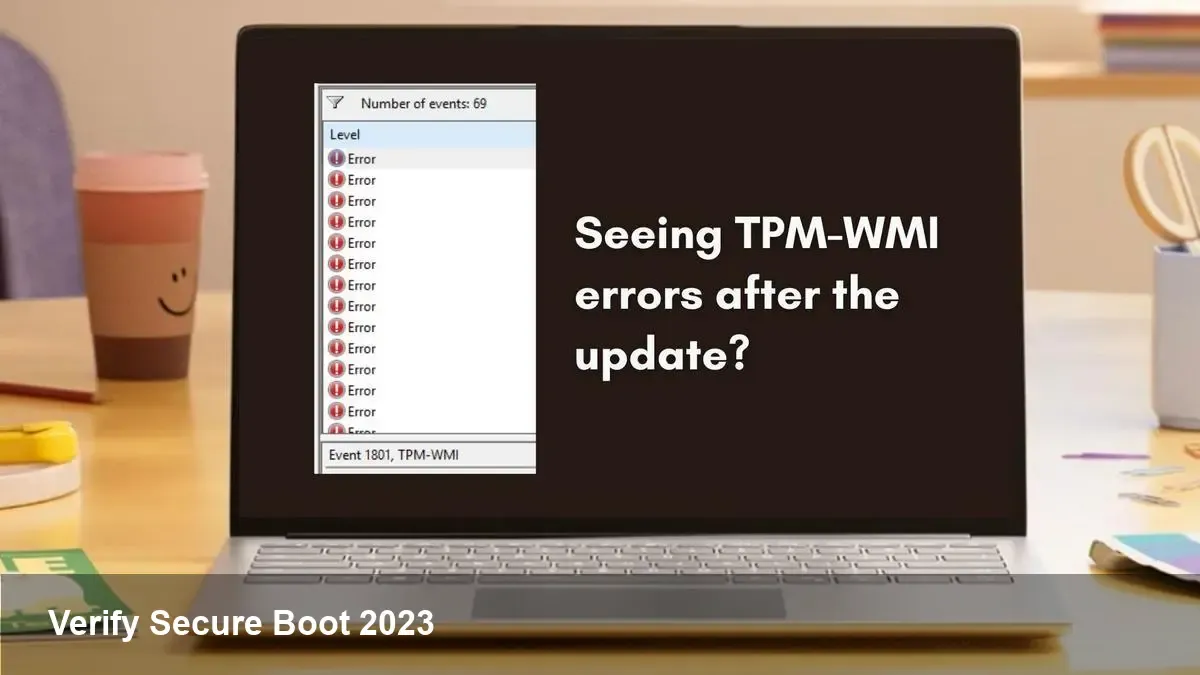
Why the Secure Boot certificate refresh matters
Secure Boot is the firmware-level guard that prevents unsigned or tampered boot components from running. Microsoft has published a newer UEFI signing certificate (the “2023” Microsoft UEFI CA) to replace the certificates issued in 2011. That change is distributed to systems through a combination of firmware updates and Windows updates, and it affects how UEFI images, drivers and bootloaders are validated.
For IT teams, developers and device makers the transition means three practical concerns: ensuring devices actually receive the new certificate, verifying the update completed without breaking boot chains, and avoiding false alarms from management tools that monitor TPM/firmware events.
Common symptom: TPM-WMI Event ID 1801
If a device receives the new Secure Boot certificate you might see an informational event in Event Viewer: TPM-WMI Event ID 1801. That entry often appears when the system or firmware updates UEFI signature databases or when the Windows platform interacts with the TPM to record or react to a key change. It’s usually informational — not an error — but it’s the most visible sign admins have been seeing during the rollout.
What to watch for:
- The event is typically logged after a system update or firmware change.
- It does not necessarily indicate a failure; more often it records that the TPM and firmware exchanged or processed a key-related operation.
Quick verification checklist (safe, non-invasive)
Follow these steps on a Windows 11 device to check that Secure Boot is active and whether recent certificate updates were applied.
1) Verify Secure Boot is enabled
- Open Windows Security > Device security and confirm Secure Boot is listed as ON. Or run msinfo32 (System Information) and look for "Secure Boot State: On" in System Summary.
- PowerShell quick check: run
Confirm-SecureBootUEFIin an elevated PowerShell prompt. A return value ofTruemeans the platform reports Secure Boot active.
2) Confirm TPM presence and basic status
- From an elevated PowerShell prompt run
Get-Tpm. This shows whether a TPM is present and ready. The TPM is involved in recording firmware/secure boot events and is often where those Event ID 1801 entries originate.
3) Inspect Event Viewer for the TPM-WMI entries
- Open Event Viewer and navigate to Applications and Services Logs → Microsoft → Windows → TPM-WMI → Operational (this is where the TPM-WMI provider logs). Look for Event ID 1800/1801 around the time you ran updates or rebooted; the message will usually be informational.
4) Cross-check Windows Update / OEM firmware updates
- If the new certificate was applied, you’ll often see a related Windows Update package or an OEM firmware (UEFI/BIOS) update nearby in your update history. Check Settings → Update & Security → Windows Update → View update history and your OEM’s firmware/BIOS update release notes.
5) Optional (advanced): examine UEFI db contents from a Linux live environment
- If you need to verify the exact certificate entries in the UEFI Secure Boot database (db), boot a Linux live USB that includes efivar or efi-readvar tools and run a command like
efi-readvar -l dborefivar -lto list variables. This will let you find the certificate blob and compare its fingerprint to the Microsoft-published 2023 CA fingerprint (always grab fingerprints from Microsoft’s official documentation first).
Note: Windows does not expose the UEFI db directly through common GUI tools; using a Linux recovery environment to read UEFI variables is a pragmatic and non-destructive way to inspect db contents.
If the new certificate hasn’t been applied — what to do
- Check Windows Update and OEM firmware: Most systems receive the 2023 CA either as part of a Windows update package or a firmware update. If you’re seeing older certificates still in use, confirm both are up to date.
- Enterprise management: For managed fleets, use your MDM or update management tool to push recommended firmware/Windows update packages. Some organizations choose to control UEFI key stores centrally — if that’s the case, coordinate with firmware/OEM and update signing processes.
- Custom images and drivers: If you sign custom boot components or drivers with older keys, you may need to re-sign against a signing authority recognized by the new CA or add your signing certificate to the firmware db (which is only suitable in controlled environments).
Developer and integrator considerations
- Driver signing and kernel modules: If you produce kernel drivers or UEFI applications, recheck your signing chain. On consumer devices, Microsoft’s new CA will be trusted by default as it lands in the firmware db. On locked-down devices (OEM-managed, enterprise), work with the device owner to ensure your signatures are accepted.
- Test images and labs: Add a test matrix step that validates Secure Boot after applying firmware and Windows updates. Combine this with automated smoke tests for boot success and integrity validation.
- Build pipelines: For low-level system software, incorporate signing checks and document expected trusted chains so CI/CD failures can be traced back to firmware trust changes rather than code regressions.
Risks and what to watch out for
- Compatibility gaps: Older or custom bootloaders that relied on specific certificates may stop booting if those certificates are removed or replaced by the firmware vendor.
- Audit noise: Expect an uptick in informational TPM/firmware events. Don’t treat every TPM-WMI event as a failure—correlate with updates and reboots.
- Firmware lag: Some OEMs may delay shipping updated firmware that embeds new CA entries; on those machines the update path may take longer or require an OEM firmware update.
Longer-term implications
1) Firmware trust will remain a moving target. Platform owners and software vendors must include firmware transitions in their release and test plans.
2) Enterprises will increasingly need tooling to manage and audit UEFI key stores at scale — expect this to be a focus for MDM vendors.
3) Device makers and independent OS builders (including Linux distributions) should make UEFI/db inspection part of release validation to avoid unpredictable user experience when trust roots change.
If you saw TPM-WMI Event ID 1801 after a recent update, it’s very likely the platform recorded a legitimate key-related operation — in most cases an informational sign that the transition to the newer Microsoft UEFI CA completed or was processed. Use the verifications above (Secure Boot state, Get-Tpm status, Event Viewer correlation, and optionally UEFI db inspection) to confirm on a device-by-device basis.