iPhone 17e Benchmarks: Same A19 CPU, One GPU Core Short

Quick summary
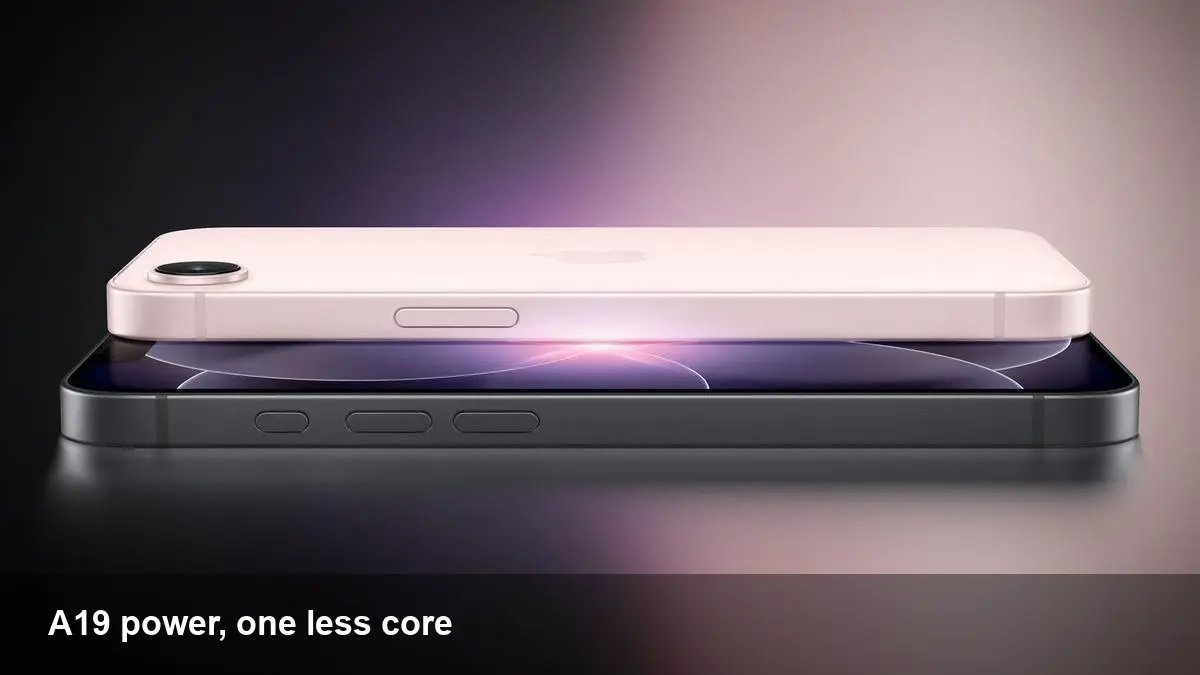
Recent Geekbench 6 results for the iPhone 17e reveal the handset runs Apple’s A19 chip and delivers near-identical CPU performance to the standard iPhone 17. The highest multi-core score recorded for the 17e is 9,241 — essentially the same as the iPhone 17’s average of 9,249. The main hardware difference is a 4-core GPU on the 17e versus a 5-core GPU in the iPhone 17.
Below I unpack what that means in everyday use, how developers should adapt, the business implications for procurement and upgrades, and a few likely directions Apple could take next.
How to read these benchmark numbers
Geekbench multi-core scores are a useful proxy for a phone’s general CPU throughput: apps that rely on parallel compute (compilation, media encoding, some ML tasks) will benefit when that number is high. The 9,241 vs 9,249 figures show the A19’s CPU complex in the 17e performs essentially on par with the standard 17.
Where the difference appears is the GPU core count. A 4-core GPU typically means modestly lower graphics throughput compared with a 5-core sibling. The real-world delta depends on GPU clock, memory bandwidth, thermal limits and software optimization — not just core count.
Real-world impact for users
- Everyday performance (apps, browsing, messaging): negligible difference. For most users, the iPhone 17e should feel as fast and responsive as the iPhone 17.
- Gaming and graphics-heavy apps: here the 4-core GPU may show modestly lower frame rates or reduced headroom at maximum graphics settings. Competitive titles that push sustained GPU loads, or heavy AR experiences, could be slightly constrained.
- Camera and computational photography: most computational photo tasks rely on a mix of CPU, GPU and dedicated neural engines. Since the CPU parity is intact and the A-series SoC typically includes dedicated ML hardware, most camera features should be unaffected. Edge cases involving prolonged high-frame-rate processing might be where the extra GPU core helps.
- Battery and thermals: a slightly smaller GPU configuration can mean improved efficiency or cooler operation under load, so in sustained gaming the 17e might trade peak frame rates for longer-duration performance.
Developer implications and workflow changes
For mobile developers, the reality is nuanced:
- Profiling matters more than assumptions. Don’t assume parity across 17 and 17e GPUs. Test on both devices if you target high-fidelity graphics or AR.
- Provide scalable graphics settings. Implement dynamic quality scaling or multiple shader paths so your game or AR app can maintain frame-rate targets on 4-core GPUs without visual collapse.
- Use Metal Performance tools. Apple’s profiling tools and Metal Performance Shaders can help find CPU vs GPU hotspots. Offload where possible to the GPU, but have CPU or neural-engine fallbacks when GPU headroom is limited.
- Machine learning on-device: for many ML inference tasks the influence of a missing GPU core may be small because Apple’s Neural Engine or specialized accelerators often shoulder the work. Still, benchmark your most performance-sensitive models on both devices.
Concrete example: a Unity game that targets 60 fps should implement adaptive resolution or reduce draw calls on devices reporting a 4-core GPU. A photo-editing app that uses GPU filters should detect GPU capability at startup and enable slightly lighter filter chains on 4-core hardware.
Business and procurement perspective
If you’re buying phones in bulk for a field workforce or enterprise testers, the key questions are use case-driven:
- Productivity fleets: if devices are used for email, CRM, inventory apps, or video calls, the 17e is a cost-conscious option without meaningful compromise.
- Visual/fieldwork: teams that rely on high-fidelity AR apps, 3D visualization, or mobile content creation may prefer the 5-core GPU variants to maximize headroom and reduce developer complexity.
From an upgrade cycle perspective, CPU parity means the 17e should remain performant for general business apps across a typical 3–4 year refresh window.
When the GPU gap will matter — three scenarios
- Competitive mobile gaming: sustained GPU-bound scenes with high shader complexity could expose the 4-core GPU and force lower settings to preserve frame-rate.
- Pro-level video editing or multi-layer compositing on-device: export times and real-time scrubbing may see minimal but measurable differences.
- Intensive AR/ML pipelines used in retail or industrial apps: when an app uses GPU rendering and neural inference simultaneously, extra GPU headroom simplifies optimizations.
What benchmarks don’t tell you
- Thermal throttling over long sessions: a single run in Geekbench doesn’t capture behavior after 20–30 minutes of continuous load. Thermal design, chassis, and cooling will shape sustained performance.
- Power efficiency under mixed workloads: real-world battery drain depends on screen brightness, radios, background services, and how often the SoC enters low-power states.
- Software tuning: Apple and third-party apps can use different shader paths or optimizations that change the perceived delta between GPU configurations.
Where this fits in Apple’s strategy and what’s next
- Chip binning and SKU differentiation: Apple has long used different core configurations across models to segment the lineup. The 17e’s 4-core GPU looks like a deliberate choice to balance cost, yield, and market tiers.
- Developer fragmentation risk is low: historically Apple’s tight hardware-software integration reduces fragmentation pain, but developers should still validate across variations.
- Future SoC direction: expect Apple to continue pushing specialized accelerators (neural engines, image pipelines) so that raw GPU core counts become only one factor in real-world feature parity.
Practical recommendation
If your usage is mainstream — messaging, email, social, streaming, and light gaming — the iPhone 17e delivers A19-level CPU performance with negligible downside. If you build or rely on GPU-heavy apps, add the 17e to your device lab and profile explicitly; implement adaptive graphics and prefer engine-level fallbacks to keep experiences consistent.
The benchmark story is simple: the A19 CPU holds steady, and the GPU delta is real but narrow. For most, it’s a pragmatic trade-off; for some, it’s a design decision worth validating in your app and procurement plans.