How Apple’s 2026 16-inch MacBook Pro and M5 Max Redefine Performance Cores

Why this MacBook Pro upgrade matters
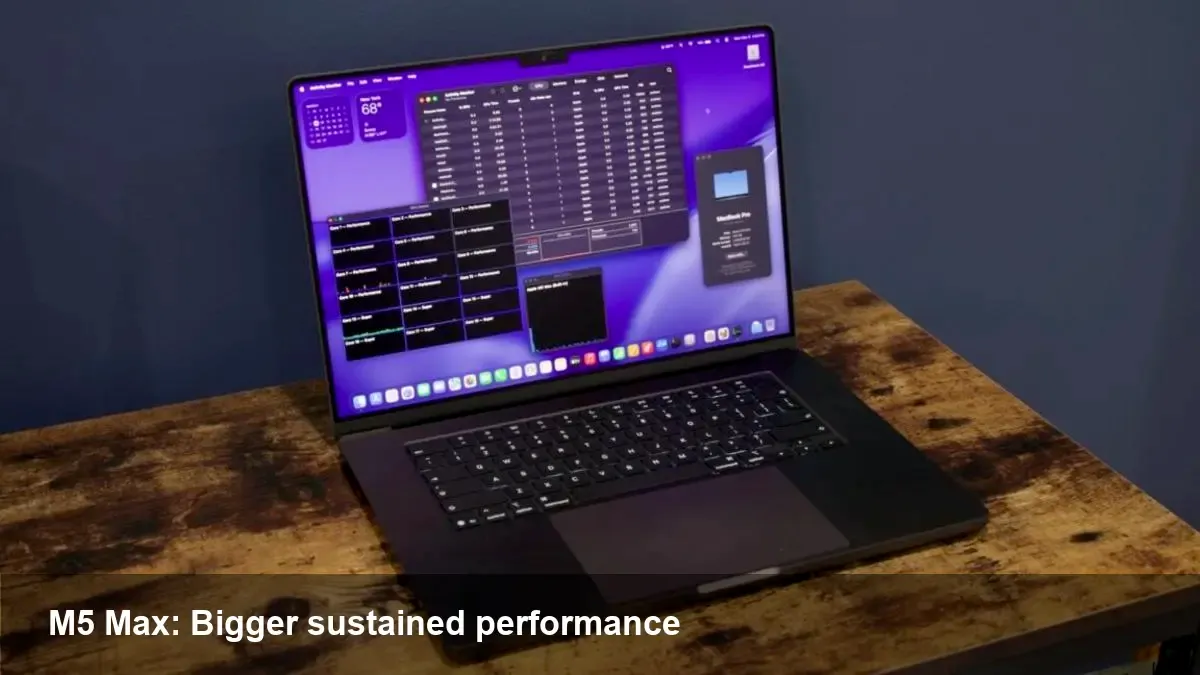
Apple’s 2026 16-inch MacBook Pro with the M5 Max introduces a clearer split in CPU design: a set of high-performance cores that are genuinely focused on single-thread and sustained heavy workloads, not just repackaged efficiency cores. For professionals who compile code, render video, or train smaller machine learning models locally, this matters in practical, measurable ways.
In plain terms: the new "performance cores" are designed to deliver more sustained throughput while respecting the laptop’s thermal and battery constraints. That’s a refinement of Apple’s multi-core strategy rather than a wholesale pivot.
A short background on Apple silicon evolution
Since the first M1 chips, Apple has iterated rapidly—balancing efficiency and peak performance with hybrid core designs. Early generations split responsibilities between performance and efficiency cores, and the company continuously tuned its thermal designs and power management. The M5 Max continues this trajectory, but the emphasis in this release is a more capable performance microarchitecture in the 16-inch chassis.
This 2026 MacBook Pro is targeted at power users: software engineers with large codebases, video editors working with multi-stream 8K timelines, designers running complex renders, and product teams experimenting with on-device ML prototypes.
What “performance cores” actually change for real work
- Faster single-thread throughput: Many developer tools (compilers, linters), build systems, and parts of creative apps still rely on single-thread performance. The M5 Max’s performance cores aim to improve latency-sensitive tasks such as iterative compile-test cycles and UI responsiveness in heavy apps.
- Better sustained performance: Compared with a short-lived peak burst, sustained workloads—long builds, continuous renders, and multi-hour compute jobs—benefit from cores that maintain higher clocks without collapsing into deep thermal throttling too quickly.
- Improved mixed-workload handling: Modern workflows are mixed: background syncs, browser tabs, and heavy foreground compute. With stronger performance cores plus efficient background cores, the system can allocate tasks more intelligently, keeping foreground tasks snappy while continuing background work.
Concrete workflows and scenarios
- Developer build loop: If your typical iteration is an edit, compile, run, repeat across a large C++ or Swift codebase, the M5 Max performance cores reduce the turnaround time for each cycle. That’s real time saved per day, which compounds for teams shipping frequently.
- Video color grading and export: Editors using timeline effects and hardware-accelerated codecs will see quicker scrubbing and fewer dropped frames. Exports that previously leaned on GPU acceleration can also benefit when CPU-bound stages (e.g., certain encodes or filters) become faster.
- Local ML experimentation: For teams experimenting with smaller models or running parameter sweeps locally, higher sustained CPU throughput reduces wall-clock time for training iterations and hyperparameter tests. It also improves responsiveness for interactive notebooks.
- Multi-app multitasking: Designers running a render, a VM, and a heavy browser simultaneously will notice less interference between tasks as the OS maps work to the appropriate cores.
Practical trade-offs to consider
- Heat vs fan noise: Pushing more sustained power increases thermal load. The 16-inch chassis is designed to handle more heat, but under continuous max load you’ll hear more active cooling. Users who need silent operation may still prefer throttled or lower-power modes.
- Battery life under heavy use: For intermittent tasks, efficiency cores continue to preserve battery. But when you consistently use the performance cores, expect battery draw to climb accordingly—this is standard for high-performance laptops.
- Software maturity: While macOS and many pro apps optimize for Apple silicon, niche or legacy tools may still favor different architectures. Rosetta and native transitions are much improved, but profiling your critical path remains important before committing to a fleet upgrade.
Business and team implications
- Fewer dedicated workstations: For small studios and startups, the M5 Max MacBook Pro blurs the line between desktop workstation and laptop. Teams can standardize on fewer device types without sacrificing the ability to run heavy workloads on the go.
- Remote-first productivity: Powerful local machines enable remote teams to iterate quickly without depending on cloud time or remote desktops. That reduces cloud costs and shortens feedback loops.
- Procurement and TCO: The initial purchase price is higher than light notebooks, but reduced reliance on external render farms or remote machines can lower total cost of ownership for teams that need consistent high performance.
Limitations and gotchas
- Not a magic bullet for all tasks: GPU-heavy rendering or training very large ML models still benefits from discrete workstation GPUs or cloud instances. The M5 Max is powerful but still constrained by thermals and unified-memory caps.
- Upgrade cycles and repairability: Like previous MacBook Pro generations, internal upgrades aren’t user-serviceable. Businesses should plan procurement with future needs in mind.
- Benchmark nuance: Synthetic benchmarks can exaggerate peak numbers. Focus on realistic, end-to-end task measurements relevant to your workflow when evaluating upgrades.
What this means for the industry
1) Hybrid CPU strategies will remain dominant: Apple’s continued refinement shows that intelligently splitting cores for peak and background work is an effective path for mobile and laptop silicon.
2) More portable workstations: The gap between desktop and laptop performance continues to shrink, encouraging remote-first and hybrid workflows and pushing cloud and workstation vendors to offer differentiators beyond raw compute.
3) Software optimization returns to the foreground: As hardware becomes more capable, the next big wins will come from better parallelization, I/O optimization, and app-level use of hardware acceleration.
Who should upgrade and when
- Upgrade now if you regularly hit long compiles, render queues, or local ML experiments and need portable power. You’ll notice faster iteration and fewer interruptions.
- Wait or choose cheaper options if your work is mostly web development, documentation, or casual content creation—where efficiency and battery trumps top-end sustained performance.
If you manage a team, pilot the M5 Max with a few power users first. Measure the real-world time-savings across tasks that matter and compare that to the hardware cost.
The 2026 16-inch MacBook Pro with M5 Max isn’t just a spec bump. It’s an indication of where laptop performance is headed: more sustained, workload-aware cores that let professionals do heavier work away from desks without sacrificing responsiveness.