Microsoft: 32GB RAM ideal for serious Windows 11 gamers

- Key Takeaways:
- Microsoft says 16GB of RAM is plenty for most games on Windows 11.
- For "serious gamers," Microsoft recommends 32GB of RAM to provide extra headroom.
- Microsoft also highlights Copilot+ PCs as recommended hardware for gaming on Windows 11.
What Microsoft recommends
Microsoft advises that 16GB of RAM will cover the needs of most gamers running Windows 11, but recommends 32GB for those who consider themselves serious gamers.
The company also calls out Copilot+ PCs as a recommended option for gaming on Windows 11, positioning those systems as a preferred platform for users who want a more robust out-of-the-box experience.
Why 32GB matters for serious gamers
While Microsoft’s guidance is concise, the recommendation to step up to 32GB is aimed at players who push systems harder: running background apps, streaming gameplay, using large mods or high-resolution texture packs, and keeping multiple utilities open while gaming.
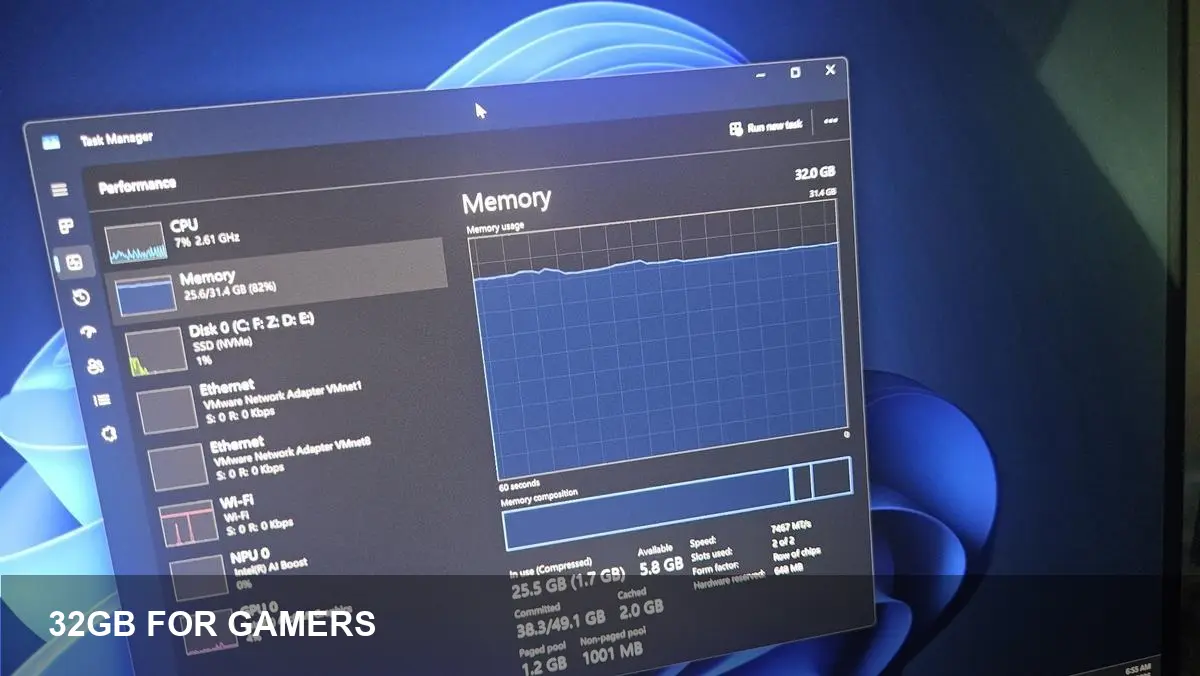
Upgrading to 32GB gives more memory headroom, which reduces the risk of swapping to disk and can improve stability and responsiveness during intense sessions or multitasking scenarios.
Copilot+ PCs: Microsoft’s hardware suggestion
Microsoft’s mention of Copilot+ PCs suggests the company is steering gamers toward systems it certifies or positions for enhanced Windows 11 features. Copilot+ branding is being used by Microsoft to highlight machines tuned for the latest OS capabilities.
Gamers considering a new PC may weigh the convenience of a Copilot+ system against building or buying a custom rig with the components they prefer.
What gamers should do next
If you currently have 8GB or 16GB of RAM and mainly play modern titles without heavy multitasking, Microsoft’s guidance suggests you’re likely fine. Monitor your system’s memory use during gameplay to confirm.
Serious gamers who stream, run mods, or keep multiple tools open should consider upgrading to 32GB to avoid bottlenecks and improve future-proofing.
When shopping for upgrades or new PCs, factor Microsoft’s recommendation into your decision, but also consider CPU, GPU, storage speed, and cooling—RAM is only one part of overall gaming performance.