GameHub's Mac Option Lets Macs Run Windows Games

Why this matters
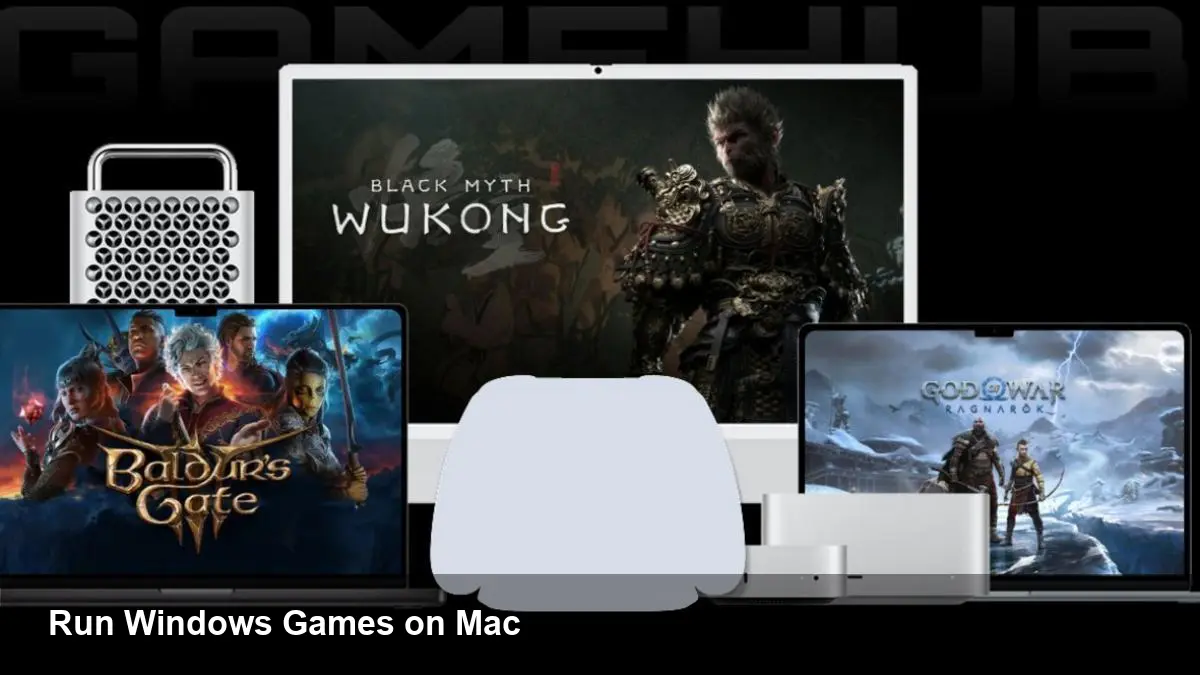
Apple Macs have become competent gaming machines in many respects, but a huge swath of the Windows PC game catalog remains effectively off-limits. GameHub—known for building a Windows-compatibility/emulation solution on Android—announced it's working to bring a similar capability to macOS. For gamers and indie studios this could mean access to tens of thousands of titles without buying a separate Windows PC, but the experience is likely to remain uneven.
This article explains how GameHub's approach fits into the existing landscape, what technical trade-offs users will face, and how developers and businesses should think about supporting or leveraging the platform.
A quick background on GameHub’s play
GameHub started by experimenting with translating or emulating Windows games on non-Windows platforms (its Android effort has already exposed many of the challenges). Rather than rewriting games, GameHub layers compatibility and translation components between the game binary and the host OS and GPU drivers. On Android that translated to mixed results: some games ran acceptably, others suffered stuttering, crashes, or compatibility problems with protections and anti-cheat.
Porting that same strategy to macOS is the natural next step: a big market of Mac users, the removal of Boot Camp on Apple silicon, and continued interest in casual gaming make macOS an attractive target.
The technical approaches and why none are perfect
There are several ways to run Windows games on macOS. GameHub’s stack will likely combine a few of the following techniques, each with its own pros and cons.
- Translation layers (Wine/Proton-style): These intercept Windows API calls and map them to POSIX and macOS equivalents. They can avoid full virtualization overhead, but require lots of compatibility work for graphics APIs, input, audio, and DRM.
- Graphics translation: Modern Windows games use DirectX 11/12. Mapping DirectX to Metal (Apple’s graphics API) usually involves translating DirectX to Vulkan (using vkD3D or similar), then Vulkan to Metal (MoltenVK). Each translation step adds complexity and potential performance loss.
- CPU architecture bridging: Many newer Macs use Apple silicon (ARM-based). Running x86-64 Windows binaries on ARM macs requires CPU emulation or binary translation (QEMU, Rosetta-style techniques). That introduces latency and can reduce frame rates significantly.
- Virtualization: Running a full Windows VM on macOS is a robust approach—if you can run Windows on the host CPU architecture. On Apple silicon that means an ARM Windows build, which most Windows games don't target.
GameHub’s solution will likely be a hybrid: a compatibility layer for API mapping plus selective emulation for CPU instructions that don't match the host, optimized for common game engines. But any composition of these techniques comes with trade-offs—performance hits, bugs, and incompatibilities.
What to expect as a Mac user
If you try GameHub’s macOS option, plan for mixed results:
- Some titles, particularly older or indie games that use DirectX 9/11 or OpenGL, may run quite well.
- Newer AAA games using heavy DirectX 12 features, ray-tracing, or proprietary middleware are less likely to perform acceptably.
- Anti-cheat and DRM often block compatibility layers. Multiplayer titles using kernel-level anti-cheat or aggressive drivers may be unplayable.
- Apple silicon Macs will generally see larger performance penalties than Intel Macs because of CPU translation overhead.
- Controller and input mapping may require manual setup, and cloud saves/mod integrations can be hit or miss.
In short: good for experimentation, older libraries, and single-player games; unreliable for competitive multiplayer and the latest AAA releases.
Real-world scenarios where GameHub helps now
- Casual gamers who own a Mac but miss a specific Windows-only indie title can patch it in without buying a spare PC.
- Indies and small studios can use GameHub for internal QA to see how their builds behave under a compatibility layer, identifying API assumptions that break on macOS.
- Game cafés, testing labs, and educational programs can stretch hardware budgets by running more titles on existing Macs.
These scenarios rely on titles that are forgiving and don’t rely on deep kernel hooks or platform-specific services.
For developers and studios: what to watch and what to do
If you make games, GameHub’s macOS effort is a reminder that platform portability matters:
- Test on translation layers early. A game that runs nicely through a translation stack is more likely to be compatible later.
- Reduce hard dependencies on platform-specific anti-cheat or driver-level integrations if cross-platform reach matters.
- Where possible, target Vulkan or expose a robust abstraction layer in your engine. That makes future translation to Metal simpler and more reliable.
For studios selling games to Mac owners, communicate compatibility status explicitly. A “works via GameHub, but with known limitations” label beats a frustrated refund request.
Business and ecosystem implications
GameHub’s macOS push points to two broader trends:
- Demand for cross-platform compatibility remains strong. Apple’s shift to ARM and removal of Boot Camp on newer Macs created friction for Windows-native gaming; compatibility layers are an attractive workaround.
- Compatibility providers can capture a niche between full virtualization (Parallels, VMWare) and cloud gaming (GeForce Now, Xbox Cloud). For users with decent local hardware, a local compatibility layer can offer lower latency and no streaming fees—if the performance is acceptable.
However, anti-cheat vendors and platform holders hold leverage. If major anti-cheat systems continue to block non-native stacks, the compatibility market will be limited to offline and casual titles.
Two realistic near-term outcomes
- Incremental improvement: GameHub gradually improves compatibility lists and performance for older titles. That yields a steady base of satisfied Mac users for select games.
- Limited breakthrough: Performance and anti-cheat remain blockers for AAA and competitive multiplayer. GameHub becomes useful for certain verticals (indies, preservationists, single-player fans) but not a universal solution.
What’s next to watch
- Compatibility lists and community reports: These will reveal where GameHub is strongest and which titles to expect to work.
- Anti-cheat policies and partnerships: Any collaboration between GameHub and anti-cheat vendors would be a major enabler.
- Improvements in translation tech and Apple hardware: Better binary translation and GPU mapping would narrow the gap.
GameHub’s macOS option won’t be a magic fix for Windows-only games, but it’s a pragmatic, lower-cost path for many Mac owners to access titles that were previously out of reach. If you rely on a Mac for gaming, keep an eye on GameHub’s compatibility tracker and temper expectations: pick the right games and you’ll get surprising results, but be ready to fall back to native or cloud options for the heavy hitters.