Crimson Desert Patch: Keyboard Controls and Fixes

Why this patch matters
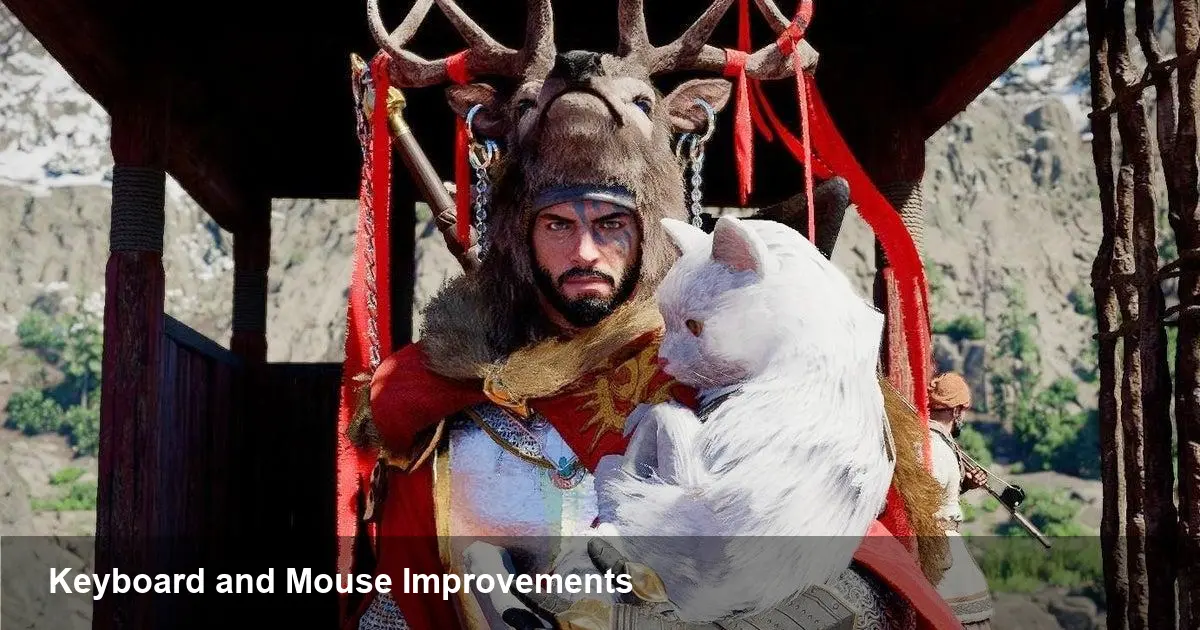
Pearl Abyss launched Crimson Desert to mixed reactions: an ambitious open-world action title that, in its first week, brought enthusiasm and frustration in equal measure. Players reported control friction on PC, server and stability problems, and a separate set of reactions around the studio's use of AI in parts of the launch. The developer has just shipped a sizeable patch that they describe as the beginning of improvements to keyboard and mouse controls — plus a broad set of fixes and quality-of-life changes.
This matters because input feel is core to action games. When movement, camera behavior, or responsiveness don’t match player expectations, the gameplay experience collapses regardless of world design or visuals. A large patch focused on controls signals Pearl Abyss recognizes that technical polish — not just content — determines whether players stay.
What’s in the update (high level)
Pearl Abyss hasn’t released an exhaustive line-by-line public manifesto in every channel, but the broad strokes are clear: the update targets keyboard and mouse controls as a priority, and bundles this with stability patches, UI tweaks, and other fixes. The studio framed the control work as the “beginning” of improvements, which is a useful note: players should expect iterative tuning rather than one-shot perfection.
Typical items you can expect in this kind of update:
- Smoother camera and turning responsiveness when using mouse input.
- Expanded keybinding options and fixes to conflicting bindings.
- Reduced input latency or more consistent input polling in various framerates.
- Better interaction behavior in menus and during combat, where accidental input or locked states previously caused problems.
- Fixes for crashes, memory usage spikes, and server-side issues that affected sessions around launch.
Beyond controls, the patch also addresses reported problems tied to AI systems and other controversial launch elements. Those likely include adjustments to automated behaviors, moderation, or content-generation pipelines that prompted backlash earlier in the release cycle.
Practical examples: how gameplay changes
Here are concrete scenarios showing how the patch will change everyday play for Crimson Desert users:
1) Smoother infantry combat with mouse targeting Before: strafing and quickly turning to face an enemy often felt floaty or lagged behind player input, especially at variable framerates. After: players should notice a tighter link between mouse movement and camera response, making snap-targeting and dodging feel more reliable.
2) Cleaner keybind customization for hybrid players Before: certain actions might have been hard-coded or clashed with default keys, limiting players who prefer non-standard layouts. After: expanded binding options let players map movement, skills, and menu actions the way they want — critical for accessibility and streamlining high-skill play.
3) Fewer menu and interaction lockups Before: interacting with UI during combat or when alt-tabbing could cause stuck states or missed inputs. After: the patch aims to reduce those edge cases so players can open inventory or cast abilities mid-fight without breaking the flow.
4) Stability during long sessions Before: memory leaks or server instability led to disconnects in long play sessions or during high population events. After: stability work should reduce session drops and decrease the frequency of crashes, improving live-ops confidence.
For developers and technical leads: lessons and actions
Crimson Desert’s launch cycle provides several practical takeaways for studios building real-time, input-sensitive PC titles:
- Prioritize input testing across framerate variance: responsiveness can change dramatically between 60fps vs 144fps and in windowed mode. Automated input traces combined with human QA help identify latency and feel issues.
- Ship configurable input layers: players expect flexible keybinding and sensitivity settings. Locking controls or making defaults non-adjustable creates friction that’s expensive to fix post-launch.
- Use telemetry to triage control complaints: instrumenting the client to capture input events, frame timings, and packet round-trips lets teams see whether a complaint is a local framerate problem, a netcode issue, or a flawed mapping.
- Communicate iterative timelines: describing fixes as “beginning of improvements” sets realistic expectations and reduces community hostility when follow-ups are needed.
Business and community implications
The combination of technical problems and an AI-related backlash at launch put Pearl Abyss in a delicate spot. A substantive patch helps in three ways:
- It stabilizes the product experience for new and returning players, lowering support volume and refund risk.
- It signals to the community that the studio is listening and willing to prioritize fundamental gameplay mechanics.
- It buys time to address broader reputational issues tied to AI use by showing tangible, player-focused improvements rather than abstract justification.
For other studios, this is a reminder: live games are judged on responsiveness and trust. Both are fragile on day one but recoverable with fast, transparent action.
What to watch next
- Patch cadence and transparency: Will Pearl Abyss follow up with targeted control tweaks, detailed patch notes, and public bug trackers? A steady cadence and technical detail will rebuild confidence faster than vague promises.
- Community testing programs: Inviting experienced players or streamers into public test builds for input tuning can dramatically shorten the feedback loop on feel and balance.
- AI policy and disclosure: As studios use AI tools for assets, text, or systems, clear disclosure and ethical guardrails will become part of the PR and quality process rather than an afterthought.
How to test the update yourself
- After installing the patch, check the options menu for new keybind and sensitivity settings. Rebind a few core actions and test combat scenarios in a safe zone.
- Try windowed and fullscreen modes at different framerates; look for smoother camera transitions and reduced input stutter.
- Record brief clips of before/after sessions (if you captured footage) and compare responsiveness during dash, block, and skill use.
- Report persistent issues with precise reproduction steps to official forums or support to help engineers isolate problems.
A solid first patch can’t fix every issue, but it can restore the foundation players expect. For Crimson Desert, making keyboard and mouse feel right is a crucial step toward reclaiming momentum and building a healthier live service going forward.