Why Hisense’s UR9S Brings DisplayPort to Smart TVs

A different input for a different audience
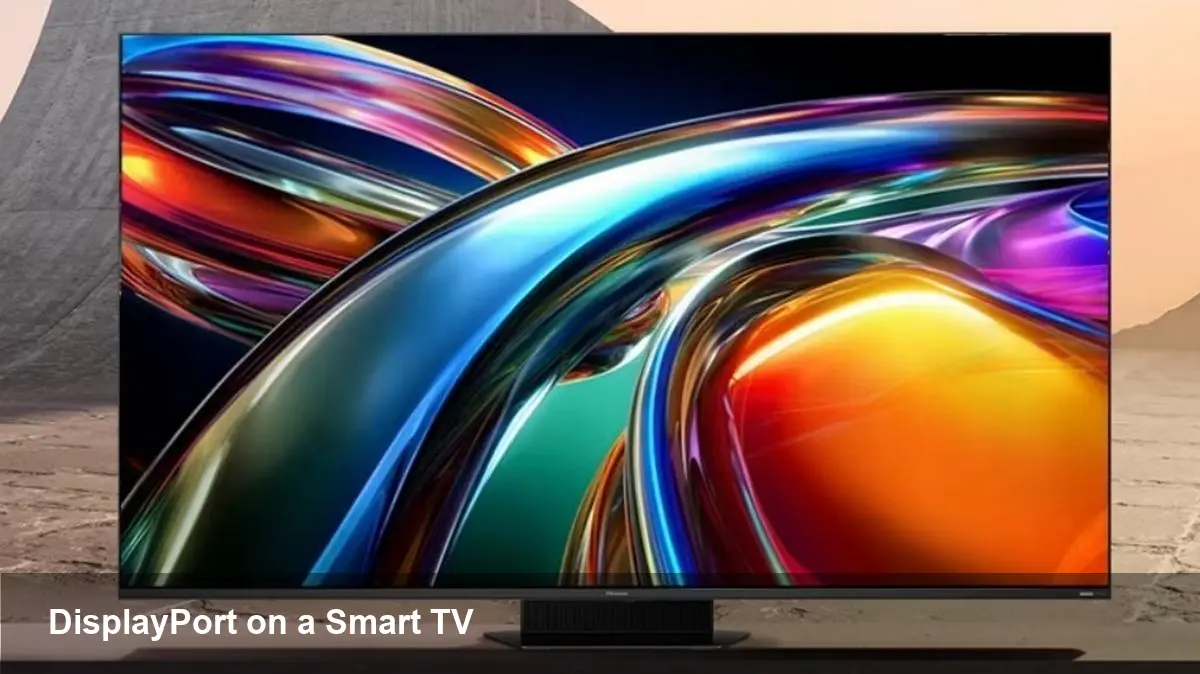
Hisense’s UR9S RGB Mini LED TV isn’t just another bright, high-contrast set of pixels. It introduces a DisplayPort-style option on a device category that has long been dominated by HDMI. That shift matters because it changes how people connect high-performance PCs, gaming laptops and pro workstations to a big-screen display without the usual adapters or compromises.
If you’re a developer, content creator or PC gamer who’s been balancing a monitor for work and a TV for play, the UR9S rethinks the trade-offs between living-room convenience and PC-class connectivity.
Quick background: Hisense and the UR9S family
Hisense has been moving upmarket with TV technologies—mini LED backlights, local dimming and better HDR implementations—trying to close the gap with premium brands. The UR9S is presented as an RGB Mini LED smart TV option in that push. What’s notable for builders and power users is the inclusion of a DisplayPort alternative on a mainstream smart TV, a first for many buyers.
That feature signals a subtle but important evolution: manufacturers are acknowledging that more people want a true PC-to-TV experience without fiddly dongles or degraded performance.
Why DisplayPort on a TV changes the user story
HDMI has been the universal consumer interface for decades, and recent HDMI versions added higher bandwidths and gaming features. But DisplayPort remains the preferred interface for many PC users because it traditionally offers higher bandwidth headroom, cleaner multi-stream transport for certain workflows, and a longstanding track record with variable refresh and low-latency GPU features.
On a TV like the UR9S, a DisplayPort-style input does three practical things for users:
- Makes high-refresh, low-latency gaming with a GPU-native connection simpler, especially for PC owners.
- Reduces reliance on HDMI adapters and dodgy cable conversions when attaching laptops, mini-PCs, or workstations.
- Simplifies a single-cable workflow for creators who switch between editing, color grading and gaming on the same large panel.
For example, imagine a developer who codes on a laptop by day and streams games at night. With a TV that accepts DisplayPort directly, the laptop docks to the TV with a single cable that carries display data and often reduces input-lag compared with converted signals.
Real-world scenarios
- PC gamer: Plug your desktop GPU into the UR9S without a DisplayPort-to-HDMI adapter. Less fuss, fewer compatibility issues with variable refresh or GPU driver settings, and a predictable path to getting the highest refresh the panel supports.
- Creator switching tools: Video editors and colorists who migrate between a calibrated monitor and a 65–75" RGB Mini LED panel can preserve more of the PC workflow and color pipeline if the TV supports PC-friendly inputs and handshake features.
- Small offices or hybrid workers: Teams that use a TV as a conference display and also for GPU-heavy demos can now use one cable for better performance when connecting laptops or compact workstations.
Developer and integrator considerations
If you build software or services that rely on display properties (games, streaming apps, streaming overlays, or remote-desktop solutions), a TV with a DisplayPort option reduces one category of unpredictability: intermediary dongles and non-standard cables. That makes QA easier because you can test on more predictable signal paths.
On the hardware side, integrators who design docking stations, extension boxes, or media servers should consider native DisplayPort support in their compatibility matrices. Offering a seamless user experience means fewer returned products and less troubleshooting for customers who are using TV-sized panels as primary displays.
Downsides and trade-offs to be aware of
No single connection format solves everything. Adding DisplayPort gives power users more flexibility, but there are trade-offs:
- Console compatibility: Game consoles rely on HDMI, so players who switch between PC and console should expect to keep at least one HDMI port in active use.
- Audio/CEC features: TV-specific functions like consumer electronics control (CEC), built-in streaming app handoff and some audio passthrough behaviors are historically tied to HDMI. Not every DisplayPort implementation bridges those conveniences by default.
- Cable and ecosystem confusion: Some users will still bring the wrong cables. Retailers and channels will need clearer labeling to reduce returns or support tickets.
Business implications and who benefits most
Retailers and TV makers benefit by offering clear product differentiation: a TV that doubles as a high-performance PC display expands the target market to include PC gamers and creative pros. GPU vendors and docking manufacturers should take note—there’s an opportunity for bundles, certified cables and tested workflows that guarantee specific performance levels on these displays.
For streaming and esports venues, a TV with native DisplayPort support reduces setup complexity and can simplify tournament and broadcast rigs where predictable latency and refresh behavior matter.
What this means for the future of displays
1) TVs will increasingly borrow from PC monitor design choices. Expect manufacturers to continue offering inputs and features that cater to high-frame-rate PC workflows alongside traditional consumer TV features.
2) The lines between monitors and TVs will blur further. As panels, backlight tech and inputs converge, buyers will choose based on combination features—size, latency, HDR performance and connectivity—rather than the old monitor vs. TV split.
3) Ecosystem specialization will follow: accessory makers and software vendors will create clearer certification programs (e.g., “TV-certified for PC gaming”) and driver-level optimizations to ensure consistent experiences across large-format displays.
Practical advice before you buy
- Decide your primary use: If you primarily game on consoles, HDMI still matters. If you use a PC as your main source, a DisplayPort-capable TV like the UR9S could simplify setup.
- Check exact feature support: Look at the TV’s support for variable refresh, color profile management, HDR implementations and how audio or remote-control signals are handled over non-HDMI inputs.
- Confirm cable and adapter choices: Even with native DisplayPort on the TV, ensure your GPU or laptop outputs match the input version and that certified cables are used to avoid headaches.
Hisense’s UR9S shows that mainstream TV makers are listening to power users. Whether you’re a developer who needs a reliable big-screen test bench or a gamer wanting a cleaner living-room PC setup, having a DisplayPort alternative on a smart TV expands the range of practical configurations and reduces the friction between desktop and TV experiences.