Why Apple is shifting pros from Mac Pro to Mac Studio

What changed and why it matters
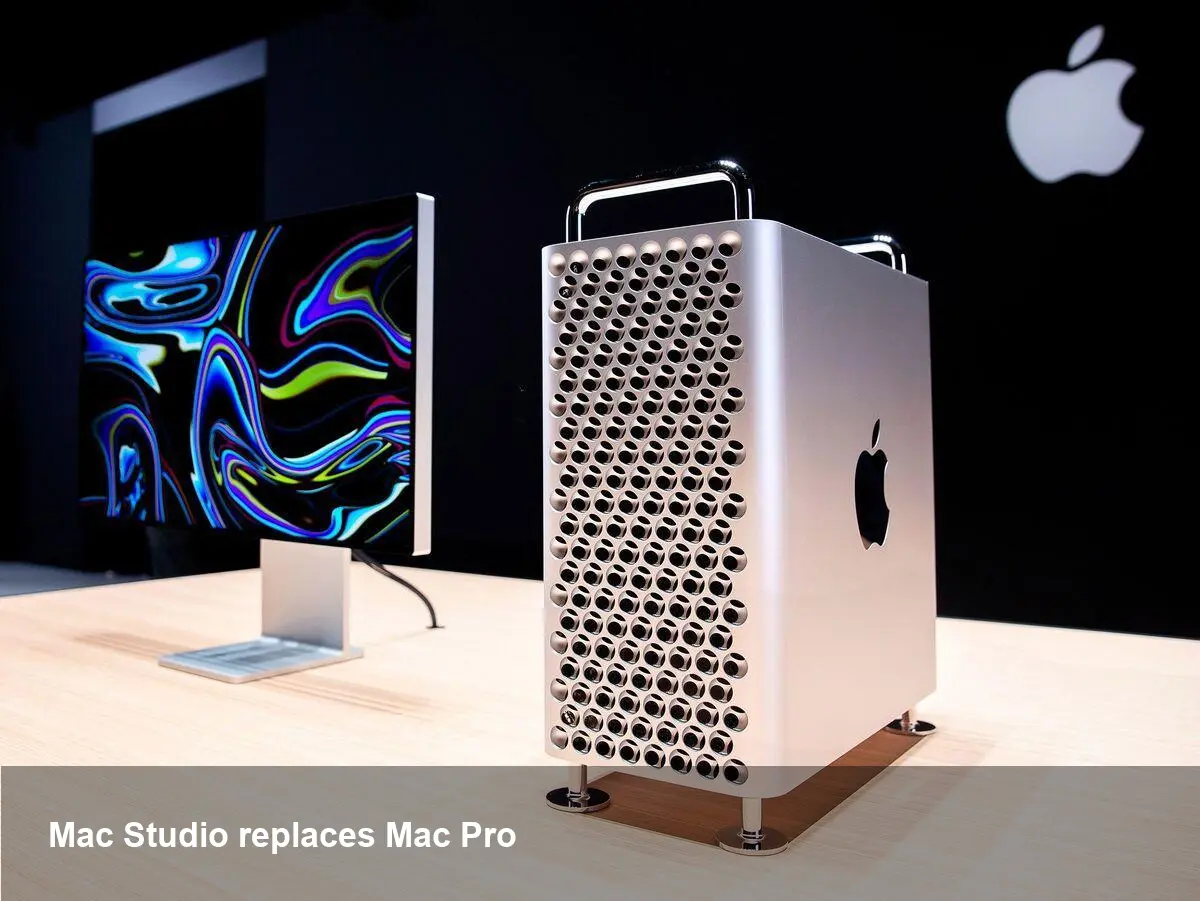
Apple has quietly moved away from selling the traditional Mac Pro desktop and is positioning the Mac Studio as the primary option for creative and technical professionals. That matters because the Mac Pro has long represented the company’s answer to modular, high-expandability workstations used by video editors, photographers, visual effects artists and other power users. Replacing it with the smaller, Apple-silicon-based Mac Studio straightens product lines — but it also changes upgrade paths, procurement choices, and how studios plan hardware lifecycles.
Below I break down the practical implications for professionals and businesses, sketch out migration scenarios, and flag strategic questions IT and creative leads should be asking now.
A quick product background
- Mac Pro: Historically Apple’s top-tier desktop, favored for extensive PCIe expansion, user-replaceable parts and maximum configurability. It was the de facto choice when modularity and third-party expansion cards were required.
- Mac Studio: A compact desktop that focuses on dense compute and media throughput through Apple silicon (unified memory and integrated GPU), high-speed I/O, and a design optimized for rack and desktop setups where smaller footprints and quieter operation are priorities.
Apple’s strategy has been moving compute architecture to its own silicon and simplifying product tiers. For many professionals, that means trading some of the old Mac Pro’s expandability for better out-of-the-box performance per watt and tighter hardware–software integration.
Real-world scenarios and what changes
- Freelance video editor working with 8K ProRes: Mac Studio delivers strong multi-stream performance in optimized apps (Final Cut Pro, DaVinci Resolve when updated). The immediate benefit is speed and power efficiency. The downside: limited internal upgrade options—if you need bespoke PCIe accelerators (specialized I/O cards, certain RAID controllers), Mac Studio may not support them internally.
- Post-house running shared storage and render farms: Previously they might have used tower Mac Pros with PCIe cards to manage I/O and capture. Swapping to Mac Studio forces rethinking: rely more on Thunderbolt storage, networked capture interfaces, or external chassis that provide the same capabilities. That changes system architecture and may increase peripheral costs.
- Photo studio or creative agency: For color grading, batch processing, or plugin-heavy Lightroom workflows, Mac Studio’s strong CPU/GPU combination leads to faster turnarounds. But studios that need long-term internal expandability (e.g., specialized audio DSP cards) will miss the Mac Pro’s slots.
- VFX and 3D shops: Many rendering pipelines are already shifting to distributed or cloud rendering. Mac Studio can serve as a powerful artist workstation, but render farms that relied on custom PCIe cards or formal tower management may need to maintain older Mac Pros or move nodes to cloud Windows/Linux servers where modular hardware options remain flexible.
Developer and software vendor implications
- App optimization: Vendors will continue focusing on Apple silicon optimizations because Mac Studio uses Apple’s chips. Expect shorter compile-and-test cycles for Apple-silicon-native builds and better performance for apps rewritten to use unified memory effectively.
- Drivers and plugins: Third-party plugin authors or hardware vendors that relied on PCIe drivers need to provide Thunderbolt or networked alternatives. This will accelerate the market for external docking and appliance-style devices designed for Apple silicon.
- Testing matrix: CI/CD pipelines and test labs will need to cover both older Intel-based Mac Pros (if still in use) and the newer Apple-silicon Mac Studio to ensure compatibility across hardware platforms.
What businesses should evaluate before switching
- Expansion needs vs. performance needs: If you need internal PCIe cards, redundant hot-swappable storage bays, or low-level hardware customization, keep a small number of Mac Pros, outsource those tasks, or evaluate Windows/Linux towers where modularity is cheaper.
- Total cost of ownership: Factor in the costs of external expansion enclosures (Thunderbolt RAID, eGPU-like appliances), conversion of workflows to networked capture, and potential vendor updates for Apple silicon.
- Lifecycle and sustainability: Mac Studio’s compact design and Apple silicon longevity (multi-year support and updates) can reduce power and maintenance costs—important for studios operating many workstations.
- Procurement and service: With the Mac Pro off the table, procurement teams must establish new vendor agreements for peripherals and plan for fewer on-site repair options for internal card replacement.
Pros, trade-offs, and limitations
Pros:
- Higher performance per watt and improved app responsiveness for Apple-silicon-optimized workflows.
- Smaller footprint and quieter operation in studio environments.
- Simplified product lineup and clearer upgrade paths for most users.
Trade-offs/Limitations:
- Loss of built-in PCIe expansion and some classes of legacy pro cards.
- Greater reliance on Thunderbolt and networked devices; increased peripheral complexity.
- For very niche pro workflows that demand custom cards, the Mac Studio may not be sufficient.
Strategic implications and what to watch next
1) Apple will keep pushing its silicon across pro products, which encourages software vendors and hardware peripheral makers to invest in Thunderbolt and networked solutions rather than PCIe internals.
2) The third‑party ecosystem will likely produce more external chassis and appliance-style expansions tailored for Apple silicon—expect to see new NVMe racks, Thunderbolt DSP units, and networked capture hardware optimized for Mac Studio.
3) Cloud rendering and remote workstation services will become an even more practical fallback for pipelines needing modularity—renting GPU or specialized compute in the cloud avoids hardware lock-in and eliminates much of the upgrade and maintenance headache.
Choosing the right path for your workflow
If your work primarily benefits from raw CPU/GPU throughput in modern, Apple‑optimized apps, moving to Mac Studio will probably be a net gain. If your shop depends on specific internal hardware, plan a transition strategy: either keep a small number of legacy Mac Pros, move selected workloads to Windows/Linux towers, or refactor the workflow to use external, Thunderbolt- or network-attached devices.
Hardware changes like this are painful in the short term but often accelerate software and peripheral innovation. For teams, the immediate task is auditing who depends on internal expansion, who can move to networked solutions, and where cloud compute can replace on-premise boxes. Ask those questions now, and you’ll avoid surprises during the next procurement cycle.