When Privacy Display Backfires on Galaxy S26 Ultra

What Samsung shipped and why it matters
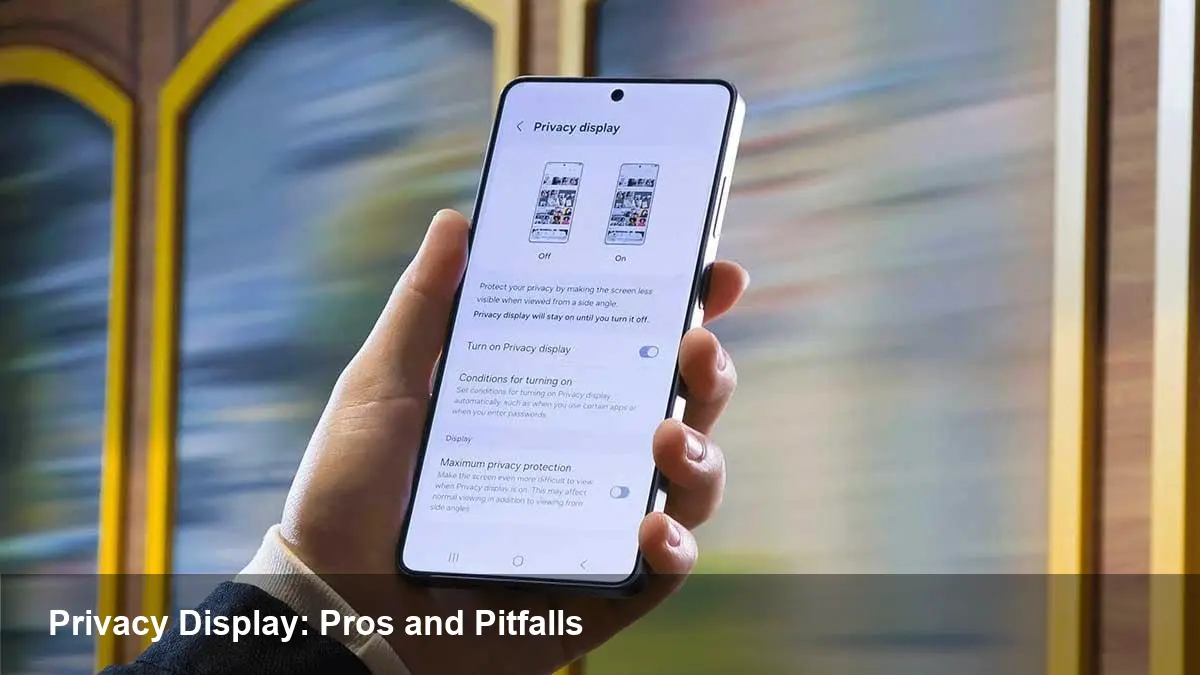
Samsung’s Galaxy S26 Ultra arrived as a flagship focused on camera performance, battery life and — notably — a built-in Privacy Display. The idea is straightforward: prevent shoulder-surfers from reading your screen by narrowing the effective viewing angle. For people who work on sensitive documents or just want more discretion on public transit, that sounds like a welcome addition.
But not every user sees it that way. Since the S26 Ultra started shipping, a noticeable number of buyers have returned devices after discovering how the privacy feature changes the screen’s behavior in everyday use. The contrast between the promise of privacy and the reality of reduced visibility is the core of the issue.
How a privacy screen changes the user experience
A privacy screen “works” by limiting the range of angles where content is clearly visible. The practical effects users report fall into a few categories:
- Reduced brightness and perceived contrast from normal viewing angles.
- Color shifts or muted tones when the privacy function is active.
- Tighter tolerances for reading small text — fine print becomes harder to scan unless you look at the screen dead center.
- Problems with activities that benefit from off-axis viewing: sharing photos, showing a map to a companion, or multi-person viewing of videos.
For customers who want a screen that looks identical to previous Galaxy Ultra models, these trade-offs can feel like a regression rather than an enhancement.
Real-world scenarios where the trade-off matters
- Commuter workflows: An audio editor checking waveforms or a developer scanning code on a train will notice reduced clarity when the Privacy Display is active. That can interrupt productivity.
- Content sharing: Showing a photo or map to a friend becomes awkward because peripheral viewers may see only a darkened, washed-out image.
- Accessibility and readability: Users who rely on slightly larger text or particular color contrasts may find that the privacy mode undermines accessibility settings, forcing them to switch features off.
- Retail and demo environments: Store demonstrations and POS devices often rely on a clear display for the customer; a privacy-first view can frustrate transactions or product demos.
These are exactly the kinds of use cases that lead some buyers to return devices: when a feature that promises protection reduces the device’s everyday practicality.
What users can do today
If the Privacy Display feels intrusive or reduces usability, you have practical options:
- Turn it off for tasks that require sharing or for apps where clarity matters. Most phones with hardware-backed privacy options provide an easy toggle.
- Use app-level controls. If you only need privacy for specific apps (mail, banking, messaging), restrict the feature to those apps rather than the whole system.
- Adjust display settings. Increasing font size, contrast, or toggling adaptive brightness can partially mitigate visibility loss.
- Try a hardware workaround. If precise color accuracy is critical, consider calibrating in-app color profiles or using an accessory display for selective tasks.
If none of those fixes work and the device disrupts your workflow, returning it while still within the retailer’s return period is a reasonable choice.
What developers and designers should test for
Privacy-aware displays alter viewing conditions that most app developers never considered a few years ago. To avoid unpleasant surprises:
- Test UIs at narrow viewing angles. Use real hardware or lab emulators to make sure text remains legible and essential controls aren’t obscured.
- Avoid low-contrast UI elements and microtext. Higher contrast and slightly larger touch targets improve reliability under privacy conditions.
- Re-evaluate media playback experiences. Videos and images can look flat or muted; consider dynamic color profiles or a toggle to request full-brightness mode when in-app media is playing.
- Check accessibility features. Ensure voice-over, text-to-speech, and alternative navigation work smoothly if the visual output is compromised.
For teams shipping enterprise apps, add privacy-display tests to device-compatibility matrices and include them in acceptance criteria for new releases.
Business implications: security vs. returns
Privacy Display is attractive to enterprises that prioritize data protection on BYOD devices or field staff with sensitive screens. But it’s a double-edged sword for retailers, carriers, and manufacturers: when a security feature reduces everyday usability, customers will either disable it or return the device. That leads to higher support costs and potential reputational risk.
Retailers should educate buyers at point-of-sale with live demos showing both modes. IT teams evaluating phones for fleets should pilot devices with representative workflows before rolling them out at scale.
Trade-offs and limitations to accept
Privacy features impose physical compromises. You can expect some combination of:
- Diminished brightness and color fidelity
- Less tolerance for off-axis viewing
- Situations where accessibility is unintentionally degraded
Understanding these trade-offs up front helps manage expectations and prevents surprises after purchase.
What this means for the near future
- Better user controls: Manufacturers will likely refine granular controls — app-specific privacy, one-tap exceptions, or contextual auto-disable (e.g., when multiple faces detected).
- Developer tooling: Expect SDKs or emulators that simulate narrow-view privacy modes so designers can test earlier in the development cycle.
- Clearer communication: Clearer labeling and in-store demos will become important as more phones ship with hardware-backed privacy tech; users need to know the visibility trade-offs before they buy.
Privacy screens are a legitimate innovation for users who care about screen security. But the S26 Ultra experience shows a larger principle: protective features must coexist with predictable, everyday usability. Until hardware, software, and user education converge, some buyers will prefer a more conventional display — and that’s driving the returns you’re hearing about.
If your work or commute depends on sharing a screen quickly and reliably, test the privacy variant in real conditions before committing. If your priority is security and you accept a slightly dimmer or narrower view, leave it on.