What to know about AirPods Max 2 firmware 8E251

Why this update matters
Apple has rolled out firmware 8E251 for the new AirPods Max 2, the first software refresh customers are likely to see after buying the redesigned over‑ear headphones. The significance isn’t just a version number: these headphones include Apple’s H2 audio chip, which moves a lot of audio processing on‑device. Firmware updates for H2-powered hardware typically tune noise cancellation, latency, battery management and advanced features — and 8E251 is almost certainly doing that work under the hood.
Quick background: AirPods Max 2 and the H2 chip
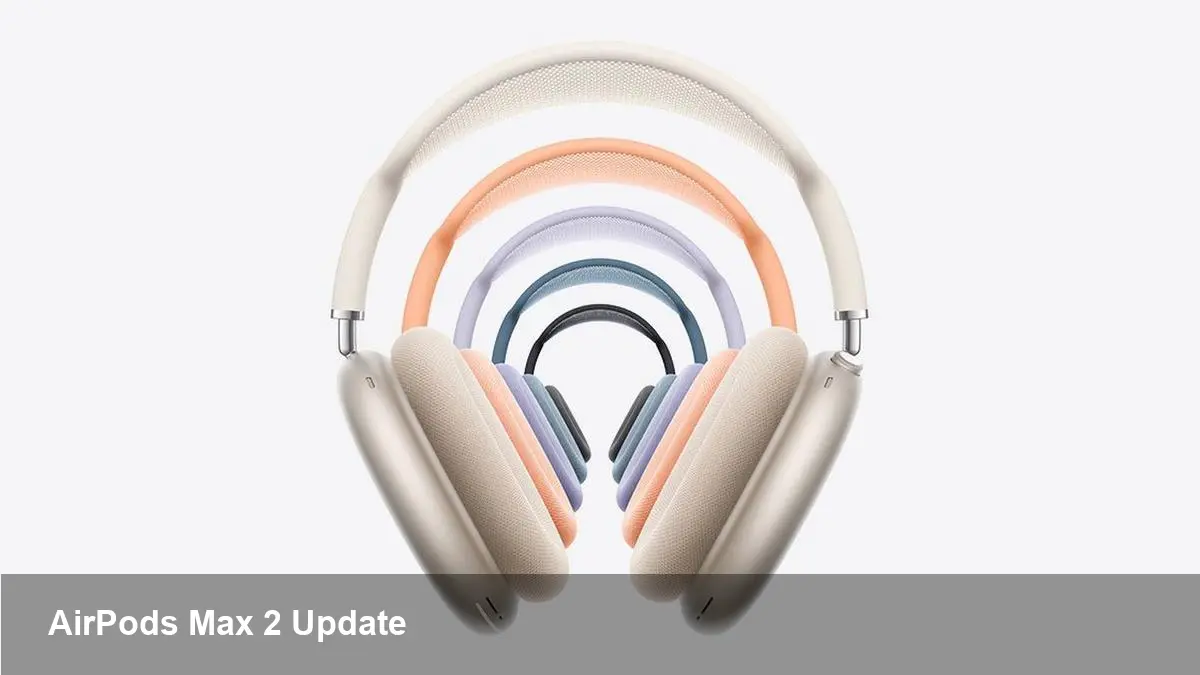
The AirPods Max 2 are Apple’s second-generation over‑ear headphones, built around the H2 audio silicon. Compared with the prior H1 architecture, H2 is designed to accelerate on‑device neural and signal processing tasks. Apple has marketed H2 features such as Live Translation, Adaptive Audio, Loud Sound Reduction and improved Voice Isolation. That hardware-software pairing lets Apple push new capabilities through firmware without changing physical components.
What users will likely notice
Apple doesn’t publish line‑by‑line release notes for AirPods firmware, so most of what we can say about 8E251 is inferred from the H2 feature set and typical Apple updates. Expect improvements in these areas:
- Noise cancellation and Adaptive Audio: Better transitions between transparency and ANC modes, and smarter environmental sensing when walking or commuting.
- Voice isolation and call quality: Cleaner speech pickup and fewer background artifacts on calls, especially in noisy places.
- Live Translation responsiveness: Faster, more accurate on‑device translation and lower latency when translating conversations in real time.
- Battery and pairing stability: Small optimizations that reduce power draw during idle and active listening, and reduce dropouts during switching between devices.
For most buyers this will feel like a smoother overall experience rather than a single dramatic change.
Real-world scenarios
Here are a few concrete examples of how 8E251 might improve everyday use:
- Remote meetings: If you frequently join calls from coffee shops or transit, improved Voice Isolation and ANC transitions will reduce distracting background noise and help remote participants hear you more clearly.
- Travel and translation: Using Live Translation on the go becomes more practical when the headphones can translate with lower latency and fewer mis‑interpreted phrases — useful for short conversations or navigating foreign signage when paired with an iPhone.
- Commuting: Adaptive Audio that reacts quicker to announcements or sudden ambient changes makes it safer and less frustrating to wear headphones on a subway or busy street.
- Sensitive listeners: Loud Sound Reduction can automatically limit sudden volume spikes (e.g., notifications, in‑flight announcements), protecting ears without manually changing settings.
How to get the firmware (what to do and what not to do)
AirPods updates are handled automatically when the headphones are connected to an iPhone, iPad or Mac. There’s no manual sideload installer for users, but you can encourage the update to appear:
- Pair your AirPods Max 2 with an iPhone running the latest iOS build.
- Place the headphones on their smart case or otherwise ensure they are charging.
- Keep the iPhone near the headphones and connected to Wi‑Fi for at least 15–30 minutes.
- You can confirm the firmware version in Settings → Bluetooth → tap the “i” next to your AirPods Max and look for “Firmware Version.”
If an update doesn’t show up immediately, Apple often staggers rollouts. Resetting the headphones and letting them reconnect sometimes helps, but there’s no guaranteed manual push button.
Developer and business implications
Even though consumer headphones don’t expose a developer SDK for firmware internals, the H2-driven capabilities have ripple effects:
- Conferencing platforms should test audio pipelines with the AirPods Max 2. Improved voice isolation and on‑device processing can change upstream audio characteristics (noise floor, dynamics) that algorithms expect.
- App designers should assume lower end‑to‑end latency for speech features. Live Translation and on‑device processing make real‑time conversational apps more viable on iPhone + AirPods combinations.
- Accessibility tools can incorporate the improved microphone and processing characteristics: hearing assistance apps or transcription services will get cleaner captures to work with.
For startups building voice-first products, the newest AirPods show how commodity audio hardware is increasingly capable of delivering near‑server quality pre‑processing locally — a trend that reduces reliance on cloud resources for first‑pass audio tasks.
What the update doesn’t mean
A firmware bump does not change physical limitations like driver size or the acoustic environment. Also, Apple provides limited changelog detail for AirPods firmware, so you won’t get a developer‑style patch notes list. Expect iterative quality improvements rather than brand‑new features appearing out of nowhere.
A few practical tests you should run after updating
If you own AirPods Max 2, here are quick checks to validate the update:
- Make a call from a noisy location and compare clarity against a previous call (if you recorded or remember it).
- Try Live Translation in two short, real‑world conversations to see latency and accuracy differences.
- Walk through a commute with Adaptive Audio enabled and watch for smoother mode switching.
- Monitor battery life across a couple of typical use sessions to detect any small gains or regressions.
These simple experiments will tell you whether the update delivered the tangible improvements Apple tends to focus on.
What to expect next
Apple’s approach to AirPods firmware is steady, incremental tuning. As the H2 platform matures, expect more targeted firmware releases that address specific behaviors (call quality, ANC edge cases, codec behavior). The broader implication is that headphones are becoming platforms: small silicon like H2 enables continuous software innovation without new hardware revisions.
For buyers and product teams, the key takeaway is practical: keep your devices updated, test voice and audio flows in real environments, and treat advanced headphones as part of the audio stack rather than passive peripherals. If you haven’t checked Settings recently, take a look — firmware 8E251 may already be waiting for your AirPods Max 2.