What Apple's MacBook Neo, M5 Macs and iPhone 17e Deliver

Quick context: what Apple released and why it matters
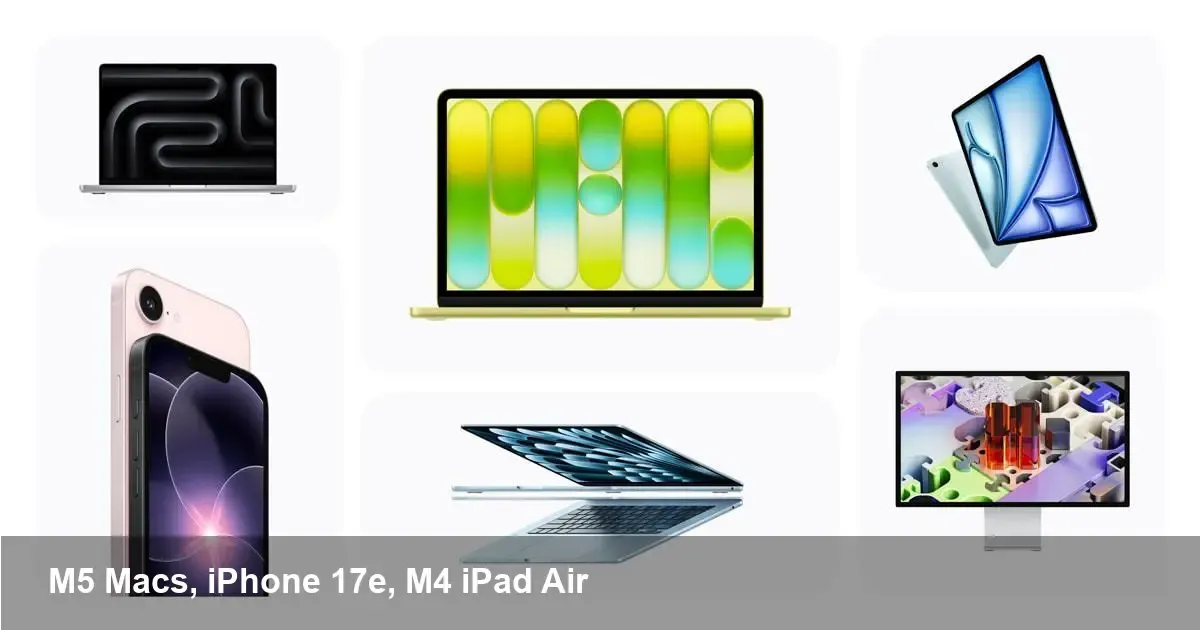
Apple has refreshed much of its hardware lineup: a new MacBook Neo, updated MacBook Air and MacBook Pro models that adopt M5-family chips, an iPad Air powered by an M4 variant, an iPhone 17e, and a redesigned family of Studio Displays. These products are available today and represent Apple’s continuing push to standardize high-performance, energy-efficient silicon across laptops, tablets and phones. For tech teams, creators and startups this isn’t just incremental hardware — it’s an ecosystem nudge that affects app performance, battery budgets, and workstation choices.
The short technical picture
- The MacBook Air and MacBook Pro now ship with M5-generation processors (including M5 Pro and M5 Max in the Pro), bringing higher sustained CPU and GPU throughput, more neural engine capacity, and improved media engines for video workloads.
- MacBook Neo is introduced as a new laptop option — positioned between ultra-portable and pro-focused machines — with a balance of battery life and performance for everyday power users.
- iPad Air gets the M4, moving Apple’s tablet lineup further toward parity with Mac-class chips for multitasking and creative apps.
- The iPhone 17e appears as a value-oriented member of the new iPhone family, offering the latest software and a modern hardware baseline at a lower entry price.
- Studio Displays are refreshed with new models aimed at professionals who want high-quality color, higher resolutions, and improved connectivity for M-series Macs.
Real-world scenarios: who benefits and how
- Remote and hybrid developers: A MacBook Neo or M5 MacBook Air gives a developer an excellent blend of compile speed and battery life. Build times shrink, Docker/VM workloads become more comfortable, and the neural engine accelerates local ML testing. For teams, that can shave hours off iteration cycles without tying up a full desktop workstation.
- Video editors and motion designers: M5 Pro and M5 Max in the MacBook Pro drastically improve timeline performance when working with multiple 8K/RAW streams, color grading, and hardware-accelerated codecs. Paired with the new Studio Display, editors can run real-time playback with effects enabled, reducing reliance on render farms for many projects.
- Product designers and UX teams: An M4 iPad Air makes for a powerful portable sketching and prototyping device. With Apple Pencil and improved CPU/GPU, designers can run pro apps for vector and raster work while collaborating via cloud tools that sync faster thanks to the device’s higher throughput.
- Small studios and startups: The MacBook Neo positions itself as an ideal first machine for founders who juggle coding, conferencing, and content creation. The lower TCO versus a full workstation helps bootstrapped teams upgrade sooner.
Developer and business impacts
- Build and CI optimization: Faster single-thread and multi-thread performance will cut developer feedback loops. Companies should re-evaluate CI schedules — more tasks can be delegated to local developer machines or lighter-weight CI runners running on M5 hosts.
- Native app strategy: If your product has native macOS, iOS, or iPadOS apps, the performance headroom means you can add more sophisticated on-device ML or richer graphical features without immediately forcing a desktop-class machine requirement.
- Deployment and testing matrix: The addition of an "e" iPhone variant (iPhone 17e) increases device form factor fragmentation. QA teams need to keep physical units in rotation to catch device-specific bugs, especially around thermal throttling and lower-tier GPU behavior.
- Hardware refresh planning: IT procurement should stagger rollouts — prioritize power-hungry roles like video, 3D, and machine learning for M5 Pro/Max devices and adopt MacBook Neo or M5 Air for knowledge workers.
Trade-offs and practical limits
- Thermal ceilings vs. raw performance: Even as M5 chips push performance higher, thin laptops still face thermal and sustained load limits. For long renders or heavy batch ML training, rack or desktop-grade M5 Max configurations — or cloud GPU instances — remain necessary.
- App compatibility and optimizations: Most mainstream apps already run natively on Apple silicon, but bespoke or older enterprise tools may need recompilation or Rosetta-based compatibility checks.
- Pricing and lifecycle: New screens and high-end M5 models increase sticker price for studio-grade setups. For startups, balancing cost against developer productivity gains will be a core procurement decision.
Concrete example workflows
- A freelance video editor: Uses a 16" MacBook Pro with M5 Pro for editing on-location. They connect to a new Studio Display at home for color-critical grading. Local exports that used to take 30–45 minutes drop to under 20 minutes thanks to the media engine and GPU improvements.
- A mobile app team: Standardizes on MacBook Neo as the default dev machine. Faster simulator launches and device-side ML testing reduce pull-request cycles from hours to under an hour for typical feature builds.
- A design studio: Equips client-facing designers with M4 iPad Airs for in-person reviews and prototypes while keeping a MacBook Air M5 for assets and final exports.
Two strategic signals for the next 12–24 months
- Silicon parity across product lines: Apple is converging capabilities between laptops, tablets and even phones. Expect more feature parity for pro-class software on iPad and tighter cross-platform tooling from Apple and third parties.
- On-device AI becomes mainstream: With growing neural engine capacity in M4/M5 chips, on-device inference for personalization, image/video processing and developer tooling will expand — reducing cloud costs and improving privacy for user data.
Apple’s latest refresh is more than a spec bump: it nudges workflows toward mobile-first, silicon-optimized pipelines and redefines what a portable workstation can handle. For teams and freelancers, the practical questions will be: which roles get the pro silicon, which benefit from the Neo balance, and how to fold more on-device processing into products to shorten cycles and lower costs. If you’re planning a hardware refresh this quarter, map device classes to job functions now — you’ll likely see a measurable bump in productivity and capability.