The Mac Mini Mistake You Can't Afford to Make

Key Highlights
- The Mac Mini's appealing $599 starting price doesn't include a monitor, keyboard, or mouse, potentially adding hundreds to the final cost.
- Critical components like RAM and internal storage are not user-upgradable, meaning your purchase configuration is permanent.
- The device lacks legacy ports like USB-A and a built-in SD card reader, requiring adapters for many common accessories.
- Choosing the right processor—the standard M4 or the significantly more expensive M4 Pro—is a crucial decision that can double the price.
The True Cost of Apple's Budget Desktop
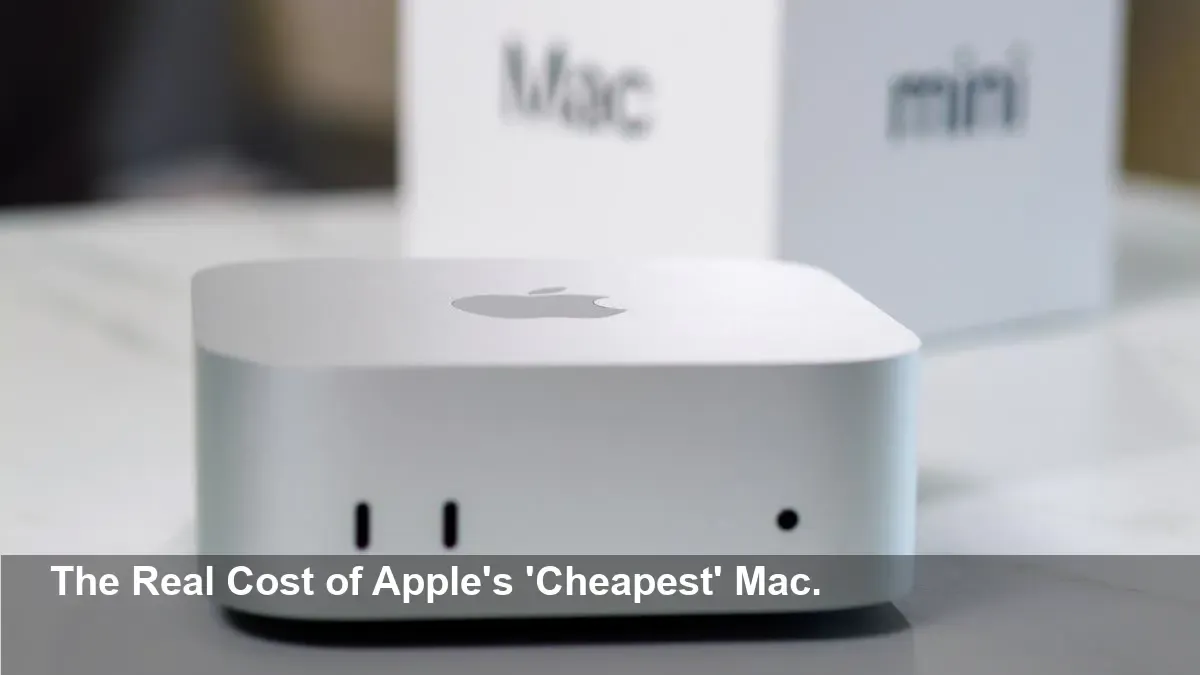
Apple's Mac Mini lures you in with a starting price of just $599, making it one of the most affordable entry points into the Mac desktop ecosystem. But before you jump on what seems like an incredible deal, you need to understand the hidden costs and irreversible decisions that come with it. Many buyers overlook these critical details, turning a budget-friendly purchase into an expensive mistake.
What's Not in the Box?
The first shock for many new owners is what they find—or rather, don't find—inside the box. The Mac Mini ships with only the computer itself and a power cord. That's it. You are responsible for providing your own display, keyboard, and mouse.
If you stick with Apple's ecosystem, a Magic Keyboard costs $99 and a Magic Mouse adds another $79. If you want Apple's matching Studio Display, be prepared to spend a staggering $1,599. While you can use cheaper third-party peripherals, these essential accessories add a significant and often unexpected cost to the initial purchase.
Permanent Decisions: Hardware You Can't Upgrade
Gone are the days of upgrading your Mac's internals. On the latest Mac Mini models featuring the M4 chip, the RAM is integrated directly onto the processor. This means the 16GB of RAM in the base model is all you'll ever have. Upgrading to 24GB or 32GB must be done at the time of purchase, for a steep price.
Similarly, while you can use external drives, upgrading the internal storage is not a user-supported process. The base 256GB SSD may not be enough for users with large media libraries or numerous applications, making it crucial to select the right storage capacity from the start.
The Connectivity Trap: Living the Dongle Life
To maintain its sleek design, the Mac Mini has embraced USB-C and Thunderbolt 4 ports. While powerful, this comes at a cost: there are no traditional USB-A ports. Any older hard drives, keyboards, webcams, or other peripherals using that common connector will require an adapter. Furthermore, photographers and videographers will be disappointed to find there is no built-in SD card reader, necessitating yet another external accessory.
Choosing Your Power Wisely
The base Mac Mini comes with the powerful M4 chip, which is more than enough for everyday tasks like web browsing, streaming, and photo editing. However, Apple also offers an upgrade to the M4 Pro chip for creative professionals. This upgrade provides a massive boost in graphics and processing power but also causes the price to skyrocket from $599 to $1,399. Be honest about your needs—paying for power you'll never use is a common pitfall.
A Savvy Alternative: The Refurbished Market
If budget is your primary concern, don't overlook Apple's official refurbished store. You can often find a base model Mac Mini for around $509, a solid $90 savings. These products come with the same one-year warranty as new devices and are eligible for AppleCare+, making them a safe and cost-effective option. The only catch is that inventory is limited and changes frequently.