MacBook Pro M5 Max: How the Speed Changes Work

Why the M5 Max matters beyond raw benchmarks
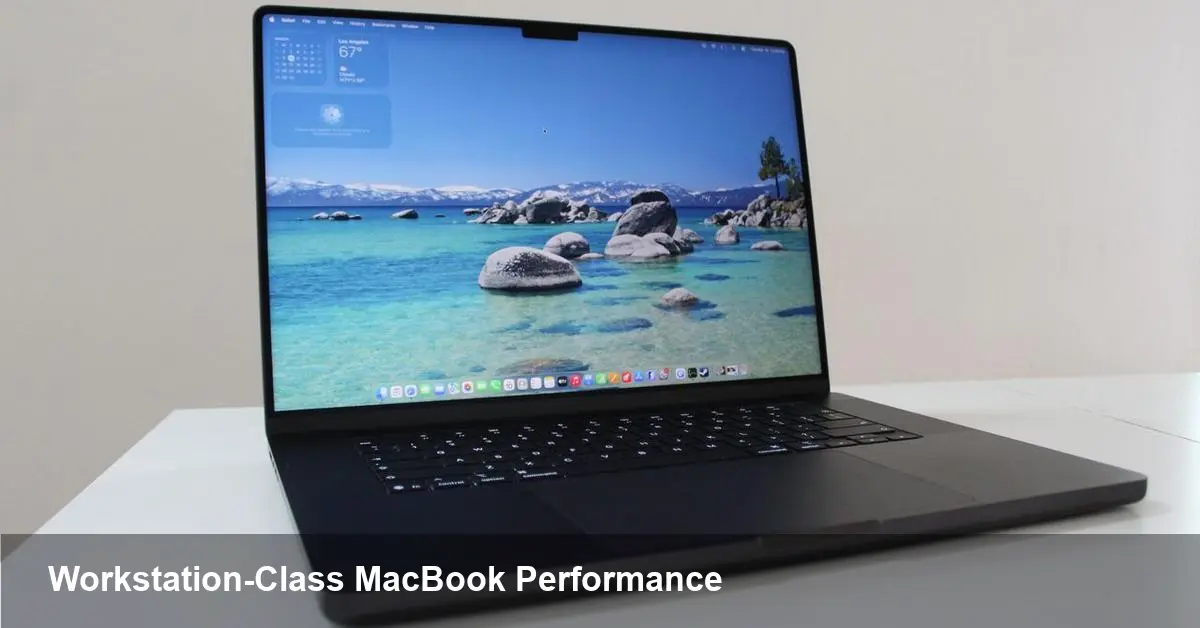
Apple’s latest MacBook Pro with the M5 Max chip is positioned as more than just another spec bump. It represents a phase in Apple Silicon’s steady march from niche efficiency wins toward truly workstation-class, laptop-first performance. For anyone who builds software, edits 8K footage, or deploys models at the edge, the practical question isn’t how many synthetic points a new chip scores — it’s what tasks get noticeably faster and how that shapes day-to-day decisions.
Below I break down concrete scenarios where the M5 Max alters workflows, what it means for teams and businesses, and three strategic takeaways about where Apple Silicon is pushing the industry.
A quick primer: Apple, Apple Silicon, and the M5 Max
Apple’s transition to in-house silicon started to accelerate with the M1 generation, which focused on power efficiency and tight hardware-software integration. Subsequent models expanded core counts, GPU power, and memory bandwidth. The M5 Max continues that trend: it’s the company’s high-performance mobile SoC tuned for sustained workloads inside the MacBook Pro chassis. Expect improvements in sustained CPU/GPU throughput, unified memory performance, and hardware-accelerated features for media and machine learning.
Real-world examples where you’ll feel the difference
These aren’t synthetic tests — these are concrete ways the machine will change how you work.
- Video and media production: Timeline scrubbing, multi-cam 8K timelines, and exporting heavy codecs (ProRes, AV1) become noticeably smoother. Real-time effects and color grading that forced proxy workflows on older laptops can often be performed directly on native footage.
- Local machine learning and on-device inference: Training small-to-medium-sized models or iterating on prompts with local LLMs becomes faster and less dependant on cloud instances. Developers can prototype model tweaks, fine-tune weights, and evaluate results without waiting for remote queues.
- Large codebases and CI acceleration: Compiles and test suites that used to take tens of minutes can be shortened dramatically. For teams using local builds for exploratory work, this reduces iteration time and increases developer velocity.
- Virtualization and container workflows: Running multiple VMs or Docker containers concurrently — for testing distributed systems, mobile build agents, or local staging environments — is more practical. The unified memory architecture helps reduce context-switch penalties across those workloads.
- Creative multitasking: Designers, 3D artists, and musicians working with deep plugin stacks will benefit from sustained performance and improved battery life under heavy loads.
Developer workflows that change for the better
If you write software or manage developer teams, the M5 Max nudges several best practices:
- Favor local prototyping: Faster local execution lets engineers iterate quickly before pushing to remote CI. This can reduce noisy CI cycles and save cloud compute costs.
- More realistic local testing: With better raw power, developers can run services locally that previously required a cloud replica, improving debugging fidelity.
- On-device ML toolchains: Tools like ONNX, Core ML, and local inference servers become a realistic part of the dev stack for privacy-conscious applications.
- Rethink build farms: Organizations may rebalance remote build farm usage, keeping exploratory and quick builds local while reserving CI for heavy, cross-platform integration tests.
Business value and cost considerations
The M5 Max is attractive to startups and teams that value time-to-iteration. Faster local work translates to shorter project cycles and reduced need for some cloud resources. For example:
- Media studios can reduce reliance on transient render farms for many day-to-day tasks, shifting only final renders to larger clusters.
- AI/ML teams can shrink short-term cloud spend by doing early-stage experiments on-device.
- Distributed teams benefit from more capable laptops for remote demoing, compiling, and testing — lowering friction in async collaboration.
However, the M5 Max doesn’t replace all cloud or desktop compute. For sustained, large-scale training or extremely GPU-heavy workloads, cluster-grade GPUs and servers remain necessary.
Practical trade-offs
- Thermals and sustained peak performance: A thin-and-light chassis has limits. Expect peak performance for heavy, long-running GPU tasks to eventually plateau to maintain safe thermals.
- Upgradability and repairability: As with recent MacBooks, internal upgrades are limited. Buy machine specs that match your 2–3 year roadmap.
- Compatibility: Most mainstream tools are optimized for Apple Silicon now, but edge cases—specialized drivers, certain enterprise virtualization stacks, or niche audio plugins—may still require validation.
Two scenarios to help you decide
- If you’re a solo developer, indie studio, or startup founder who needs a single powerful workhorse: the M5 Max is a sensible investment. Faster local iteration often pays for itself in time saved.
- If your workload is massive-scale ML training, large-scale real-time rendering, or purely rack-mounted compute: hybrid setups with cloud/cluster resources plus a lighter local machine might be more cost-effective.
What this implies for the next few years
- On-device AI will become standard. As mobile chips get faster and frameworks optimize for them, expect more privacy-first, offline AI features baked into apps and developer tooling.
- The workstation market will polarize. Laptops will handle more of today’s desktop tasks, while specialized servers will consolidate ultra-heavy workloads. This bifurcation changes procurement choices for creative agencies and engineering teams.
- Software optimization matters again. With heterogeneous compute (CPU, GPU, NPU) in laptops, developers who invest in platform-specific acceleration (Metal, Core ML) can unlock significant user experience improvements.
Who should consider buying now
Choose the M5 Max if your daily work involves heavy local compute, you prize long unplugged sessions, and you want a single portable machine that can replace a small desktop. If your projects are mostly cloud-native or you require expandability and raw datacenter GPUs, plan for a hybrid approach.
The practical takeaway: the M5 Max reduces friction. It doesn’t make cloud compute obsolete, but it moves meaningful chunks of work back into the laptop — and that changes how teams plan, prototype, and ship products.