How to evaluate MacBook launch-week deals (M5 Pro, Air, Neo)

Why launch-week discounts matter
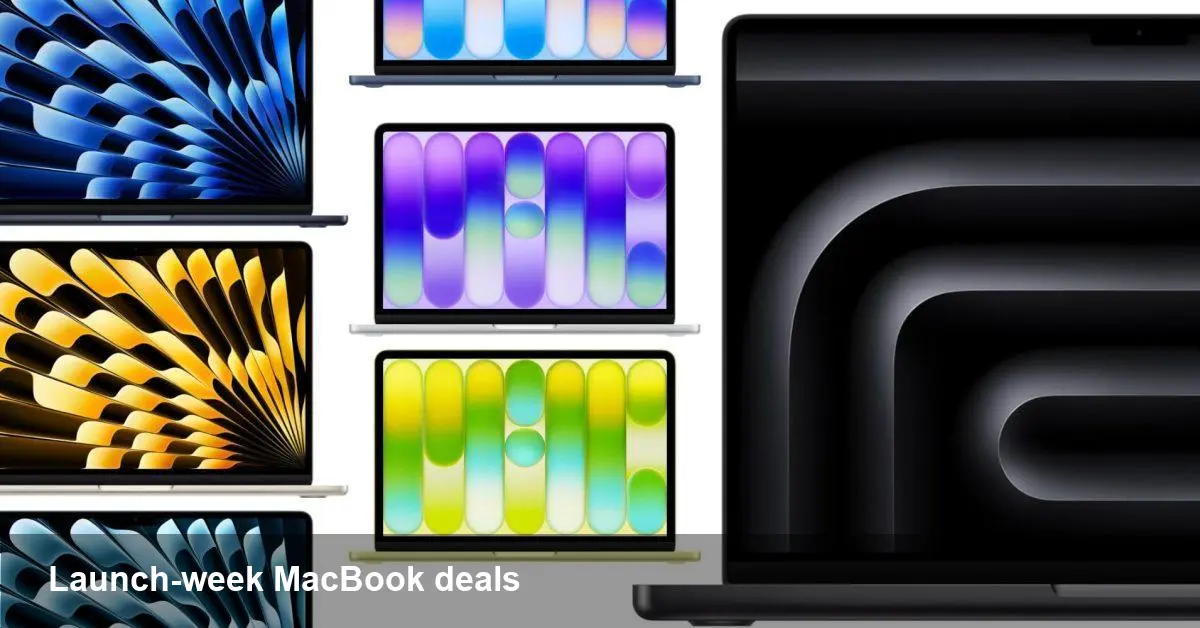
Apple rolled out a fresh generation of MacBooks this week, and pre-orders began arriving in customers’ hands as deliveries hit stores yesterday. As is common around major product releases, retailers and Apple partners are already advertising launch-week markdowns — everything from up to $320 off MacBook Air configurations to roughly $200 off machines with the new M5 Pro silicon, plus competing thin-and-light models (listed from about $569).
For engineers, creators, and startup buyers, launch-week deals create a window for getting modern hardware without waiting months for broader sales cycles. But not every discount is equally valuable; understanding where money saves you time (and where it doesn’t) will get you a better result.
Quick background: what changed this release
Apple continues to iterate its Apple Silicon line. The M5 family targets higher single-core throughput and multicore efficiency improvements versus previous generations, with the M5 Pro positioned for heavier developer workloads (containerized builds, large Xcode projects, parallel compile jobs, and video rendering). The MacBook Air retains the lightweight design and battery-first focus but benefits from next-gen silicon that significantly narrows the performance gap with the Pro line.
Meanwhile, non-Apple entrants are active around the launch. The mention of “Neo” models priced from about $569 signals that thin, affordable Windows and ChromeOS alternatives remain a strong part of the market — useful for teams that need many endpoints on a strict budget.
How to evaluate these specific deals
Think of a laptop purchase as a tradeoff between raw capability, longevity, and immediate cost savings. Use these quick rules:
- If you do compile-heavy development or work with large ML datasets locally, prioritize CPU/GPU cores and thermal headroom. A $200 discount on an M5 Pro machine is compelling, because that chip’s additional cores save developer hours over the life of the device.
- If you’re a remote-first startup buying mass units for non-technical staff (sales, HR, ops), Air-level performance often covers the workload, and a $320 off Air can be a clear per-device win.
- For students or web-centric roles, a Neo-class laptop at $569 delivers acceptable performance for browsers, video calls, and document editing while lowering total cost of ownership.
Configuration checklist for buyers
Before clicking “buy,” confirm these items so the discount isn’t undermined by future costs:
- RAM: For developers and multitaskers, 16GB should be the baseline. Airs can be configured with 16GB — don’t be tempted to skimp unless the machine is strictly for light use.
- Storage: Fast NVMe storage is crucial for large projects and Docker images. Consider 512GB as a practical starting point unless you use network storage or cloud dev environments extensively.
- Ports and adapters: Pros still offer more ports and better sustained performance; factor in dongles and hubs if you rely on external devices.
- Warranty and return policy: Launch-week units can expose early firmware quirks. Prefer vendors offering extended return windows or AppleCare discounts.
Practical scenarios
- Solo indie dev (app development, occasional Docker): The Air on a $320 discount + 16GB RAM is a sweet spot — enough power, exceptional battery life, and portable.
- Mobile-first startup (design, Figma, video editing): Lean toward M5 Pro with the $200 discount. The faster GPU and thermal design reduce render times and speed up collaboration cycles.
- Enterprise purchase (50+ devices for ops or sales): Mix and match. Put Pro devices where needed and buy Airs or Neo-class machines for general-purpose workstations to maximize budget.
Developer workflow implications
If your stack relies on local heavy builds or container orchestration, the incremental cost of an M5 Pro configuration pays back in developer time saved — faster compilation and better concurrency mean fewer coffee breaks waiting for builds. Conversely, if your team uses cloud CI/CD for builds and testing, a lower-cost Air or Neo device plus cloud compute credits can be more cost-effective.
For machine learning workloads, verify GPU capabilities and RAM ceiling. Many foundational ML experiments still run faster on a workstation or cloud GPU instance; onboard Apple GPU improvements help, but top-tier ML tasks will still push you to the cloud.
Should you buy now or wait for deeper discounts?
There are good reasons to pull the trigger during launch week:
- Immediate availability for teams that have hiring cycles or product deadlines.
- Early supplies mean you’ll get the first firmware updates and can report issues quickly, instead of waiting for later restocks.
Reasons to wait:
- Seasonal and holiday sales often yield equal or larger discounts, particularly on previous-generation models.
- If your workflow doesn’t need the very latest silicon, buying a well-priced last-gen machine can be the better long-term value.
Short-term and longer-term implications
1) Pricing psychology: Apple’s sustained premium pricing is being softened in certain channels through immediate post-launch discounts. Retailers will use new-product buzz to move inventory quickly.
2) Enterprise procurement: Launch-week offers make it easier for IT teams to standardize on newer hardware without extensive budget cycles — provided they combine discounts with repair and lifecycle planning.
3) Competitive pressure: Strong markdowns on the Air and the existence of capable Neo-class alternatives will keep Apple and PC makers pushing for better price-to-performance ratios, to win budget-conscious buyers.
What I recommend
- If your next quarter depends on developer productivity or creative deadlines, take advantage of the M5 Pro discounts but spend the extra on RAM and storage.
- If mobility and battery life are top priorities for most users, a discounted Air with upgraded RAM delivers excellent value.
- For bulk procurement where cost matters more than peak performance, mix Neo or Air devices and reserve Pro machines for specialized roles.
New hardware launches are noisy: there’s excitement, immediate discounts, and anecdotes about early bugs. Balance that energy with a short checklist — workload suitability, configuration, and warranty — and you’ll likely come out ahead whether you’re buying one machine or a fleet.