How the Galaxy S26’s AI Photo App Reframes Your Images

Why the Galaxy S26 photo app matters
Samsung has been pushing AI into its phones for a few product cycles, and the Galaxy S26 continues that trajectory by baking more powerful image-editing tools directly into the native photo app. That matters for two groups: consumers who expect instant, impressive edits without third-party apps, and businesses (apps, retailers, publishers) that must adapt to a world where on-device AI can rewrite visual content in seconds.
This article breaks down what these kinds of features do in practice, when they help and when they harm, and what developers and companies should consider if their workflows or products depend on photographic authenticity.
What modern on-device AI editing can do (in plain terms)
The phrase “AI photo editing” covers several distinct capabilities. In current flagship phones the photo app typically offers a mix of these:
- Generative fill and content-aware replacement: remove people or objects and replace with plausible background that blends lighting and texture.
- Style transfer and retouching: apply painterly filters, upscale detail, or smooth skin while preserving perceived realism.
- Background substitution and depth-aware compositing: switch scenes or add bokeh with object-aware masks.
- Motion and “cinemagraph” effects: add subtle movement to water, clouds or hair from a still image.
- Batch smart edits and auto suggestions: the app recommends frames to keep or automatic enhancements across similar shots.
On a model like the Galaxy S26 photo app these are presented as sliders, one‑tap tools or guided edits—no Photoshop skills required.
Practical examples: when edits help
- Travel snapshots: A generative erase can remove a photobombing passerby and patch the skyline so your subject remains the focal point. For casual users, that’s convenience—one phone, one edit, share-ready.
- E-commerce images: Sellers can quickly replace backgrounds, correct lighting and crop for product pages without hiring a studio. A consistent look across listings improves click-through rates.
- Low-light rescue: AI denoise and texture reconstruction can salvage underexposed frames that would otherwise be discarded.
These are productivity wins: faster turnaround, lower outsourcing costs, and more polished content from non-professionals.
Where the line between useful and destructive gets blurred
The same tools that fix photos can also change context and meaning.
- Memory revision: Removing a person or altering facial features in a family album can distort how events are remembered. The edit might be aesthetic, but it reshapes the record.
- Social authenticity: On platforms where candidness matters, over-processed shots create a credibility gap. Viewers start to distrust images that look “too perfect.”
- Journalistic risk: Newsrooms and fact-checkers depend on images as evidence. Easy, undetectable edits raise the bar for verification and can enable misinformation.
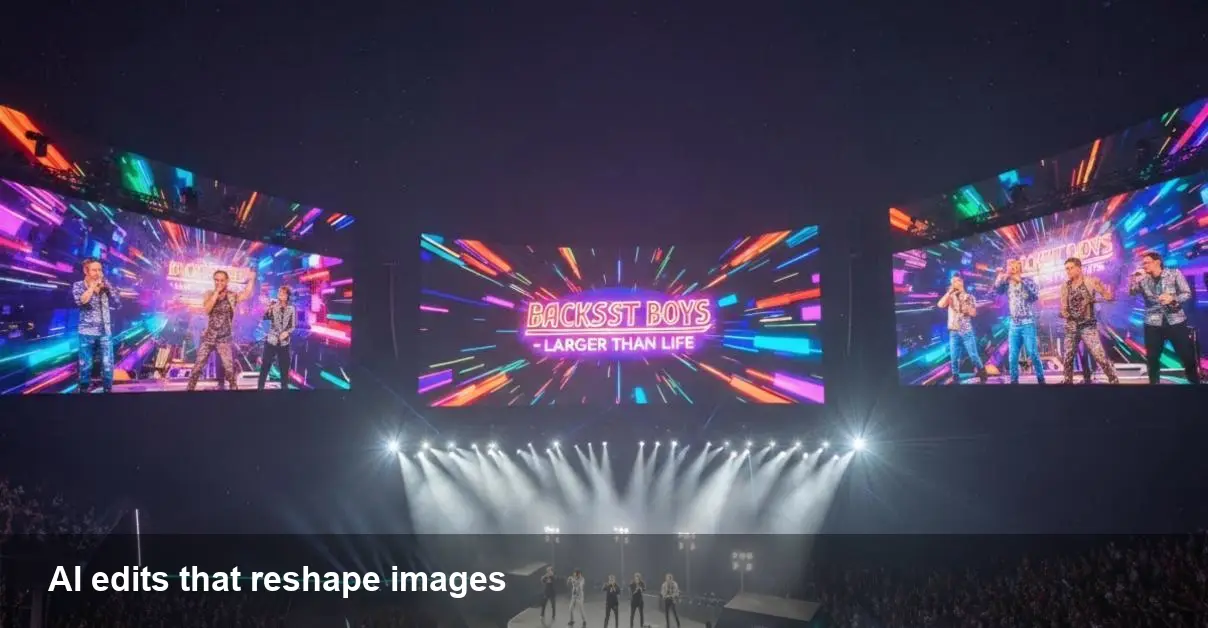
Technically, generative edits sometimes introduce artifacts—awkward textures, mismatched shadows, or inconsistent reflections—that are subtle but can betray manipulation. The problem is when those artifacts are masked by aggressive smoothing or when the AI hallucinates plausible but incorrect content.
Developer and business implications
If your product ingests user images or sells photo-dependent services, the arrival of powerful on-device editing changes assumptions.
- Verification workflows need updating: Metadata and device signatures can be altered. Companies should plan for content provenance tools (watermarks, signed image metadata, or origin tags) and stronger human moderation in high-risk categories.
- APIs and integrations matter: If Samsung exposes SDK hooks for these features, app developers can offer native-style editing inside their apps. If not, third-party startups that provide cloud-based editing remain relevant but face competition from free on-device tools.
- E-commerce and advertising: Expect fewer amateur product photos with poor lighting, meaning marketplaces may see an initial quality bump. But marketplace platforms should watch for deceptive edits that misrepresent condition or scale.
Limitations and edge cases to watch
- Hallucination risk: When the AI must invent missing scene elements, the result may be visually plausible but factually wrong.
- Consistency across shots: Batch edits are improving, but stitching multiple frames into a coherent sequence (for slideshows or video) can reveal inconsistent edits.
- Performance and battery: Heavy generative tasks still consume CPU/GPU time. Aggressive editing on-device can impact battery life and thermal throttling.
- Privacy and policy: User expectations vary—some will happily let the phone edit everything, others will want explicit controls. Clear opt-ins and settings are necessary.
Practical guidelines for users and product teams
- For personal albums: Use the tool for cleanup and enhancement but keep an unedited archive. Most phones provide a way to save originals—use it.
- For business listings: Document edits and avoid changes that could be construed as deceptive. Keep before/after images for compliance and customer queries.
- For developers: Add UI cues that an image has been AI-edited (badges, toggles to view original). Consider integrating provenance metadata or leveraging platform APIs that indicate the edit source.
Three implications for the next few years
- Detection and provenance will be core services: As on-device editing becomes ubiquitous, startups and platforms that help verify image authenticity will be in demand—signed metadata, cryptographic provenance, and AI detectors.
- Creative tools move from professionals to everyone: Expect a shift in the freelance market—fewer basic retouching gigs, more demand for high-end, specialized visual work that AI can’t replicate easily.
- Regulation and platform policy will catch up: Expect clearer rules about labeling AI-altered imagery, especially in news, political advertising, and commercial listings.
How to use these tools responsibly
Treat AI photo editing as a powerful assistant, not an invisible rewrite. Keep originals, be transparent when edits change context, and choose edits that respect the story the photo is meant to tell. For teams building products that use or display photographs, prioritize provenance, explicit UI signals, and policies that prevent misleading alterations.
If you’re trying the Galaxy S26 photo app—or any modern phone’s editing suite—spend a few minutes with its settings. That’s where you’ll find the controls that keep convenience from becoming revision.