How Samsung's Galaxy S26 Ultra Privacy Display Works

A quick primer: what Samsung is adding
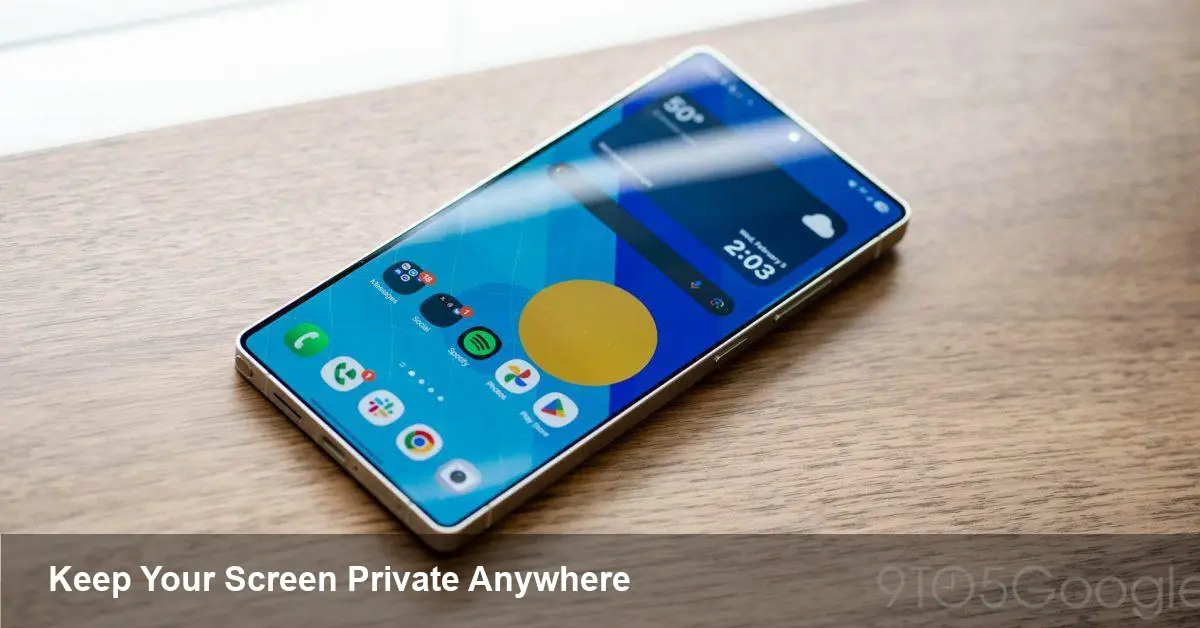
Samsung is preparing a new “Privacy Display” feature for the Galaxy S26 series, with the Galaxy S26 Ultra getting the most attention. The feature is designed to stop people beside you from reading what's on your screen by reducing the display’s effective viewing angle. Samsung showcased the idea in a short teaser, highlighting everyday scenarios where shoulder-surfing is a real nuisance — transit commutes, airport queues, cafes and office hot desks.
This article looks beyond the teaser: how the privacy display will likely behave in practice, what the trade-offs are, and who should care — from regular consumers to app developers and IT teams managing fleets of devices.
How a privacy display actually helps (and how it might work)
There are two broad approaches vendors use for “privacy” screens:
- Hardware-layer techniques: physical micro-louver films or layered optics limit the angular field in which the display appears bright and legible. Traditionally this has been a third-party film applied to a screen.
- Software- and display-driver tricks: dynamic pixel dimming, per-pixel directional backlight control, and software-managed brightness profiles can make content hard to see from off-axis locations without adding physical layers.
Samsung’s implementation is expected to be an integrated feature, not just a sticker you add after buying the phone. That implies tighter coordination between the display, firmware and software. In practice you’ll likely get a toggle (or a quick tile) that narrows your viewing cone for brief periods — during password entry, reading sensitive emails, or when you’re in public.
Real-world scenarios where it matters
- Commuter security: reading banking apps, two-factor codes, or private messages while on a crowded subway is one of the clearest use cases. Narrowing the viewing angle turns a public carriage into a safer space for short, sensitive interactions.
- Meetings and coworking: when you’re sharing a desk and don’t want the person beside you to see a draft email or a wireframe, Privacy Display offers a fast privacy shield without having to manually orient the screen.
- Public displays and fields of view: airline passengers, café workers and frontline retail employees can reduce the risk of shoulder-surfing without putting a physical filter on the screen.
These are simple but meaningful improvements for people juggling privacy in shared spaces.
Impact on productivity and UX
Using a privacy display changes the interaction model in subtle ways:
- Short, intentional bursts: Users will probably use the mode for short periods — during password typing, when accessing finance apps, or while entering personal details. That’s different from a permanent privacy film and implies the UI should make activation and deactivation fast.
- Collaboration friction: Narrowing viewing angles can hinder spontaneous screen-sharing. Teams that rely on shoulder-to-shoulder collaboration (pair programming, in-person design reviews) may find the feature obstructive unless it’s easy to disable.
- Battery and brightness trade-offs: Any method that narrows viewability often needs higher peak backlight brightness or different driver behavior to keep on-axis readability, potentially nudging battery use upward for the period the feature is active.
For everyday users, these trade-offs are manageable; for power users and pros who frequently show screens to others, the feature needs to be predictable and trivial to toggle.
Developer and platform implications
If Samsung surfaces Privacy Display controls to apps — via an API — developers can make intelligent choices: temporarily disable screenshot previews, adjust in-app notifications, or request the display enter privacy mode during certain flows (banking PIN entry, secure forms, credential dialogs). A few practical ideas:
- Banking apps could request privacy mode for PIN input, then release it right after verification.
- Chat apps could suppress message previews when privacy mode is active.
- Productivity suites could detect privacy mode and pause sensitive live previews used during screen-sharing.
From a platform standpoint, exposing a clear, permissioned API is crucial. Without one, developers will be limited to guessing whether privacy mode is on and will need to rely on manual user toggles. If Samsung does offer an API, expect it to follow the pattern of other privileged display states: a short-duration, reversible request that requires user consent.
Enterprise value and adoption
For IT and security teams, a built-in privacy display can be a useful endpoint control: reduce exposure to casual data leaks (shoulder-surfing), help meet certain compliance scenarios in public work settings, and provide a simple privacy affordance without additional procurement (privacy films, kiosks, etc.).
However, enterprises should evaluate:
- Policy controls: Can MDM solutions enforce or recommend privacy mode during particular apps or contexts?
- Training and UX guidance: Employees need to know when to use the mode and how to pair it with other security best practices (screen-lock, device encryption).
- Hardware limits: If the privacy mode taxes battery life or reduces screen-sharing capability for remote support teams, organizations will need to balance privacy with usability.
For high-risk industries — finance, health, legal — the feature is likely to be a welcome addition to a layered defense model.
Limitations and trade-offs to watch
- Not a replacement for encryption: Privacy Display reduces casual observation but does not stop screenshots, camera-based eavesdropping from a distance, or malware capturing content.
- Accessibility concerns: Narrowed viewing angles may make content harder to read for users with low vision; Samsung should provide accessibility overrides and clear UX cues.
- Physical vs. software privacy: Hardware privacy films are passive and always-on; software approaches are flexible but depend on correct user behavior and system stability.
Demanding use cases — like co-presenting dense data with multiple viewers — will still need conventional methods (screen sharing, external monitors, or turning to explicit physical privacy filters when necessary).
What this signals about the future
- Privacy as a display feature will become a common differentiator. Expect other manufacturers to adopt similar, integrated solutions rather than relying on aftermarket films.
- OS-level privacy controls and APIs will grow: when hardware supports privacy modes, developers will push for programmatic access so apps can integrate with those states for safer UX flows.
- The balance between convenience and privacy will be central: manufacturers will iterate on ways to make privacy modes quick, low-impact on battery, and respectful of accessibility.
Samsung’s Privacy Display for the Galaxy S26 Ultra is a pragmatic step: it recognizes that privacy isn’t only about encryption and passwords — it’s also about the everyday physical context where people use their devices. If implemented with clear controls, thoughtful APIs and accessibility in mind, it should become a useful tool for protecting short, sensitive interactions in public places.
Would you switch privacy mode on by default in public settings, or prefer manual control? Consider which workflows you do in public and whether an integrated privacy display would change how often you handle sensitive tasks on the go.