Galaxy S26: Native AirDrop in Quick Share Makes iPhone->Android Sharing Easy

What changed and why it matters
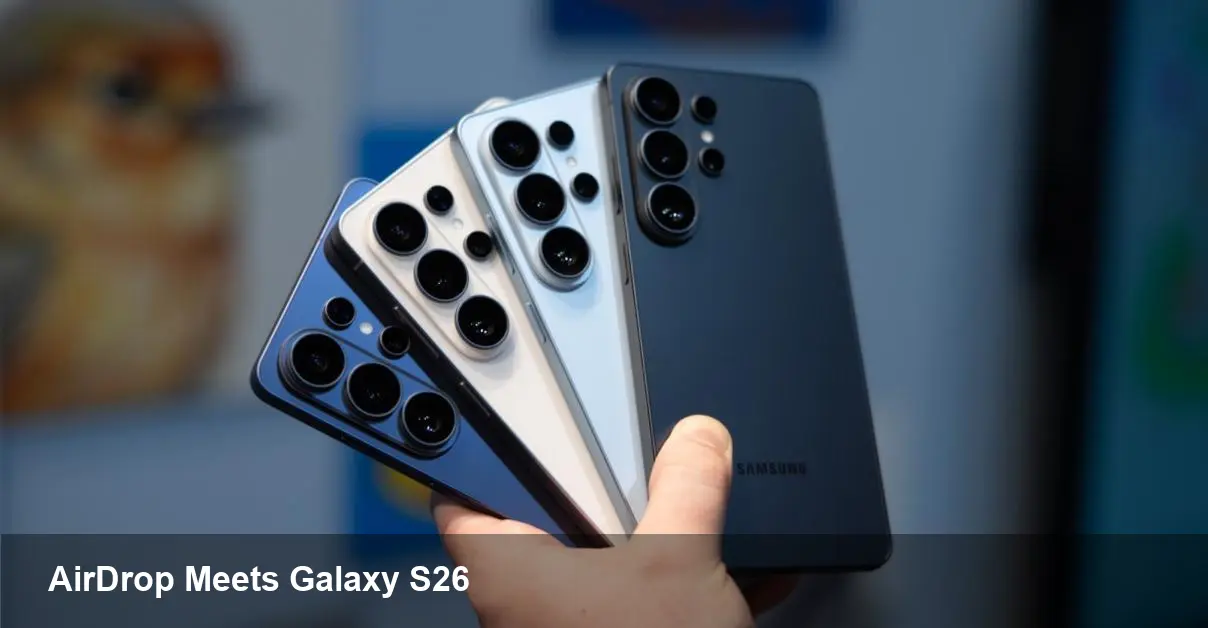
Samsung has introduced native compatibility with Apple’s AirDrop protocol on its Galaxy S26 series by integrating AirDrop support directly into its Quick Share feature. That means users holding an S26 can accept or discover files from nearby iPhones using the familiar AirDrop workflow, and iPhone owners can send photos, videos and documents to Galaxy S26 devices without extra apps or awkward workarounds.
This is a notable step for cross-platform convenience: for the first time (on Samsung’s side) Apple’s dominant peer-to-peer sharing method can interact with a mainstream Android flagship as if both devices were in the same ecosystem.
Quick refresher: Quick Share and AirDrop, in plain terms
- Quick Share is Samsung’s built-in, proximity-based file sharing tool available on Galaxy phones. It competes with several platform-specific solutions.
- AirDrop is Apple’s long-standing peer-to-peer sharing system used by iPhone, iPad and Mac users.
By bridging these two systems on the Galaxy S26, Samsung removes a frequent friction point when people mix iPhone and Galaxy devices in social, family and work settings.
Real-world scenarios where this changes behavior
- At events and meetups: An iPhone user can quickly send a multi-shot burst or live photo to a friend with a Galaxy S26 without emailing, messaging or uploading anywhere.
- Teams with mixed devices: Marketing teams that hand around mockups or short video clips no longer need to convert or use third-party apps—sharing can be peer-to-peer, fast and local.
- Casual sharing: Parents, students and hobbyist photographers will find it simpler to swap content between devices during travel or day-to-day life.
Example: Jane records a short behind-the-scenes clip on her iPhone and wants to send it to Mark’s Galaxy S26. With AirDrop-to-Quick Share on the S26, Jane taps Share -> AirDrop -> selects Mark’s S26, and the clip transfers directly, appearing in Mark’s Gallery. No cloud upload, no link, just a local transfer that feels native to both users.
How to use it (practical steps)
- On the Galaxy S26: open Quick Share in Settings or the share sheet and make sure the phone is discoverable.
- On the iPhone: open the content you want to share, tap Share and pick AirDrop as you normally would.
- Choose the visible Galaxy S26 device from the AirDrop list.
- Accept the transfer on the S26 when the prompt appears.
Device discovery, proximity, and Bluetooth/Wi‑Fi radios are still central to the experience—expect the same “tap and accept” flow iPhone owners are used to.
Benefits for users and organizations
- Reduced friction: no more copying links, emailing files to yourself or relying on third-party apps to get content between iPhone and Galaxy devices.
- Speed: transfers can be local and fast, particularly for large photo and video files, because they don’t require cloud uploads.
- Usability: both sides use their native sharing interfaces, minimizing the learning curve.
For IT teams, this feature simplifies certain user support scenarios. Teams deploying mixed-device environments can lean on native tools for quick content exchange rather than approving or supporting extra software.
Limitations and privacy/security considerations
- Hardware and software requirement: Samsung’s AirDrop compatibility starts with the Galaxy S26 series—older Galaxy phones won’t get the feature unless Samsung expands support in a future update.
- Must be discoverable: like AirDrop, Quick Share requires the receiving device to be visible and in range. Users should be mindful when enabling discoverability in public places.
- Expect typical transport protections: while peer-to-peer transfers are usually encrypted, confirm privacy settings and prompts before accepting files from unknown devices.
If your team has strict data policies, check how Quick Share interactions are logged and whether transfers comply with your organization’s data handling rules.
Developer and product implications
- App developers building cross-platform collaboration tools can de-emphasize custom file exchange flows and rely more on native OS sharing when one of the endpoints is a Galaxy S26.
- UX designers should plan for fewer edge cases where file sharing requires fallbacks—this reduces support overhead and simplifies onboarding.
- For enterprises, native interoperability can reduce licensing or integration costs previously spent on third-party file-sharing tools.
However, if your application requires rich metadata, transfer guarantees, or auditing, native peer-to-peer sharing still may not replace a managed cloud workflow.
Two practical tips for admins and power users
- Consider rolling out a short internal guide: show staff how to toggle Quick Share visibility and explain the safety checks for accepting transfers in public environments.
- Audit device fleets: if cross-device sharing is a desirable capability for your workflows, standardizing on devices that support it (like the S26) saves time and removes friction.
What this might mean next
- Platform convergence nudged forward: Cross-ecosystem conveniences like this make mixed-device use more practical and may nudge other vendors toward similar interoperability. Expect more attention on reducing friction between iOS and Android.
- Enterprise adoption grows slowly: Organizations that were reluctant to mix fleets for collaboration reasons may re-evaluate, though security and policy needs will still dictate decisions.
- Third-party sharing apps need to innovate: As native interop reduces the need for standalone transfer tools in casual use, third-party apps will need to offer differentiated features—encryption auditing, transfer queuing, or enterprise management—to remain relevant.
This native AirDrop compatibility on the Galaxy S26 is a small change with outsized practical impact. It doesn’t rewrite platform boundaries, but it solves a daily annoyance for many people who live between iPhones and Galaxy phones—until the next interaction layer gets bridged.