What Dell’s thinner Pro laptops and new naming scheme mean for businesses

A quick primer: Dell’s Pro line and why this matters
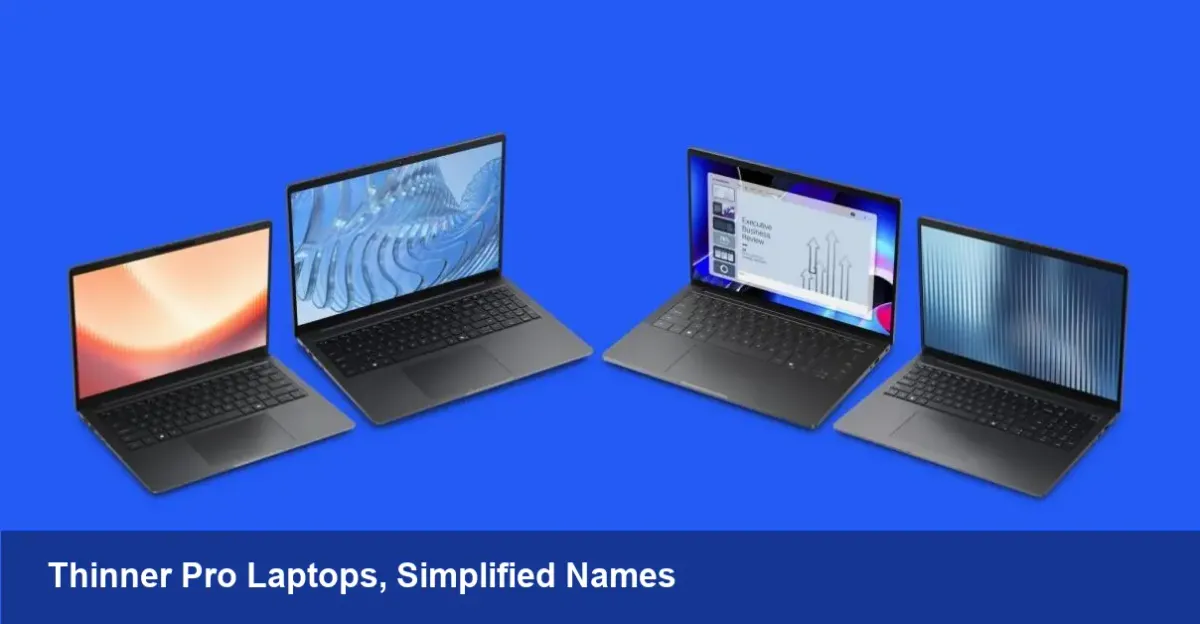
Dell’s Pro laptops have long targeted professionals who need a balance of performance, manageability and durability—corporate notebooks that IT teams can deploy at scale while still feeling premium for employees. Recent updates make two clear moves: the machines are slimmer than before, and Dell has simplified the naming convention by retiring many of the older suffixes (like Plus, Premium, and Max) in favor of a cleaner numeric scheme built around odd numbers.
That sounds minor, but for device buyers, IT admins, and developers these are meaningful shifts. Slimming down affects thermals, port choices and battery life. Naming changes affect procurement, SKU management, and future-proofing for large fleets.
What changed technically (and what to watch for)
- Thinner chassis: The new Pro models trade some internal volume for a lighter footprint. Expect slimmer profiles, smaller bezels and tighter internals.
- Naming simplification: Instead of appended descriptors (Plus, Premium, Max), Dell is moving toward a numbered series approach (notably odd numbers). That reduces ambiguity when ordering or documenting devices.
Neither change is purely cosmetic. Thinner designs often require reworking cooling, moving to more efficient components (LPDDR memory, low-voltage CPUs), and sometimes reducing port density. A simplified naming structure helps procurement teams avoid buying the wrong configuration for a department.
Practical implications for IT and procurement
- SKU management becomes easier. With fewer suffixes and a predictable numbering convention, spreadsheets and procurement systems can be simplified. That lowers risk of ordering mismatched devices for large deployments.
- Tighter fit for accessories. If Dell consolidated model families, docking and peripheral compatibility is likely more predictable. But ensure your existing docks and sleeves are compatible with the slightly altered chassis and port layout.
- Warranty and support tracking improves. With fewer variants to map to support contracts, IT teams can standardize imaging, remote management policies and spare parts.
Example: a company that previously had three different Pro variants across sales, engineering and customer success can now standardize on one thin model for sales and use a slightly heavier but more expandable model for dev work—if Dell keeps that differentiation visible in the new numbering.
Developer and power-user trade-offs
For software teams the headline is simple: slimmer equals less room for cooling and internal expandability. That has consequences:
- CPU sustained performance may be throttled under long, heavy builds or complex virtualization workloads. If your developers run frequent, long compile jobs or local containers, test the new machines with your actual workloads.
- RAM and storage options may be soldered or limited. Many thin laptops favor LPDDR and NVMe modules that aren’t user-replaceable—plan capacity up front.
- Battery capacity will vary. Thinner systems often use denser batteries but sometimes at lower absolute capacity; the real-world battery life depends heavily on display brightness and CPU workload.
Scenario: a mobile dev team that compiles large codebases should benchmark a new thin Pro machine against their existing devices. If build times increase due to thermal throttling, factor in productivity loss versus the ergonomics gains from a lighter laptop.
For sales and remote staff: the upsides
- Comfort and portability. Thinner, lighter laptops reduce carry fatigue for road warriors and hybrid workers.
- Less conspicuous design. A refined chassis makes the devices feel more consumer-like, which some employees prefer.
- Good fit for knowledge workers. Email, web apps, spreadsheets and video conferencing benefit most from portability and battery optimization rather than raw thermal headroom.
Downsides and gotchas to test before rollout
- Reduced port variety. If Dell has thinned the chassis, expect fewer full-size HDMI or Ethernet ports. That impacts users who depend on wired networking or multiple external displays without dongles.
- Repairability. Slim designs can be more challenging and expensive to repair; check Dell’s serviceability score and spare parts availability.
- Confusion during transition. Even with simplified names, the first procurement cycle needs a clear mapping between legacy SKUs and the new numbers to avoid accidental mismatches in builds, drivers and warranties.
Managing a rollout: a checklist for IT leaders
- Request engineering samples and run standard workload tests (builds, virtualization, video conferencing, battery rundown).
- Verify docking and peripheral compatibility; confirm multi-monitor support and ethernet options.
- Lock in RAM and storage choices for developer machines where soldered configurations can’t be upgraded.
- Update procurement and asset systems with the new numbering scheme; create a mapping sheet from old SKUs to new models.
- Train helpdesk staff on the new chassis differences and any changed service parts.
How this shift reflects larger industry trends
- Port consolidation and premium thinness continue. Laptop makers increasingly favor sleek designs that prioritize portability for distributed work.
- Naming normalization improves enterprise procurement. Large buyers prefer consistent SKU schemes that are easy to automate and track.
- The balance between thinness and serviceability will drive more modular accessories (docks, external GPUs, battery banks) to offset lost internal expandability.
What to expect next
Companies will react in two ways. Some IT teams will accelerate standardization around a single thin SKU for large user groups (sales, executives, remote workers) and reserve heavier models for developers and power users. Others will push vendors to offer more configurable options within thinner platforms—better cooling, optional discrete GPUs, or swappable battery packs.
If you’re responsible for hardware decisions, start by testing representative users with the new model for at least a week of real work. That’s the fastest way to reveal whether the slimmer profile will boost productivity or create hidden friction.
Where this trend lands will shape procurement strategies for the next generation of corporate laptops: streamlined naming, sleeker hardware—and smarter decisions about which employees need raw performance versus portability.