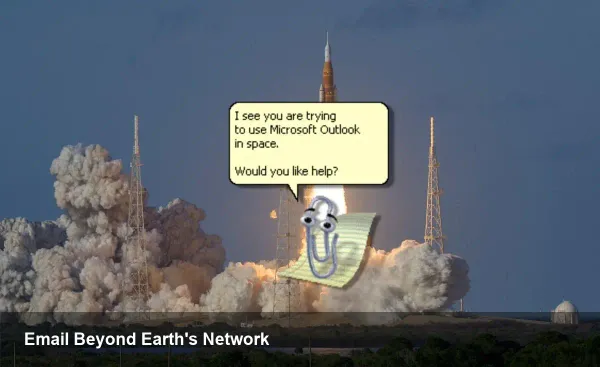
Artemis II: When Microsoft Outlook Fails in Space


A surprising hiccup between Earth and the Moon
During the transit phase of the Artemis II mission one of the crew — the mission commander — ran into an unexpected problem: their Microsoft Outlook inbox stopped behaving. For teams on the ground and software engineers alike, the incident is more than an amusing anecdote; it highlights how mainstream productivity tools behave in environments with intermittent connectivity, tight bandwidth and strict operational controls.
This isn't a condemnation of Outlook. It's a glimpse into how enterprise-grade desktop apps interact with the constraints of spaceflight communications, and what teams building software for extreme environments need to consider.
Why a desktop email client can fail on a spacecraft
Outlook is built for offices and data centers where Exchange or Microsoft 365 services are reachable and network conditions are relatively stable. In space, several factors conspire to make that assumption fragile:
- Intermittent links and high latency: spacecraft rely on relay networks and scheduled passes. The connection windows can be brief and latency is high, so client-server sync operations may time out or produce inconsistent state.
- Authentication token expiry: OAuth and modern auth flows expect frequent token refresh. If the refresh endpoint can't be reached, the client can appear logged out or fail to sync new messages.
- Large mailbox caches: many desktop clients cache mail locally. If storage quotas, corruption, or sync conflicts occur, the UI can hang or present errors.
- Security layers and proxies: mission operations often route traffic through specialized gateways, VPNs, or pal-based monitoring that can break client behavior.
Any single one of these can cause an inbox to “stop working”; combined, they make consumer-grade apps brittle.
How flight teams and crew actually troubleshoot
When an essential app like email misbehaves in orbit, crews follow a hierarchy of mitigations that mirrors terrestrial troubleshooting but with tighter constraints:
- Check link status: confirm the relay or scheduled comm window is active.
- Switch communication channels: use a different authenticated link (if one exists) or a ground-side relay.
- Use web access: a web-based Outlook or lightweight client that avoids local caches can bypass some desktop-specific failure modes.
- Re-authenticate: if possible, refresh credentials through an authenticated ground operator.
- Restart client or device: rebooting the laptop or app can clear transient states or memory corruption.
- Escalate to ground systems engineers: if the issue is server-side or related to mission gateways, the flight control team will re-route or adapt.
These steps are similar to what any help desk would do, but with the added complexity of limited comm windows and life-critical priorities.
Concrete scenarios that matter
- Critical ops message delayed: suppose an EVA or trajectory update is issued as an email. If it’s not flagged or prioritized by a store-and-forward system, the crew could miss a time-sensitive instruction.
- False alarms and noise: personal or bulk messages can create sync load and fill caches. On a long mission, unregulated mail traffic can degrade system performance.
- Authentication gap at a key moment: automatic token refresh failing during a scheduled uplink could lock a crew out of tools that rely on the same identity system.
Each of these shows why NASA and partner organizations classify communications by priority and often separate mission-critical telemetry and commands from everyday email.
Practical implications for developers and organizations
For engineers building software that will operate in constrained or intermittent networks, the lesson is clear: design for offline-first operation and robust store-and-forward behavior.
- Implement local queues and idempotent operations: clients should queue outgoing changes and retry intelligently when connectivity returns.
- Avoid stateful assumptions: expect interrupted syncs and build conflict resolution that’s transparent and recoverable.
- Use compact, prioritized messaging: compress payloads and tag messages by operational priority so ground systems can throttle or reroute low-priority traffic.
- Support alternative auth flows: allow re-issue of short-lived credentials via different channels and degrade gracefully to cached credentials for read-only access.
For enterprises relying on standard apps in extreme environments, adopt hardened configurations: limit automatic downloads, cap mailbox sizes for mission devices, and prefer web or purpose-built lightweight clients for routine comms.
Business and mission-level trade-offs
Many space agencies and commercial crewed missions want to use familiar, off-the-shelf software to reduce training overhead and leverage existing corporate ecosystems. That convenience comes with trade-offs:
- Faster onboarding vs. reliability engineering: using mainstream tools reduces training time but increases the need for integration work to make those tools resilient in flight.
- Security vs. availability: strict policies and inspection gateways protect mission networks, but they can also be a single point of failure for client authentication or sync.
- Cost vs. specialization: building custom communication software is expensive; reusing enterprise apps looks cheaper until mission-critical failures force expensive workarounds.
Those trade-offs will shape procurement and software strategy for future crewed missions.
Looking ahead: three implications for future missions
- Store-and-forward will be standard: Delay-Tolerant Networking (DTN) concepts and space-aware message queues will be part of mission communications stacks, ensuring messages are reliably delivered and prioritized.
- Offline-first user interfaces will spread: tools used by crews will need to provide full read-only access and meaningful UI behavior without constant server contact.
- Certification of commercial apps: agencies and industry partners will increasingly define hardened profiles for commercial software (e.g., an "in-flight Outlook" configuration) that limit features, tighten caches and add telemetry suited for space diagnostics.
Practical takeaway for teams building for constrained networks
Treat the failure as a prompt to test under realistic constraints. Run simulated high-latency, low-bandwidth tests, expire tokens deliberately during sessions, cap mailbox sizes, and introduce partial outage scenarios into your QA plans. For product managers: prioritize graceful degradation and clear offline UX over feature parity with the ground-office experience.
The image of an astronaut clicking through an email error on the way to the Moon makes for a memorable headline, but the real story is practical: mainstream software can work in space if we design for the network realities there. That work will be increasingly important as missions get longer, more commercial actors join spaceflight, and crews expect the same digital conveniences they have on Earth.