How to evaluate Intel Core Ultra 270K and 250K Plus for real use

Quick overview: what these chips represent
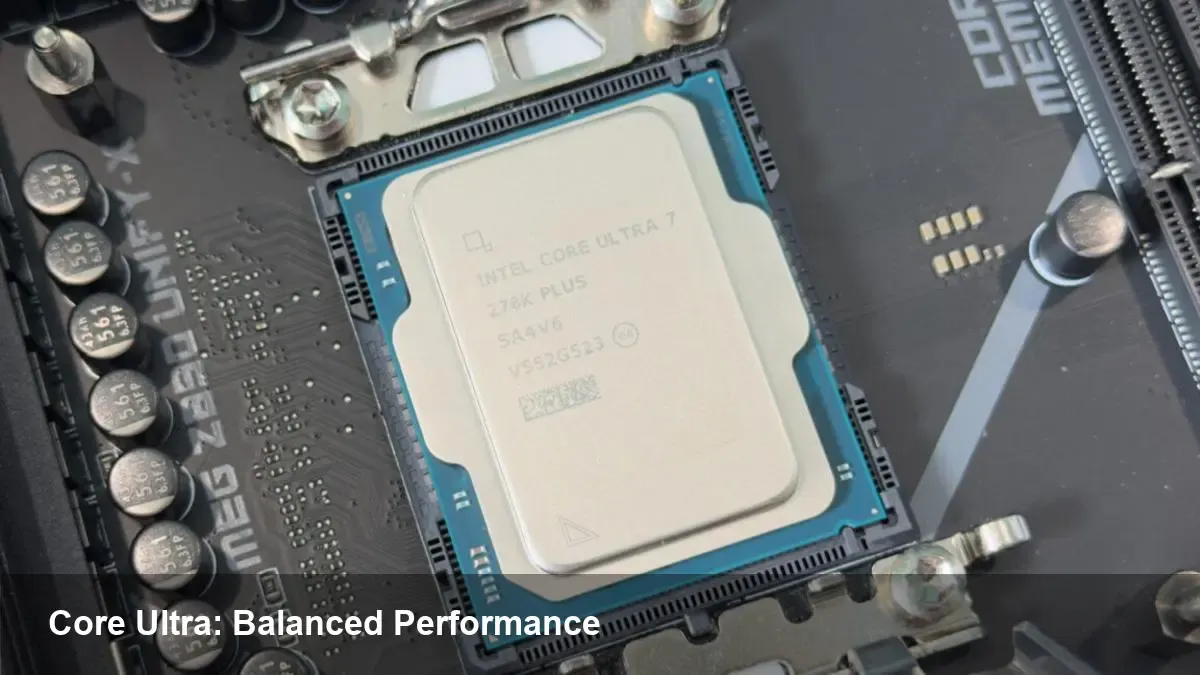
Intel’s Core Ultra 270K and 250K Plus are part of the vendor’s recent consumer-oriented Core Ultra family. They sit in the higher midrange of Intel’s desktop/mobile lineup and are designed to deliver solid single-threaded speed and sustained multi-core performance for typical creator and productivity workloads. In short: they aim to give strong out-of-the-box responsiveness while leaning on modern platform features that can make a system more capable — and more expensive — depending on what you choose to pair with the CPU.
Why the Core Ultra branding matters
Intel’s Core Ultra series signals a step toward combining CPU performance with integrated platform capabilities (power management, media engines, and more capable integrated graphics in certain SKUs). For buyers that care about everyday snappiness, video editing, compiling code, or light gaming without a discrete GPU, these chips are attractive. For builders targeting heavy GPU workloads or maximum overclocking headroom, they’re one of several options to weigh.
Who should consider a 270K or 250K Plus?
- Content creators doing 1080p–4K video editing, streaming, image processing, and multi-tab browser work. The combination of fast cores and higher core counts helps export and multitask.
- Developers compiling moderate-to-large codebases, running multiple containers, or using local VMs. Faster I/O and responsive single-thread performance reduce iteration time.
- Enthusiast system builders who want strong CPU performance without immediately buying a top-tier discrete GPU.
- Small businesses that need reliable desktop performance for productivity suites and light media tasks without a heavy capital outlay.
If your primary work involves GPU-accelerated tasks (AI model training, large-scale GPU rendering), or you need extreme overclocking flexibility, pair these CPUs with a discrete GPU or consider alternative SKUs tailored for those needs.
Real-world build scenarios
Scenario A — Content creator on a budget:
- CPU: Core Ultra 250K Plus
- GPU: Midrange discrete GPU or none if mainly editing 1080p content
- Storage: NVMe SSD (500 GB–1 TB)
- RAM: 32 GB (don’t skimp if you edit long timelines)
Why it works: The CPU keeps UI and scrubbing responsive; NVMe storage speeds up cache and exports. Where builders try to save money — lower RAM or slow SSDs — is where the experience degrades fastest.
Scenario B — Developer workstation:
- CPU: Core Ultra 270K
- RAM: 32–64 GB depending on VM/container usage
- Storage: 1 TB NVMe + secondary SATA drive
- GPU: Integrated for day-to-day; discrete GPU optional for specific acceleration
Why it works: Faster single-thread performance speeds up builds; more RAM allows many services to run concurrently. Investing in fast storage and RAM is often more impactful than marginally faster CPU headroom.
Scenario C — Gamer with mixed needs:
- CPU: Either 270K or 250K Plus depending on budget
- GPU: Mid-to-high-range discrete GPU (most games are GPU-bound at high detail)
- RAM: 16–32 GB
- Storage: NVMe SSD for OS/games
Why it works: Gaming at resolutions where the GPU is the bottleneck makes both CPUs sensible choices; choose based on refresh rate targets and whether you stream while gaming.
Cost and platform trade-offs: why the rest of the build matters
Benchmarks matter, but component matching matters more. A capable CPU paired with inadequate RAM, a slow SATA SSD, or a GPU-limited system will not deliver the perceived value. The short version:
- RAM: Capacity and speed matter for productivity and multi-tasking. Aim for 32 GB for serious creative work.
- Storage: NVMe SSDs reduce project load/save/export times. Scratch disk speed is particularly important for video workflows.
- GPU: If you plan to do GPU-accelerated tasks (rendering, AI inference, CUDA workloads), plan to invest in a discrete card.
The combined cost of these components often exceeds the CPU price. Treat the CPU as one axis of overall system capability, not the only purchase decision.
Developer and enterprise implications
- Local development speed: Faster iteration cycles from short compiles and responsive VM snapshots increase developer productivity more than small raw CPU headline gains.
- Software optimization: Hybrid architectures and on-die accelerators (present in modern Intel platforms) can be leveraged by software that’s optimized for media codecs and specialized instructions. If you maintain tooling or builds that can use these features, you’ll see tangible benefits.
- IT procurement: For small teams, the total cost of ownership favors balanced builds (adequate RAM and SSD) over the most expensive CPU. For managed desktops, choosing SKUs with integrated capabilities can simplify images and drivers.
Limitations and what to watch for
- GPU-heavy workloads will still need a discrete card. Integrated graphics can handle casual gaming and some accelerated media playback, but not heavy GPU compute.
- Platform costs: Motherboard features (PCIe lanes, NVMe slots, VRM quality) and faster RAM support can push the build price upward.
- Upgrade paths: Assess future needs (more RAM, additional NVMe drives, PCIe lanes for GPUs) so your motherboard choice doesn’t bottleneck later upgrades.
Three implications for the near future
- Platform balance over single-part specs: As CPUs become a less dominant cost in a full system, buyers will prioritize balanced systems where RAM, storage, and GPUs are aligned to workloads.
- Software begins to exploit on-chip media and acceleration features more broadly: Expect faster support in creative apps and developer tools that can offload specific tasks to specialized silicon.
- OEM differentiation increases: Manufacturers will craft laptop and desktop SKUs around thermal headroom and power profiles more than raw CPU clocks, pushing buyers to evaluate thermals and sustained performance metrics, not just peak numbers.
How to choose between 270K and 250K Plus
If you need higher sustained multi-thread throughput and slightly better headroom for heavier multitasking, lean toward the 270K. If your workload is mostly single-threaded and you’re optimizing for cost with reasonable performance, the 250K Plus is a strong contender. In both cases, invest at least moderately in RAM and NVMe storage to realize the CPUs’ potential.
Choosing a CPU is a systems decision. These Core Ultra parts are compelling options for many creators, developers, and small teams, but their real value shows up only when the rest of the build is chosen with the intended workload in mind. Consider the whole box: memory, storage, GPU, and cooling before deciding.