How to Ready Your Game for Valve’s Steam Frame

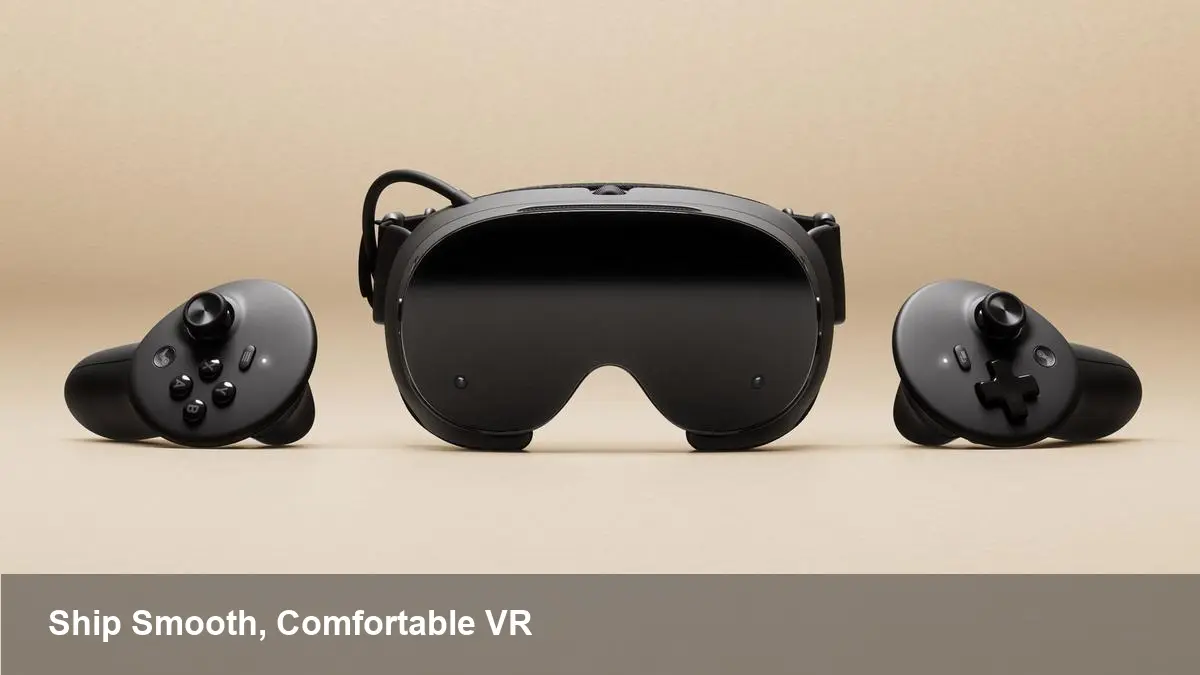
Why Valve’s Steam Frame matters now
Valve’s move into dedicated mixed-reality hardware has shifted from concept to a developer-focused platform. At this year’s Game Developers Conference, the company used its Steam Hardware session to outline what it considers important for titles that want to wear the new platform’s quality mark: the Steam Frame Verified badge. That badge will matter not just as a marketing sticker, but as a signal to players—and a checklist for studios—about what counts as a polished experience on the device.
If you’re a studio, indie team, or solo dev considering support for this headset, the GDC talk was not a product launch so much as an invitation: Valve wants games that meet measurable performance and comfort expectations. Treat this as an early specification for engineering, QA and product planning.
What developers should take away from Valve’s GDC talk
Valve presented a short list of measurable expectations and emphasized two performance-related metrics in particular. They framed these numbers as gateways to that Steam Frame Verified badge. The exact thresholds are less important than the underlying message: consistent frame timing under realistic conditions, and predictable thermal/battery behavior over play sessions.
Put simply, Valve is asking for experiences that run smoothly for real users, not just in lab conditions. For developers that means focusing on sustained performance, input fidelity, and comfort rather than only peak graphics quality.
Practical checklist for targeting Steam Frame
Below is a pragmatic checklist you can apply to most VR/MR headsets but tailored to what Valve signaled is important.
- Establish a stable baseline
- Build a low-overhead reference scene in your engine that represents typical worst-case load (particles, physics, AI). Use this for profiling and automated testing.
- Prioritize sustained framerate over spikes
- Optimize for the long-run. Short benchmark runs that hit target frame rates once are not enough—Valve wants predictable performance over typical play sessions.
- Use eye- and foveated-aware techniques
- If the headset exposes eye-tracking or variable-resolution rendering, integrate foveated rendering and adaptive shading so you can preserve visual fidelity while lowering GPU cost.
- Make input and UI comfortable for mixed reality
- Rework HUDs, menus, and text for non-flat displays. If the Steam Frame supports passthrough or mixed reality features, provide scalable UI that works in both immersive and semi-transparent contexts.
- Implement platform-aware controller mapping
- Provide reasonable defaults, but let players remap. Support both tracked controller schemes and fallback gamepad layouts.
- Thermals, battery and session testing
- Run playtests that last as long as a typical session for your game. Monitor battery drain and device temperatures. Throttle gracefully: reduce visual complexity or disable non-essential systems if the platform requests it.
- Accessibility and comfort settings
- Include locomotion options (teleport, smooth locomotion, comfort vignettes), snap/continuous turning, IPD calibration guidance, and clear recenter controls.
- Certification-ready packaging
- Prepare a build matrix for cert submissions: multiple quality presets, an explicit “Verified” test script, and annotated release notes describing which features you validated on-device.
Concrete porting examples
- Porting a 2D action game: Focus on UI legibility and control translation. Use fixed camera placement where possible and present menus in a world-space layer to avoid depth confusion.
- Porting a full 3D VR title: Start by profiling the heaviest scenes. Introduce LODs, baked lighting where feasible, and consider single-pass stereo rendering. Replace heavy post-processing with cheaper approximations and provide a high/medium/low mode in the settings.
- Multiplayer or online games: Test networked sessions under real CPU/GPU load. Ensure that latency-sensitive systems (aiming, synchronization) behave predictably when framerate fluctuates.
Developer workflow changes worth adopting
- Continuous performance testing: Add automated builds that run platform-specific performance tests on a daily cadence. Collect frame timing histograms and regress on anomalies.
- Use OpenXR where possible: Abstraction saves time across headsets. Implement platform-specific enhancements (eye tracking, passthrough depth) behind capability checks so a single codebase supports multiple runtimes.
- Instrument for real users: Ship builds with optional telemetry for consenting users to capture frame pacing, re-projection events, and thermal state. Aggregate anonymized metrics to catch issues that don’t reproduce in the lab.
- Early hardware access: If Valve’s preview hardware or reference units are available, get them into QA and run extended sessions. Emulators and desktop SDKs won’t surface thermal or battery regressions.
Business implications and discoverability
Earning an official badge like Steam Frame Verified will likely affect store placement and player trust. Expect the badge to serve as a discovery filter for buyers who want plug-and-play experiences. For studios, that makes an investment in certification a possible multiplier on marketing spend: validated quality can reduce refund rates and increase playtime metrics.
On the flip side, certification raises the bar for smaller teams. You’ll need to allocate engineering time to profiling, QA labs, and possibly hardware-specific optimizations. Factor that into schedules and budgets early.
Looking ahead: three implications for VR development
- Standardization pressure: As platform owners publish certification expectations, cross-platform APIs and middleware that automate compliance will gain importance.
- Quality as a marketplace signal: Badging encourages higher baseline quality, which could reduce fragmentation but increase development costs for entrants.
- New runtime priorities: Expect more emphasis on thermal management, battery economics, and long-session ergonomics in VR design—not just peak graphical fidelity.
If you’re shipping to Valve’s ecosystem, think of the Steam Frame Verified badge as both a technical target and a product decision. Start with measurable tests, prioritize long-term comfort and consistency, and bake platform validation into your release pipeline. With an early, disciplined approach you’ll not only earn the badge more easily—you’ll also build a better experience for players on day one.