How Google’s Home App and Gemini for Home Upgrades Matter

What changed and why it matters
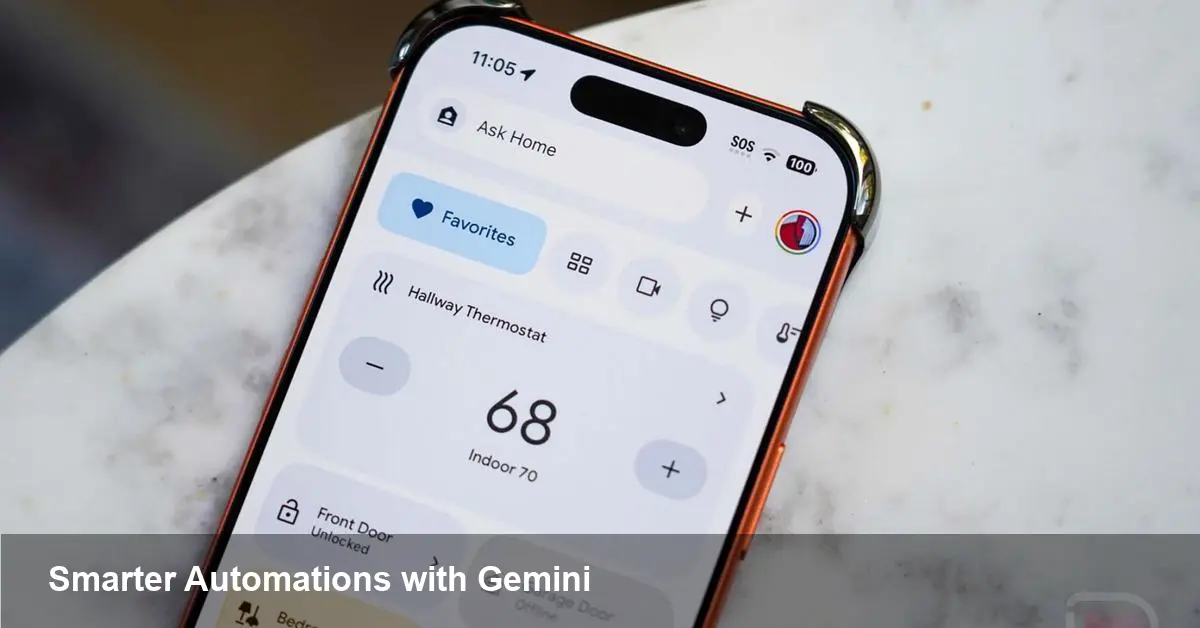
This week Google began rolling out meaningful updates to the Google Home app and expanded capabilities for Gemini for Home, its on-device voice assistant offering. At a high level the changes make building smart-home automations more flexible and push the assistant closer to a daily conversational presence in the home.
That sounds incremental, but for users and developers it changes the balance between manual control and automated, context-aware behavior. The practical result: fewer taps to get things done, more reliable triggers for smart devices, and new scenarios where the assistant can step in proactively.
Quick background: Google Home and Gemini for Home
Google Home is the central app and service layer for managing Nest and third-party smart devices across a household. Gemini is Google’s name for its advanced AI models; Gemini for Home is the adaptation focused on voice interactions inside the home environment. Think of Gemini for Home as the conversational brain that integrates with the Home app’s automation engine and the local device network.
Over the past year Google has been converging its smart-home controls and AI — the new rollouts are the latest step in that strategy.
What the updates actually deliver (practical view)
Google’s announcement bundles two related updates:
- Expanded automation building blocks in the Google Home app — new "starters" and condition types that make it easier to start an automation or gate it with context.
- Broader capabilities for Gemini for Home, meaning the assistant will handle a wider set of home-focused conversational tasks and can be invoked in more automation flows.
The announcements don’t require new devices for most households; they’re mostly software-side changes that the Home app and Google’s cloud will enable progressively to accounts in the rollout.
Real-world scenarios: how you’ll use these features
Here are several practical examples of how the new automation starters and a beefed-up Gemini for Home change daily routines.
- Better arrival routines: instead of only time-based triggers, you can create an automation that starts when a specific phone joins the home Wi‑Fi and only if it’s after sunset. That means lights and a welcome thermostat adjustment happen automatically when you return.
- Contextual safety checks: an automation could trigger a Gemini for Home prompt if a door sensor opens while security mode is armed, and ask a quick verification question before sounding an alarm — reducing false alarms while keeping urgency.
- Hands-free household management: ask Gemini for Home to run a scheduled “bedtime” automation that locks doors, reduces thermostat, and turns off entertainment devices without touching the phone.
- Elder care and assisted living workflows: automations can combine motion sensors, scheduled check-ins, and voice prompts from Gemini for Home to confirm a resident is okay and escalate to a family member if there’s no response.
These examples show how mixing richer triggers and a conversational assistant opens up the middle ground between passive automation and active user control.
What developers and smart-home partners should do
If you build smart-home integrations, a few practical steps will prepare you for these changes:
- Revisit automation intents: make sure your devices expose states and events that map to the new starters and conditions (presence, power state, custom sensors).
- Test voice-driven flows: automations that hand off to Gemini for Home will need end-to-end testing for latency, confirmation prompts, and state reconciliation.
- Update UX documentation for users: as automations become more context-aware, clear descriptions and safety explanations reduce surprises that can lead to support tickets.
For device makers and platform partners, this rollout is an opportunity to make product behavior more proactive. Devices that surface richer status (e.g., power consumption, local temperature trends) become better candidates for the new conditional automations.
Business outcomes and opportunities
For startups and small businesses in the smart-home space, a few pragmatic effects are worth noting:
- Higher engagement: smarter automations tied to voice interactions tend to increase daily usage, which can be monetized via premium features or ecosystem partnerships.
- Differentiation via integration: companies that expose nuanced device telemetry can appear more often in recommended automations and voice routines.
- Service opportunities: managed setup, security review, and privacy audits become billable services as automations grow more complex in multi-user homes.
Security and privacy considerations
More contextual automations and a conversational assistant that actively intervenes raise predictable privacy and security considerations:
- Authentication gating: use PINs or biometric confirmations for automations that unlock doors, make purchases, or disable alarms.
- Data minimization: decide what device state is necessary to evaluate a condition; avoid sending unnecessary telemetry to the cloud when local evaluation suffices.
- Multi-user scenarios: automations should respect per-person preferences and avoid exposing sensitive prompts in shared spaces.
Google’s platform typically includes controls for voice history and device activity, but implementers should plan for explicit consent flows and transparent settings in their integrations.
Limitations to keep in mind
These updates broaden possibilities, but they don’t eliminate core constraints:
- Dependence on connectivity: even if parts of Gemini for Home can run locally, many features still rely on cloud services for model updates and cross-device sync.
- Regional rollouts: features like expanded automations and enhanced voice capabilities often appear in waves by account, region, and device type — patience is required.
- Complexity for average users: richer triggers can create unexpected behaviors unless automations are named clearly and previewed during creation.
Forward-looking implications
Two implications to track:
1) Smarter assistants will push the smart-home ecosystem toward hybrid automation models that combine local execution for speed and cloud intelligence for context. This hybrid approach reduces latency while enabling richer reasoning.
2) As conversational assistants become automation-aware, voice interfaces will shift from single-shot commands to ongoing, stateful dialogues that manage multi-step home routines. That opens design and monetization opportunities — and new responsibility for security and transparency.
If you manage a smart-home deployment or build devices for the Google ecosystem, now is a good time to audit your device telemetry, test voice-driven automation scenarios, and rethink user onboarding so people understand what smarter automations actually do in their homes.