
How AI Code Features Are Rewiring Creative Cloud

What’s changing and why it matters
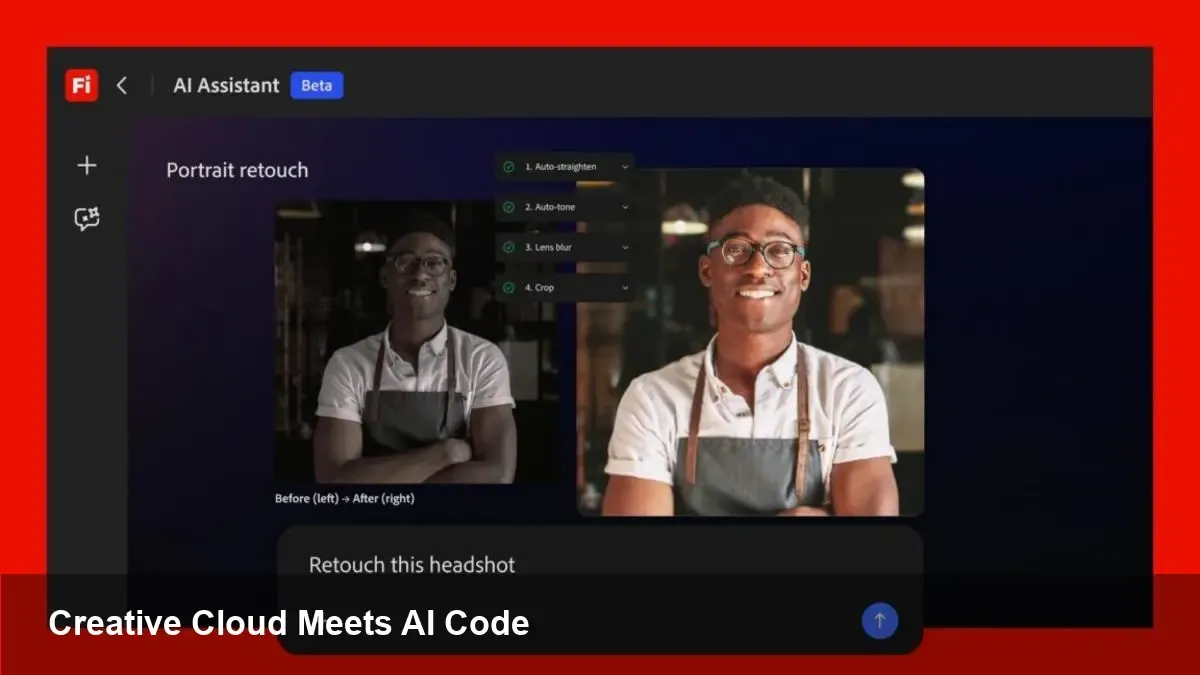
Adobe’s Creative Cloud has long been the hub for designers, video editors, and marketing teams. Now the platform is moving beyond image and layout tools into capabilities that look and behave like developer-focused language models — think code generation, contextual scripting, and multimodal prompts in the editor. This shift toward LLM-style features (the kind of territory Anthropic’s “Claude Code” exemplifies) changes how creative teams prototype, automate, and ship work.
For product teams and developers the practical implication is simple: creative work is becoming executable earlier. Instead of exporting designs and hand-coding by hand, more of the translation layer between pixels and production can be automated or accelerated.
From vague prompts to executable assets
Traditionally, Creative Cloud has focused on authoring: Photoshop for raster, Illustrator for vector, After Effects for motion, and so on. Adding LLM-like code capabilities turns authoring into an integrated production pipeline.
Concretely, this means you can expect features such as:
- Natural-language prompts that generate UI components, style guides, or even front-end snippets tied to a live design.
- Script generation for automation (After Effects expressions, Premiere Pro sequences, batch image processing) created from conversational prompts.
- Asset transformations that understand intent across text, image, and layout — for example, “convert these three header treatments into accessible HTML/CSS with variables.”
This is the bridge: prompt → design → code. For teams, that reduces handoffs, speeds iteration, and shrinks the time from concept to working prototype.
Three concrete scenarios you can apply today
1) Rapid prototyping for product teams
- A product designer prototypes a new modal in XD or Figma-like tools inside Creative Cloud, then asks the AI: “Export this as responsive HTML/CSS with Tailwind classes and a Storybook story.” The model outputs clean code and a Storybook story template. Developers review and integrate rather than build from scratch.
2) Video and motion automation
- An editor working in Premiere Pro wants a 30-second social cut with three different intros localized for different regions. Instead of manually recreating sequences, the AI produces sequence variations, applies translated lower-thirds, and exports the timelines as editable presets. The editor spends time on creative direction instead of repetitive assembly.
3) Marketing scaling and personalization
- A marketing operations manager needs hundreds of banner variations. The AI can generate design variants based on rules (CTA text, locale, product image swaps), batch-render assets at different sizes, and output a CSV manifest for ad platforms. The job becomes orchestration rather than pixel pushing.
How this changes developer and design workflows
- Fewer “throw-it-over-the-wall” moments: Designers can produce more production-ready artifacts. Hand-offs become code reviews, not rebuilds.
- New QA vectors for developers: Instead of only checking UI behavior, developers will validate model-generated code for performance, accessibility, and security.
- Expanded API and plugin opportunities: Teams will create integrations that feed project metadata to models (design tokens, brand guidelines) and consume generated outputs in CI/CD pipelines.
For engineering orgs, the right pattern will be to treat the AI as another build tool with strict tests and review gates rather than a drop-in replacement for developers.
Business value — measurable and strategic
- Faster time-to-market: Automating repetitive transformations (exporting assets, generating templates) shaves hours off sprints and reduces iteration cycles.
- Cost rebalancing: Less time on mechanical work frees senior designers and engineers to focus on higher-value tasks — ideation, architecture, and UX strategy.
- Competitive differentiation: Agencies and product shops that embed these AI-assisted pipelines can offer faster delivery and more personalization at scale.
However, the gains are conditional: they depend on adoption of shared vocabularies (design tokens, naming conventions), governance around outputs, and integration into existing CI and approval workflows.
Risks, legal points, and practical limits
- Hallucinations and brittle outputs: AI-generated code or assets can look plausible but be incorrect or fragile. All outputs need human validation, unit tests, and accessibility checks.
- IP and provenance: Automatically generated assets complicate copyright and licensing. Teams should track prompts, model versions, and any training-source guarantees from the vendor.
- Security concerns: Generated scripts could introduce vulnerabilities if not reviewed; automation must include static analysis and code scanning.
- Dependency and lock-in: Relying on proprietary LLM features inside Creative Cloud may create migration friction. Maintain exportable source artifacts (code, tokens, style guides) as guardrails.
For developers: practical integration tips
- Treat model outputs as first drafts. Add linters, formatters, and test suites into the generated-code pipeline.
- Keep design systems and tokens as single sources of truth. Feed them as context to models so outputs match brand standards.
- Build rollback and diffing workflows. Generated assets should sit in version control with metadata that explains which prompts produced them.
Three strategic implications for the next 2–3 years
1) AI-native creative workflows will become standard. Teams will expect in-app generation, not external tooling glue. 2) The role of the designer will shift toward systems thinking: defining constraints, tokens, and governance so AI can scale creative output safely. 3) New market niches will appear for middleware that validates, optimizes, and integrates AI-generated assets into existing engineering pipelines.
Where teams should start
Begin with low-risk automation: batch exports, standardized templates, and internal build scripts. Layer governance and tests as you expand to higher-stakes outputs like customer-facing production code or brand-defining creative. Invest in prompt versioning and a lightweight approval workflow so you can iterate safely.
If Creative Cloud’s trajectory is any guide, the future is hybrid: humans steering creative intent, and models handling routine translation into production. That makes speed and scale the new baseline — but only if organizations invest in the guardrails that keep creative work reliable and auditable.



